OK heres a tip for ya,   say you are working on a song and have been using a
whole load of EXS salplers and sounds from your main exs libary,   do this

First, open the key commands window and go to the EXS section

assign a key command to the entry "Backup Audio files of all Used and active
Instruments of current song", I use SHIFT-B for backup, but you can use
whatever you want. close the window.

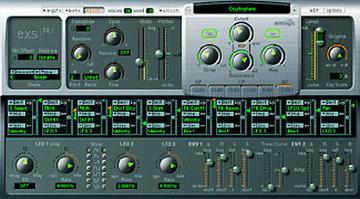
Open the exs instrument editor from the AUDIO menu

Press the command you made (SHIFT-B in my case)

what will happen is all the Used and active EXS Instruments you are using in
the current will be copied into the song folder for that particular song( it
will ask for the *.lso for the song)  the original exs instruments and
samples will unchanged and left where they are.

It will automaticly make a sampler Instruments folder and a folder for the
samples in the same folder where the .lso is.

If you have been puting all the audio files you have been recording in that
same folder you will now have a complete folder with every thing that song
needs to play, so when if you save it and give it to some one else they will
not need access to your libary to play the song,  or if you happen to be
unable to access your EXS libary for any reason, at least any song that uses
EXS stuff will have all it needs to play.

Also if you then EDIT of otherwise fuckup a exs instrument its only
affecting the copy in the song folder not the one in your main libary.

Ok what do I win?

Adam Calaitzis
Toyland Recording Studio
www.toyland.com.au
Message
Re: [exs] Some advanced user tips...
2002-11-16 by Adam Calaitzis
Attachments
- No local attachments were found for this message.