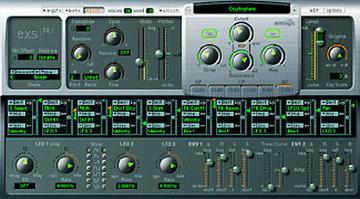
EXS 24 Logic Sampler Users Group group photo

Yahoo Groups archive

EXS 24 Logic Sampler Users Group

Index last updated: 2026-04-28 23:25 UTC

Thread

Re: [exs] Digest Number 366

Re: [exs] Digest Number 366

2001-11-05 by HELP@MusicBootCamp.com

Yes, this is a life-saver!!!
Show quoted textHide quoted text
> From: Tom Hammer <hammeremail@...>
> Reply-To: exs-users@yahoogroups.com
> Date: Mon, 05 Nov 2001 12:18:41 -0500
> To: <exs-users@yahoogroups.com>
> Subject: Re: [exs] Digest Number 366
> 
> You can select all zones and then hold down a modifier key when you click
> the "one shot" box and all the zones will become checked.
> On mac, I think it's the option key, maybe command, but it does work.
> 
> tom
> 
> 
>> Subject: Re: exs Zones
>> 
>> David Tobin wrote:
>> 
>>> Is there any way to move all the zones in an instrument at the
>>> same time?
>>> 
>> 
>> Welcome to the "user friendly" interface of the EXS24 Instrument editor.
>> Unfortunately no operations work this way on multiple zones.
>> 
>> If you do a multiple sample import and you want to make them all "one shot"
>> you can't just select all and tick one box -- you have to do it for every
>> one. It is now 15 months since the release of EXS24 so unless a whole new
>> editor is being built you would have to suppose that building instruments
>> yourself is not a priority with the developers.
>> 
>> Regards,
>> Murray
> 
> 
> To unsubscribe from this group, send an email to:
> exs-users-unsubscribe@egroups.com
> 
> 
> 
> Your use of Yahoo! Groups is subject to http://docs.yahoo.com/info/terms/
> 
> 
>

Re: [exs] Digest Number 366

2001-11-05 by Tom Hammer

You can select all zones and then hold down a modifier key when you click
the "one shot" box and all the zones will become checked.
On mac, I think it's the option key, maybe command, but it does work.

tom
Show quoted textHide quoted text
> Subject: Re: exs Zones
> 
> David Tobin wrote:
> 
>> Is there any way to move all the zones in an instrument at the
>> same time?
>> 
> 
> Welcome to the "user friendly" interface of the EXS24 Instrument editor.
> Unfortunately no operations work this way on multiple zones.
> 
> If you do a multiple sample import and you want to make them all "one shot"
> you can't just select all and tick one box -- you have to do it for every
> one. It is now 15 months since the release of EXS24 so unless a whole new
> editor is being built you would have to suppose that building instruments
> yourself is not a priority with the developers.
> 
> Regards,
> Murray

Re: [exs] Digest Number 366

2001-11-05 by Bjorn Elfstrom

Tom Hammer wrote:

> You can select all zones and then hold down a modifier key when you click
> the "one shot" box and all the zones will become checked.
> On mac, I think it's the option key, maybe command, but it does work.

Last time I tried this it didn't work onWindows... Don't remember which
version it was though, maybe it has been fixed now.

rgds,

Bj\ufffdrn Elfstr\ufffdm

Re: [exs] Digest Number 366

2001-11-05 by Sascha Franck

Bjorn Elfstrom wrote:
> Tom Hammer wrote:
>
> > You can select all zones and then hold down a modifier key when you
click
> > the "one shot" box and all the zones will become checked.
> > On mac, I think it's the option key, maybe command, but it does work.
>
> Last time I tried this it didn't work onWindows... Don't remember which
> version it was though, maybe it has been fixed now.

Still doesn't work on Windows - what a pity.
IMO selecting AND editing multiple zones/groups should be a must for a
softwarebased sampler. Even my old EWS64 soundcard did that, and the editor
of that beast really was one buggy thing.
The same is true for graphical editing. El Cheapo Virtual Sampler does that
pretty well (let alone HALion) and even VolksZampler which in almost all
other aspects could easily win a prize for the most ugly UI.

Regards,
Sascha

Spectrasonics ??

2001-11-05 by Colin Shapiro

No November sound from Spectrasonics yet.

I kind of miss it.......

Regards - Colin

Re: [exs] Digest Number 366

2001-11-06 by Murray McDowall

Björn Elfströmwrote:
>Tom Hammer wrote:

>> You can select all zones and then hold down a modifier key when you click
>> the "one shot" box and all the zones will become checked.
>> On mac, I think it's the option key, maybe command, but it does work.
>
> Last time I tried this it didn't work onWindows... Don't remember which
>version it was though, maybe it has been fixed now.

I seem to recall that this did work at one stage -- but then the feature
disappeared which made me wonder if it had ever been there!  No modifier
keys will make this work at present on PC -- probably not since 4.7.

Regards,
Murray

Move to quarantaine

This moves the raw source file on disk only. The archive index is not changed automatically, so you still need to run a manual refresh afterward.