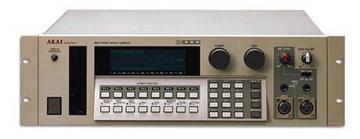
Akai S1000 / S1100 samplers group photo

Yahoo Groups archive

Akai S1000 / S1100 samplers

Index last updated: 2026-04-13 23:33 UTC

Thread

Some s1100 questions

Some s1100 questions

2016-03-27 by Robin Gee-Cutting

Hi guys,

Apologies if a lot of this has already been answered, I've been trying to figure out how to use yahoo groups to not much success.

I just picked up my s1100 and I've been looking for the manual but can only seem to find a s1000 manual is this the one I should be reading?

I also need to replace the backlight in the screen (the screen itself is perfect). Is this a difficult task? I'm pretty accomplished with a soldering iron so I'm not too worried but what's the exact part I need?

The floppy drive is also buggered and needs replacing although I was considering just changing it for a CF card reader (I've seen some kits on eBay). Is there any specific floppy drive I need to replace it?

Lastly I was just wondering how can you check how much memory a s1100 has and if it has the fx board or the double polyphony board.

Thank you so much!

Re: [akaiS1000S1100Samplers] Some s1100 questions

2016-03-27 by Mark

This page has S1100 manual: http://martin78.com/samplers/akai-s1000-s1100/

Best place to get a backlight is from Retroillumination - he sends out a kit with very easy to follow instructions, just msg him with your sampler model - https://www.facebook.com/illuminator808/

I'm gonna try this in my S1000 soon - http://www.ebay.com/itm/111904464064 - will post here if it works.

The screen will tell you how much memory there is down the bottom when you boot it up. It will also tell you the software version - anything less than 4.3 is out of date, if you're below that send me a msg off list, I have 4.3 chips I can sell you if required.

Cheers

M
Show quoted textHide quoted text
On 27 March 2016 at 09:00, Robin Gee-Cutting djdevant@yahoo.com [akaiS1000S1100Samplers] <akaiS1000S1100Samplers@yahoogroups.com> wrote:

Hi guys,

Apologies if a lot of this has already been answered, I've been trying to figure out how to use yahoo groups to not much success.

I just picked up my s1100 and I've been looking for the manual but can only seem to find a s1000 manual is this the one I should be reading?

I also need to replace the backlight in the screen (the screen itself is perfect). Is this a difficult task? I'm pretty accomplished with a soldering iron so I'm not too worried but what's the exact part I need?

The floppy drive is also buggered and needs replacing although I was considering just changing it for a CF card reader (I've seen some kits on eBay). Is there any specific floppy drive I need to replace it?

Lastly I was just wondering how can you check how much memory a s1100 has and if it has the fx board or the double polyphony board.

Thank you so much!


--
Eat recycled food. It's good for the environment and OK for you.

Re: [akaiS1000S1100Samplers] Re: Some s1100 questions

2016-03-28 by Mario Villar

HiI'm not really sure about the FDD emulator to work flawlessly on our Akais. The S1000 and S1100 doesn't work with a PC FDD right out of the box without any modifications. I've seen, although, work very well with old Commodore Amiga FDD instead.Since this FDD emulator is designed to replace a PC FDD, it seems to be that will work on any device that uses DOS file format, that's not our case.Fortunately, solutions arise. With a little modification, this emulator can be set to work on our samplers.First, a firmware update on the FDD emulator has to be made, and changing jumpers prior to test.I've not done it yet, but if your Akai has more than 1Mword of RAM you should consider getting a SCSI storage option, be it a CF card or a SD to SCSI device (this is the option surely i'll go for, cheap and reliable : http://shop.codesrc.com/index.php?route=product/product&product_id=58)Be aware that if you'll go for the CF route, NOT all the cards are compatible with the Akai. The reason is that our samplers were designed to work with either a CD ROM or a HDD, and they expect the speed of the card be the same of the CD ROM attached to the SCSI bus. You should go for a card that has a 233x speed.Regards


 Mario Villar Corbo
(099) 440 638
____________________________________________________________   Mi espacio personal : http://vulneratomnes.blogspot.com 

    El Domingo, 27 de marzo, 2016 9:26:47, "scott@... [akaiS1000S1100Samplers]" <akaiS1000S1100Samplers@yahoogroups.com> escribió:
 

     Hi Robin:
This site claims to have the S1100 manual - in sections - as well as a ZIP of the service manual.
Akai S1000 / S1100 | Martin78.com 
|    |
|    |        |    |       Akai S1000 / S1100 | Martin78.com  I have S1100 unit. This is my favorite sampler because it has very good, bright, clear sound and very nice 18db filter. It has good fx board based on motorola d...    |    |
|      View on martin78.com      |    Preview by Yahoo    |
|    |


Best,
ScottSoundEngine.com  #yiv7931886404 #yiv7931886404 -- #yiv7931886404ygrp-mkp {border:1px solid #d8d8d8;font-family:Arial;margin:10px 0;padding:0 10px;}#yiv7931886404 #yiv7931886404ygrp-mkp hr {border:1px solid #d8d8d8;}#yiv7931886404 #yiv7931886404ygrp-mkp #yiv7931886404hd {color:#628c2a;font-size:85%;font-weight:700;line-height:122%;margin:10px 0;}#yiv7931886404 #yiv7931886404ygrp-mkp #yiv7931886404ads {margin-bottom:10px;}#yiv7931886404 #yiv7931886404ygrp-mkp .yiv7931886404ad {padding:0 0;}#yiv7931886404 #yiv7931886404ygrp-mkp .yiv7931886404ad p {margin:0;}#yiv7931886404 #yiv7931886404ygrp-mkp .yiv7931886404ad a {color:#0000ff;text-decoration:none;}#yiv7931886404 #yiv7931886404ygrp-sponsor #yiv7931886404ygrp-lc {font-family:Arial;}#yiv7931886404 #yiv7931886404ygrp-sponsor #yiv7931886404ygrp-lc #yiv7931886404hd {margin:10px 0px;font-weight:700;font-size:78%;line-height:122%;}#yiv7931886404 #yiv7931886404ygrp-sponsor #yiv7931886404ygrp-lc .yiv7931886404ad {margin-bottom:10px;padding:0 0;}#yiv7931886404 #yiv7931886404actions {font-family:Verdana;font-size:11px;padding:10px 0;}#yiv7931886404 #yiv7931886404activity {background-color:#e0ecee;float:left;font-family:Verdana;font-size:10px;padding:10px;}#yiv7931886404 #yiv7931886404activity span {font-weight:700;}#yiv7931886404 #yiv7931886404activity span:first-child {text-transform:uppercase;}#yiv7931886404 #yiv7931886404activity span a {color:#5085b6;text-decoration:none;}#yiv7931886404 #yiv7931886404activity span span {color:#ff7900;}#yiv7931886404 #yiv7931886404activity span .yiv7931886404underline {text-decoration:underline;}#yiv7931886404 .yiv7931886404attach {clear:both;display:table;font-family:Arial;font-size:12px;padding:10px 0;width:400px;}#yiv7931886404 .yiv7931886404attach div a {text-decoration:none;}#yiv7931886404 .yiv7931886404attach img {border:none;padding-right:5px;}#yiv7931886404 .yiv7931886404attach label {display:block;margin-bottom:5px;}#yiv7931886404 .yiv7931886404attach label a {text-decoration:none;}#yiv7931886404 blockquote {margin:0 0 0 4px;}#yiv7931886404 .yiv7931886404bold {font-family:Arial;font-size:13px;font-weight:700;}#yiv7931886404 .yiv7931886404bold a {text-decoration:none;}#yiv7931886404 dd.yiv7931886404last p a {font-family:Verdana;font-weight:700;}#yiv7931886404 dd.yiv7931886404last p span {margin-right:10px;font-family:Verdana;font-weight:700;}#yiv7931886404 dd.yiv7931886404last p span.yiv7931886404yshortcuts {margin-right:0;}#yiv7931886404 div.yiv7931886404attach-table div div a {text-decoration:none;}#yiv7931886404 div.yiv7931886404attach-table {width:400px;}#yiv7931886404 div.yiv7931886404file-title a, #yiv7931886404 div.yiv7931886404file-title a:active, #yiv7931886404 div.yiv7931886404file-title a:hover, #yiv7931886404 div.yiv7931886404file-title a:visited {text-decoration:none;}#yiv7931886404 div.yiv7931886404photo-title a, #yiv7931886404 div.yiv7931886404photo-title a:active, #yiv7931886404 div.yiv7931886404photo-title a:hover, #yiv7931886404 div.yiv7931886404photo-title a:visited {text-decoration:none;}#yiv7931886404 div#yiv7931886404ygrp-mlmsg #yiv7931886404ygrp-msg p a span.yiv7931886404yshortcuts {font-family:Verdana;font-size:10px;font-weight:normal;}#yiv7931886404 .yiv7931886404green {color:#628c2a;}#yiv7931886404 .yiv7931886404MsoNormal {margin:0 0 0 0;}#yiv7931886404 o {font-size:0;}#yiv7931886404 #yiv7931886404photos div {float:left;width:72px;}#yiv7931886404 #yiv7931886404photos div div {border:1px solid #666666;height:62px;overflow:hidden;width:62px;}#yiv7931886404 #yiv7931886404photos div label {color:#666666;font-size:10px;overflow:hidden;text-align:center;white-space:nowrap;width:64px;}#yiv7931886404 #yiv7931886404reco-category {font-size:77%;}#yiv7931886404 #yiv7931886404reco-desc {font-size:77%;}#yiv7931886404 .yiv7931886404replbq {margin:4px;}#yiv7931886404 #yiv7931886404ygrp-actbar div a:first-child {margin-right:2px;padding-right:5px;}#yiv7931886404 #yiv7931886404ygrp-mlmsg {font-size:13px;font-family:Arial, helvetica, clean, sans-serif;}#yiv7931886404 #yiv7931886404ygrp-mlmsg table {font-size:inherit;font:100%;}#yiv7931886404 #yiv7931886404ygrp-mlmsg select, #yiv7931886404 input, #yiv7931886404 textarea {font:99% Arial, Helvetica, clean, sans-serif;}#yiv7931886404 #yiv7931886404ygrp-mlmsg pre, #yiv7931886404 code {font:115% monospace;}#yiv7931886404 #yiv7931886404ygrp-mlmsg * {line-height:1.22em;}#yiv7931886404 #yiv7931886404ygrp-mlmsg #yiv7931886404logo {padding-bottom:10px;}#yiv7931886404 #yiv7931886404ygrp-msg p a {font-family:Verdana;}#yiv7931886404 #yiv7931886404ygrp-msg p#yiv7931886404attach-count span {color:#1E66AE;font-weight:700;}#yiv7931886404 #yiv7931886404ygrp-reco #yiv7931886404reco-head {color:#ff7900;font-weight:700;}#yiv7931886404 #yiv7931886404ygrp-reco {margin-bottom:20px;padding:0px;}#yiv7931886404 #yiv7931886404ygrp-sponsor #yiv7931886404ov li a {font-size:130%;text-decoration:none;}#yiv7931886404 #yiv7931886404ygrp-sponsor #yiv7931886404ov li {font-size:77%;list-style-type:square;padding:6px 0;}#yiv7931886404 #yiv7931886404ygrp-sponsor #yiv7931886404ov ul {margin:0;padding:0 0 0 8px;}#yiv7931886404 #yiv7931886404ygrp-text {font-family:Georgia;}#yiv7931886404 #yiv7931886404ygrp-text p {margin:0 0 1em 0;}#yiv7931886404 #yiv7931886404ygrp-text tt {font-size:120%;}#yiv7931886404 #yiv7931886404ygrp-vital ul li:last-child {border-right:none !important;}#yiv7931886404
Re: [akaiS1000S1100Samplers] Re: Some s1100 questions

2016-03-28 by Mark

Hi Mario, could you elaborate on the firmware upgrade and jumper settings for the floppy emulator?
Mark
Show quoted textHide quoted text
On 28 March 2016 at 14:10, Mario Villar hdigipro@... [akaiS1000S1100Samplers] <akaiS1000S1100Samplers@yahoogroups.com> wrote:

Hi
I'm not really sure about the FDD emulator to work flawlessly on our Akais. The S1000 and S1100 doesn't work with a PC FDD right out of the box without any modifications. I've seen, although, work very well with old Commodore Amiga FDD instead.
Since this FDD emulator is designed to replace a PC FDD, it seems to be that will work on any device that uses DOS file format, that's not our case.
Fortunately, solutions arise. With a little modification, this emulator can be set to work on our samplers.
First, a firmware update on the FDD emulator has to be made, and changing jumpers prior to test.
I've not done it yet, but if your Akai has more than 1Mword of RAM you should consider getting a SCSI storage option, be it a CF card or a SD to SCSI device (this is the option surely i'll go for, cheap and reliable : http://shop.codesrc.com/index.php?route=product/product&product_id=58)
Be aware that if you'll go for the CF route, NOT all the cards are compatible with the Akai. The reason is that our samplers were designed to work with either a CD ROM or a HDD, and they expect the speed of the card be the same of the CD ROM attached to the SCSI bus. You should go for a card that has a 233x speed.
Regards


Mario Villar Corbo
(099) 440 638
____________________________________________________________
Mi espacio personal : http://vulneratomnes.blogspot.com


El Domingo, 27 de marzo, 2016 9:26:47, "scott@... [akaiS1000S1100Samplers]" <akaiS1000S1100Samplers@yahoogroups.com> escribió:


Hi Robin:

This site claims to have the S1100 manual - in sections - as well as a ZIP of the service manual.

Akai S1000 / S1100 | Martin78.com
I have S1100 unit. This is my favorite sampler because it has very good, bright, clear sound and very nice 18db filter. It has good fx board based on motorola d...
Preview by Yahoo


Best,

Scott
SoundEngine.com


--
Eat recycled food. It's good for the environment and OK for you.

Re: [akaiS1000S1100Samplers] Re: Some s1100 questions

2016-03-29 by Mario Villar

Mark : 

Here is the detailed info : Cortex Amiga Floppy Emulator
And something that states using an Amiga floppy into an Akai S1000 : http://akaiscsifaq.digidude.net/akaifaq_floppy.htm

|   |
|   |  |   |   |   |   |   |
| Cortex Amiga Floppy EmulatorDISCLAIMER : No software from Gotek System was used or reversed to make this new firmware. Informations and softwares on this page are provided in t... |
|  |
| Ver en cortexamigafloppydri... | Vista previa por Yahoo |
|  |
|   |


Mario Villar Corbo
(099) 440 638
____________________________________________________________   Mi espacio personal : http://vulneratomnes.blogspot.com 

    El Lunes, 28 de marzo, 2016 13:54:00, "Mark thetechboy@gmail.com [akaiS1000S1100Samplers]" <akaiS1000S1100Samplers@yahoogroups.com> escribió:


 Hi Mario, could you elaborate on the firmware upgrade and jumper settings for the floppy emulator?Mark
On 28 March 2016 at 14:10, Mario Villar hdigipro@... [akaiS1000S1100Samplers] <akaiS1000S1100Samplers@yahoogroups.com> wrote:

     HiI'm not really sure about the FDD emulator to work flawlessly on our Akais. The S1000 and S1100 doesn't work with a PC FDD right out of the box without any modifications. I've seen, although, work very well with old Commodore Amiga FDD instead.Since this FDD emulator is designed to replace a PC FDD, it seems to be that will work on any device that uses DOS file format, that's not our case.Fortunately, solutions arise. With a little modification, this emulator can be set to work on our samplers.First, a firmware update on the FDD emulator has to be made, and changing jumpers prior to test.I've not done it yet, but if your Akai has more than 1Mword of RAM you should consider getting a SCSI storage option, be it a CF card or a SD to SCSI device (this is the option surely i'll go for, cheap and reliable : http://shop.codesrc.com/index.php?route=product/product&product_id=58)Be aware that if you'll go for the CF route, NOT all the cards are compatible with the Akai. The reason is that our samplers were designed to work with either a CD ROM or a HDD, and they expect the speed of the card be the same of the CD ROM attached to the SCSI bus. You should go for a card that has a 233x speed.Regards


 Mario Villar Corbo
(099) 440 638
____________________________________________________________   Mi espacio personal : http://vulneratomnes.blogspot.com 

    El Domingo, 27 de marzo, 2016 9:26:47, "scott@... [akaiS1000S1100Samplers]" <akaiS1000S1100Samplers@yahoogroups.com> escribió:
 

     Hi Robin:
This site claims to have the S1100 manual - in sections - as well as a ZIP of the service manual.
Akai S1000 / S1100 | Martin78.com 
|    |
|    |        |    |       Akai S1000 / S1100 | Martin78.com  I have S1100 unit. This is my favorite sampler because it has very good, bright, clear sound and very nice 18db filter. It has good fx board based on motorola d...    |    |
|      View on martin78.com      |    Preview by Yahoo    |
|    |


Best,
ScottSoundEngine.com  


-- 
Eat recycled food. It's good for the environment and OK for you.  #yiv0051936784 -- #yiv0051936784ygrp-mkp {border:1px solid #d8d8d8;font-family:Arial;margin:10px 0;padding:0 10px;}#yiv0051936784 #yiv0051936784ygrp-mkp hr {border:1px solid #d8d8d8;}#yiv0051936784 #yiv0051936784ygrp-mkp #yiv0051936784hd {color:#628c2a;font-size:85%;font-weight:700;line-height:122%;margin:10px 0;}#yiv0051936784 #yiv0051936784ygrp-mkp #yiv0051936784ads {margin-bottom:10px;}#yiv0051936784 #yiv0051936784ygrp-mkp .yiv0051936784ad {padding:0 0;}#yiv0051936784 #yiv0051936784ygrp-mkp .yiv0051936784ad p {margin:0;}#yiv0051936784 #yiv0051936784ygrp-mkp .yiv0051936784ad a {color:#0000ff;text-decoration:none;}#yiv0051936784 #yiv0051936784ygrp-sponsor #yiv0051936784ygrp-lc {font-family:Arial;}#yiv0051936784 #yiv0051936784ygrp-sponsor #yiv0051936784ygrp-lc #yiv0051936784hd {margin:10px 0px;font-weight:700;font-size:78%;line-height:122%;}#yiv0051936784 #yiv0051936784ygrp-sponsor #yiv0051936784ygrp-lc .yiv0051936784ad {margin-bottom:10px;padding:0 0;}#yiv0051936784 #yiv0051936784actions {font-family:Verdana;font-size:11px;padding:10px 0;}#yiv0051936784 #yiv0051936784activity {background-color:#e0ecee;float:left;font-family:Verdana;font-size:10px;padding:10px;}#yiv0051936784 #yiv0051936784activity span {font-weight:700;}#yiv0051936784 #yiv0051936784activity span:first-child {text-transform:uppercase;}#yiv0051936784 #yiv0051936784activity span a {color:#5085b6;text-decoration:none;}#yiv0051936784 #yiv0051936784activity span span {color:#ff7900;}#yiv0051936784 #yiv0051936784activity span .yiv0051936784underline {text-decoration:underline;}#yiv0051936784 .yiv0051936784attach {clear:both;display:table;font-family:Arial;font-size:12px;padding:10px 0;width:400px;}#yiv0051936784 .yiv0051936784attach div a {text-decoration:none;}#yiv0051936784 .yiv0051936784attach img {border:none;padding-right:5px;}#yiv0051936784 .yiv0051936784attach label {display:block;margin-bottom:5px;}#yiv0051936784 .yiv0051936784attach label a {text-decoration:none;}#yiv0051936784 blockquote {margin:0 0 0 4px;}#yiv0051936784 .yiv0051936784bold {font-family:Arial;font-size:13px;font-weight:700;}#yiv0051936784 .yiv0051936784bold a {text-decoration:none;}#yiv0051936784 dd.yiv0051936784last p a {font-family:Verdana;font-weight:700;}#yiv0051936784 dd.yiv0051936784last p span {margin-right:10px;font-family:Verdana;font-weight:700;}#yiv0051936784 dd.yiv0051936784last p span.yiv0051936784yshortcuts {margin-right:0;}#yiv0051936784 div.yiv0051936784attach-table div div a {text-decoration:none;}#yiv0051936784 div.yiv0051936784attach-table {width:400px;}#yiv0051936784 div.yiv0051936784file-title a, #yiv0051936784 div.yiv0051936784file-title a:active, #yiv0051936784 div.yiv0051936784file-title a:hover, #yiv0051936784 div.yiv0051936784file-title a:visited {text-decoration:none;}#yiv0051936784 div.yiv0051936784photo-title a, #yiv0051936784 div.yiv0051936784photo-title a:active, #yiv0051936784 div.yiv0051936784photo-title a:hover, #yiv0051936784 div.yiv0051936784photo-title a:visited {text-decoration:none;}#yiv0051936784 div#yiv0051936784ygrp-mlmsg #yiv0051936784ygrp-msg p a span.yiv0051936784yshortcuts {font-family:Verdana;font-size:10px;font-weight:normal;}#yiv0051936784 .yiv0051936784green {color:#628c2a;}#yiv0051936784 .yiv0051936784MsoNormal {margin:0 0 0 0;}#yiv0051936784 o {font-size:0;}#yiv0051936784 #yiv0051936784photos div {float:left;width:72px;}#yiv0051936784 #yiv0051936784photos div div {border:1px solid #666666;height:62px;overflow:hidden;width:62px;}#yiv0051936784 #yiv0051936784photos div label {color:#666666;font-size:10px;overflow:hidden;text-align:center;white-space:nowrap;width:64px;}#yiv0051936784  #yiv0051936784reco-category {font-size:77%;}#yiv0051936784 #yiv0051936784reco-desc {font-size:77%;}#yiv0051936784 .yiv0051936784replbq {margin:4px;}#yiv0051936784 #yiv0051936784ygrp-actbar div a:first-child {margin-right:2px;padding-right:5px;}#yiv0051936784 #yiv0051936784ygrp-mlmsg {font-size:13px;font-family:Arial, helvetica, clean, sans-serif;}#yiv0051936784 #yiv0051936784ygrp-mlmsg table {font-size:inherit;font:100%;}#yiv0051936784 #yiv0051936784ygrp-mlmsg select, #yiv0051936784 input, #yiv0051936784 textarea {font:99% Arial, Helvetica, clean, sans-serif;}#yiv0051936784 #yiv0051936784ygrp-mlmsg pre, #yiv0051936784 code {font:115% monospace;}#yiv0051936784 #yiv0051936784ygrp-mlmsg * {line-height:1.22em;}#yiv0051936784 #yiv0051936784ygrp-mlmsg #yiv0051936784logo {padding-bottom:10px;}#yiv0051936784 #yiv0051936784ygrp-msg p a {font-family:Verdana;}#yiv0051936784 #yiv0051936784ygrp-msg p#yiv0051936784attach-count span {color:#1E66AE;font-weight:700;}#yiv0051936784 #yiv0051936784ygrp-reco #yiv0051936784reco-head {color:#ff7900;font-weight:700;}#yiv0051936784 #yiv0051936784ygrp-reco {margin-bottom:20px;padding:0px;}#yiv0051936784 #yiv0051936784ygrp-sponsor #yiv0051936784ov li a {font-size:130%;text-decoration:none;}#yiv0051936784 #yiv0051936784ygrp-sponsor #yiv0051936784ov li {font-size:77%;list-style-type:square;padding:6px 0;}#yiv0051936784 #yiv0051936784ygrp-sponsor #yiv0051936784ov ul {margin:0;padding:0 0 0 8px;}#yiv0051936784 #yiv0051936784ygrp-text {font-family:Georgia;}#yiv0051936784 #yiv0051936784ygrp-text p {margin:0 0 1em 0;}#yiv0051936784 #yiv0051936784ygrp-text tt {font-size:120%;}#yiv0051936784 #yiv0051936784ygrp-vital ul li:last-child {border-right:none !important;}#yiv0051936784

Re: [akaiS1000S1100Samplers] Re: Some s1100 questions

2016-04-17 by Robin Gee-Cutting

If I go the cf card reader as long as I get 233x speed will any sized card work (say 32GB)?

Also the SD to SCSI you linked me, how exactly would I install that?  What other parts would I need?

Thank you very much for all the help!
Show quoted textHide quoted text
> On 29 Mar 2016, at 12:10 AM, Mario Villar hdigipro@... [akaiS1000S1100Samplers] <akaiS1000S1100Samplers@yahoogroups.com> wrote:
> 
> Hi
> I'm not really sure about the FDD emulator to work flawlessly on our Akais. The S1000 and S1100 doesn't work with a PC FDD right out of the box without any modifications. I've seen, although, work very well with old Commodore Amiga FDD instead.
> Since this FDD emulator is designed to replace a PC FDD, it seems to be that will work on any device that uses DOS file format, that's not our case.
> Fortunately, solutions arise. With a little modification, this emulator can be set to work on our samplers.
> First, a firmware update on the FDD emulator has to be made, and changing jumpers prior to test.
> I've not done it yet, but if your Akai has more than 1Mword of RAM you should consider getting a SCSI storage option, be it a CF card or a SD to SCSI device (this is the option surely i'll go for, cheap and reliable : http://shop.codesrc.com/index.php?route=product/product&product_id=58)
> Be aware that if you'll go for the CF route, NOT all the cards are compatible with the Akai. The reason is that our samplers were designed to work with either a CD ROM or a HDD, and they expect the speed of the card be the same of the CD ROM attached to the SCSI bus. You should go for a card that has a 233x speed.
> Regards
> 
> 
>  
> Mario Villar Corbo
> (099) 440 638
> ____________________________________________________________
>  
> Mi espacio personal : http://vulneratomnes.blogspot.com
> 
> 
> El Domingo, 27 de marzo, 2016 9:26:47, "scott@... [akaiS1000S1100Samplers]" <akaiS1000S1100Samplers@yahoogroups.com> escribió:
> 
> 
>  
> Hi Robin:
> 
> This site claims to have the S1100 manual - in sections - as well as a ZIP of the service manual.
> 
> Akai S1000 / S1100 | Martin78.com
>    
> Akai S1000 / S1100 | Martin78.com
> I have S1100 unit. This is my favorite sampler because it has very good, bright, clear sound and very nice 18db filter. It has good fx board based on motorola d...
> View on martin78.com
> Preview by Yahoo
>  
> 
> 
> Best,
> 
> Scott
> SoundEngine.com
> 
> 
>

Re: [akaiS1000S1100Samplers] Re: Some s1100 questions

2016-04-18 by Mario Villar

Hi Robin
It's a matter of trial and error regarding the CF size. As a rule of thumb, since our Akais don't recognize any HDD beyond 512 MB (if i'm certain), it's a waste of space anything more than 1GB.For the SD to SCSI you only need your sampler to be fitted with the SCSI card IB-103 (if there is not already fitted).There are somo cards that only have the external SCSI connector, this is, if you're going to fit the SD card inside, will not serve the purpose.I personally prefer fitting the SD to SCSI adaptor inside an external SCSI CD or HDD case, this way you'll be able to use it in other samplers simply changing the SD card. 
In this case, you treat the adapter like an external HDD, with no need to fiddle inside the guts of your Akai finding a suitable power source and a suitable place inside. Some people use a modified FDD faceplate and put the adaptor inside. That way, you'll be able to change the SD card without opening the sampler.
More link that maybe are useful : 
Solving Akai Sampler SCSI & CD-ROM Compatibility Problems

|   |
|   |  |   |   |   |   |   |
| Solving Akai Sampler SCSI & CD-ROM Compatibility Pro...Using a sampler without some sort of hard drive is just not an option these days, which means that some understanding of SCSI is necessary. Devoted Akai... |
|  |
| Ver en www.soundonsound... | Vista previa por Yahoo |
|  |
|   |


scsi for samplers | donsolaris.com


|   |
|   |  |   |   |   |   |   |
| scsi for samplers | donsolaris.comIf you own a lot of samplers, Blackbox is a more economical solution than filling each sampler with its own SCSI to CF (or SCSI2SD) interface.  |
|  |
| Ver en www.donsolaris.com | Vista previa por Yahoo |
|  |
|   |

 Mario Villar Corbo
(099) 440 638
____________________________________________________________   Mi espacio personal : http://vulneratomnes.blogspot.com 

    El Domingo, 17 de abril, 2016 14:45:52, "Robin Gee-Cutting djdevant@yahoo.com [akaiS1000S1100Samplers]" <akaiS1000S1100Samplers@yahoogroups.com> escribió:
 

     If I go the cf card reader as long as I get 233x speed will any sized card work (say 32GB)?
Also the SD to SCSI you linked me, how exactly would I install that?  What other parts would I need?
Thank you very much for all the help!
On 29 Mar 2016, at 12:10 AM, Mario Villar hdigipro@... [akaiS1000S1100Samplers] <akaiS1000S1100Samplers@yahoogroups.com> wrote:


    HiI'm not really sure about the FDD emulator to work flawlessly on our Akais. The S1000 and S1100 doesn't work with a PC FDD right out of the box without any modifications. I've seen, although, work very well with old Commodore Amiga FDD instead.Since this FDD emulator is designed to replace a PC FDD, it seems to be that will work on any device that uses DOS file format, that's not our case.Fortunately, solutions arise. With a little modification, this emulator can be set to work on our samplers.First, a firmware update on the FDD emulator has to be made, and changing jumpers prior to test.I've not done it yet, but if your Akai has more than 1Mword of RAM you should consider getting a SCSI storage option, be it a CF card or a SD to SCSI device (this is the option surely i'll go for, cheap and reliable : http://shop.codesrc.com/index.php?route=product/product&product_id=58)Be aware that if you'll go for the CF route, NOT all the cards are compatible with the Akai. The reason is that our samplers were designed to work with either a CD ROM or a HDD, and they expect the speed of the card be the same of the CD ROM attached to the SCSI bus. You should go for a card that has a 233x speed.Regards


 Mario Villar Corbo
(099) 440 638
____________________________________________________________   Mi espacio personal : http://vulneratomnes.blogspot.com 

    El Domingo, 27 de marzo, 2016 9:26:47, "scott@... [akaiS1000S1100Samplers]" <akaiS1000S1100Samplers@yahoogroups.com> escribió:
 

     Hi Robin:
This site claims to have the S1100 manual - in sections - as well as a ZIP of the service manual.
Akai S1000 / S1100 | Martin78.com 
|    |
|    |        |    |       Akai S1000 / S1100 | Martin78.com  I have S1100 unit. This is my favorite sampler because it has very good, bright, clear sound and very nice 18db filter. It has good fx board based on motorola d...    |    |
|      View on martin78.com      |    Preview by Yahoo    |
|    |


Best,
ScottSoundEngine.com

Re: [akaiS1000S1100Samplers] Re: Some s1100 questions

2016-04-20 by Robin Gee-Cutting

Cheers Mario had a good read about SCSI and ended up buying the scsi2sd, I'm going to get a little enclosure - there's some cool 3D printed options online for those interested but they use the 25db adapter so I messaged this person and they're going to make me a custom 50 pin one: https://www.etsy.com/au/listing/271099755/scsi2sd-35-external-case-housing?ga_order=most_relevant&ga_search_type=all&ga_view_type=gallery&ga_search_query=scsi2sd&ref=sr_gallery_1
Show quoted textHide quoted text
> On 19 Apr 2016, at 7:41 AM, Mario Villar hdigipro@yahoo.com [akaiS1000S1100Samplers] <akaiS1000S1100Samplers@yahoogroups.com> wrote:
> 
> Hi Robin
> 
> It's a matter of trial and error regarding the CF size. As a rule of thumb, since our Akais don't recognize any HDD beyond 512 MB (if i'm certain), it's a waste of space anything more than 1GB.
> For the SD to SCSI you only need your sampler to be fitted with the SCSI card IB-103 (if there is not already fitted).
> There are somo cards that only have the external SCSI connector, this is, if you're going to fit the SD card inside, will not serve the purpose.
> I personally prefer fitting the SD to SCSI adaptor inside an external SCSI CD or HDD case, this way you'll be able to use it in other samplers simply changing the SD card. 
> In this case, you treat the adapter like an external HDD, with no need to fiddle inside the guts of your Akai finding a suitable power source and a suitable place inside. Some people use a modified FDD faceplate and put the adaptor inside. That way, you'll be able to change the SD card without opening the sampler.
> 
> More link that maybe are useful : 
> 
> Solving Akai Sampler SCSI & CD-ROM Compatibility Problems
>  
>  
> 
>  
>  
>  
>  
>  
> Solving Akai Sampler SCSI & CD-ROM Compatibility Pro...
> Using a sampler without some sort of hard drive is just not an option these days, which means that some understanding of SCSI is necessary. Devoted Akai...
> Ver en www.soundonsound...
> Vista previa por Yahoo
>  
> 
> scsi for samplers | donsolaris.com
> 
> 
>  
>  
> 
>  
>  
>  
>  
>  
> scsi for samplers | donsolaris.com
> If you own a lot of samplers, Blackbox is a more economical solution than filling each sampler with its own SCSI to CF (or SCSI2SD) interface.
> Ver en www.donsolaris.com
> Vista previa por Yahoo
>  
>  
> Mario Villar Corbo
> (099) 440 638
> ____________________________________________________________
>  
> Mi espacio personal : http://vulneratomnes.blogspot.com
> 
> 
> El Domingo, 17 de abril, 2016 14:45:52, "Robin Gee-Cutting djdevant@yahoo.com [akaiS1000S1100Samplers]" <akaiS1000S1100Samplers@yahoogroups.com> escribió:
> 
> 
>  
> If I go the cf card reader as long as I get 233x speed will any sized card work (say 32GB)?
> 
> Also the SD to SCSI you linked me, how exactly would I install that?  What other parts would I need?
> 
> Thank you very much for all the help!
> 
> On 29 Mar 2016, at 12:10 AM, Mario Villar hdigipro@... [akaiS1000S1100Samplers] <akaiS1000S1100Samplers@yahoogroups.com> wrote:
> 
>>  
>> Hi
>> I'm not really sure about the FDD emulator to work flawlessly on our Akais. The S1000 and S1100 doesn't work with a PC FDD right out of the box without any modifications. I've seen, although, work very well with old Commodore Amiga FDD instead.
>> Since this FDD emulator is designed to replace a PC FDD, it seems to be that will work on any device that uses DOS file format, that's not our case.
>> Fortunately, solutions arise. With a little modification, this emulator can be set to work on our samplers.
>> First, a firmware update on the FDD emulator has to be made, and changing jumpers prior to test.
>> I've not done it yet, but if your Akai has more than 1Mword of RAM you should consider getting a SCSI storage option, be it a CF card or a SD to SCSI device (this is the option surely i'll go for, cheap and reliable : http://shop.codesrc.com/index.php?route=product/product&product_id=58)
>> Be aware that if you'll go for the CF route, NOT all the cards are compatible with the Akai. The reason is that our samplers were designed to work with either a CD ROM or a HDD, and they expect the speed of the card be the same of the CD ROM attached to the SCSI bus. You should go for a card that has a 233x speed.
>> Regards
>> 
>> 
>>  
>> Mario Villar Corbo
>> (099) 440 638
>> ____________________________________________________________
>>  
>> Mi espacio personal : http://vulneratomnes.blogspot.com
>> 
>> 
>> El Domingo, 27 de marzo, 2016 9:26:47, "scott@... [akaiS1000S1100Samplers]" <akaiS1000S1100Samplers@yahoogroups.com> escribió:
>> 
>> 
>>  
>> Hi Robin:
>> 
>> This site claims to have the S1100 manual - in sections - as well as a ZIP of the service manual.
>> 
>> Akai S1000 / S1100 | Martin78.com
>>    
>> Akai S1000 / S1100 | Martin78.com
>> I have S1100 unit. This is my favorite sampler because it has very good, bright, clear sound and very nice 18db filter. It has good fx board based on motorola d...
>> View on martin78.com
>> Preview by Yahoo
>>  
>> 
>> 
>> Best,
>> 
>> Scott
>> SoundEngine.com
> 
> 
> 
>

Re: [akaiS1000S1100Samplers] Re: Some s1100 questions

2016-04-22 by Mario Villar

Glad you've got it! I saw you're getting the SCSItoSD from Itead, remember that you'll have to update the firmware before you use it : 

SCSI2SD - code/src wiki
|   |
|   |  |   |   |   |   |   |
| SCSI2SD - code/src wikiThe SCSI Hard Drive Emulator for retro computing. For boards purchased from itead studio: You must upgrade the firmware. The firmware supplied with ... |
|  |
| Ver en www.codesrc.com | Vista previa por Yahoo |
|  |
|   |

 Mario Villar Corbo
(099) 440 638
____________________________________________________________   Mi espacio personal : http://vulneratomnes.blogspot.com 

    El Miércoles, 20 de abril, 2016 0:58:58, "Robin Gee-Cutting djdevant@... [akaiS1000S1100Samplers]" <akaiS1000S1100Samplers@yahoogroups.com> escribió:
 

     Cheers Mario had a good read about SCSI and ended up buying the scsi2sd, I'm going to get a little enclosure - there's some cool 3D printed options online for those interested but they use the 25db adapter so I messaged this person and they're going to make me a custom 50 pin one: https://www.etsy.com/au/listing/271099755/scsi2sd-35-external-case-housing?ga_order=most_relevant&ga_search_type=all&ga_view_type=gallery&ga_search_query=scsi2sd&ref=sr_gallery_1


On 19 Apr 2016, at 7:41 AM, Mario Villar hdigipro@... [akaiS1000S1100Samplers] <akaiS1000S1100Samplers@yahoogroups.com> wrote:


    Hi Robin
It's a matter of trial and error regarding the CF size. As a rule of thumb, since our Akais don't recognize any HDD beyond 512 MB (if i'm certain), it's a waste of space anything more than 1GB.For the SD to SCSI you only need your sampler to be fitted with the SCSI card IB-103 (if there is not already fitted).There are somo cards that only have the external SCSI connector, this is, if you're going to fit the SD card inside, will not serve the purpose.I personally prefer fitting the SD to SCSI adaptor inside an external SCSI CD or HDD case, this way you'll be able to use it in other samplers simply changing the SD card. 
In this case, you treat the adapter like an external HDD, with no need to fiddle inside the guts of your Akai finding a suitable power source and a suitable place inside. Some people use a modified FDD faceplate and put the adaptor inside. That way, you'll be able to change the SD card without opening the sampler.
More link that maybe are useful : 
Solving Akai Sampler SCSI & CD-ROM Compatibility Problems

|   |
|   |  |   |   |   |   |   |
| Solving Akai Sampler SCSI & CD-ROM Compatibility Pro...Using a sampler without some sort of hard drive is just not an option these days, which means that some understanding of SCSI is necessary. Devoted Akai... |
|  |
| Ver en www.soundonsound... | Vista previa por Yahoo |
|  |
|   |


scsi for samplers | donsolaris.com


|   |
|   |  |   |   |   |   |   |
| scsi for samplers | donsolaris.comIf you own a lot of samplers, Blackbox is a more economical solution than filling each sampler with its own SCSI to CF (or SCSI2SD) interface.  |
|  |
| Ver en www.donsolaris.com | Vista previa por Yahoo |
|  |
|   |

 Mario Villar Corbo
(099) 440 638
____________________________________________________________   Mi espacio personal : http://vulneratomnes.blogspot.com 

    El Domingo, 17 de abril, 2016 14:45:52, "Robin Gee-Cutting djdevant@... [akaiS1000S1100Samplers]" <akaiS1000S1100Samplers@yahoogroups.com> escribió:
 

     If I go the cf card reader as long as I get 233x speed will any sized card work (say 32GB)?
Also the SD to SCSI you linked me, how exactly would I install that?  What other parts would I need?
Thank you very much for all the help!
On 29 Mar 2016, at 12:10 AM, Mario Villar hdigipro@... [akaiS1000S1100Samplers] <akaiS1000S1100Samplers@yahoogroups.com> wrote:


    HiI'm not really sure about the FDD emulator to work flawlessly on our Akais. The S1000 and S1100 doesn't work with a PC FDD right out of the box without any modifications. I've seen, although, work very well with old Commodore Amiga FDD instead.Since this FDD emulator is designed to replace a PC FDD, it seems to be that will work on any device that uses DOS file format, that's not our case.Fortunately, solutions arise. With a little modification, this emulator can be set to work on our samplers.First, a firmware update on the FDD emulator has to be made, and changing jumpers prior to test.I've not done it yet, but if your Akai has more than 1Mword of RAM you should consider getting a SCSI storage option, be it a CF card or a SD to SCSI device (this is the option surely i'll go for, cheap and reliable : http://shop.codesrc.com/index.php?route=product/product&product_id=58)Be aware that if you'll go for the CF route, NOT all the cards are compatible with the Akai. The reason is that our samplers were designed to work with either a CD ROM or a HDD, and they expect the speed of the card be the same of the CD ROM attached to the SCSI bus. You should go for a card that has a 233x speed.Regards


 Mario Villar Corbo
(099) 440 638
____________________________________________________________   Mi espacio personal : http://vulneratomnes.blogspot.com 

    El Domingo, 27 de marzo, 2016 9:26:47, "scott@soundengine.com [akaiS1000S1100Samplers]" <akaiS1000S1100Samplers@yahoogroups.com> escribió:
 

     Hi Robin:
This site claims to have the S1100 manual - in sections - as well as a ZIP of the service manual.
Akai S1000 / S1100 | Martin78.com 
|    |
|    |        |    |       Akai S1000 / S1100 | Martin78.com  I have S1100 unit. This is my favorite sampler because it has very good, bright, clear sound and very nice 18db filter. It has good fx board based on motorola d...    |    |
|      View on martin78.com      |    Preview by Yahoo    |
|    |


Best,
ScottSoundEngine.com

Re: [akaiS1000S1100Samplers] Some s1100 questions

2016-04-22 by Robin Gee-Cutting

Quick last question

What cable will I need to plug them together?

I’m guessing 50 pin male to 50 pin female scsi but just wanted to double check

Cheers!
Show quoted textHide quoted text
> On 22 Apr 2016, at 11:44 pm, Mario Villar hdigipro@...m [akaiS1000S1100Samplers] <akaiS1000S1100Samplers@yahoogroups.com> wrote:
> 
> 
> Glad you've got it! I saw you're getting the SCSItoSD from Itead, remember that you'll have to update the firmware before you use it : 
> 
> SCSI2SD - code/src wiki <http://www.codesrc.com/mediawiki/index.php?title=SCSI2SD>
>  
>  
>  <http://www.codesrc.com/mediawiki/index.php?title=SCSI2SD>	
>  
>  
>  
>  
>  
> SCSI2SD - code/src wiki <http://www.codesrc.com/mediawiki/index.php?title=SCSI2SD>
> The SCSI Hard Drive Emulator for retro computing. For boards purchased from itead studio: You must upgrade the firmware. The firmware supplied with ...
> Ver en www.codesrc.com <http://www.codesrc.com/mediawiki/index.php?title=SCSI2SD>	
> Vista previa por Yahoo
>  
>  
> Mario Villar Corbo
> (099) 440 638
> ____________________________________________________________ 
>  
> Mi espacio personal : http://vulneratomnes.blogspot.com <http://vulneratomnes.blogspot.com/>
> 
> 
> El Miércoles, 20 de abril, 2016 0:58:58, "Robin Gee-Cutting djdevant@yahoo.com <mailto:djdevant@...> [akaiS1000S1100Samplers]" <akaiS1000S1100Samplers@yahoogroups.com <mailto:akaiS1000S1100Samplers@yahoogroups.com>> escribió:
> 
> 
>  
> Cheers Mario had a good read about SCSI and ended up buying the scsi2sd, I'm going to get a little enclosure - there's some cool 3D printed options online for those interested but they use the 25db adapter so I messaged this person and they're going to make me a custom 50 pin one: https://www.etsy.com/au/listing/271099755/scsi2sd-35-external-case-housing?ga_order=most_relevant&ga_search_type=all&ga_view_type=gallery&ga_search_query=scsi2sd&ref=sr_gallery_1 <https://www.etsy.com/au/listing/271099755/scsi2sd-35-external-case-housing?ga_order=most_relevant&ga_search_type=all&ga_view_type=gallery&ga_search_query=scsi2sd&ref=sr_gallery_1>
> 
> 
> On 19 Apr 2016, at 7:41 AM, Mario Villar hdigipro@yahoo.com <mailto:hdigipro@...> [akaiS1000S1100Samplers] <akaiS1000S1100Samplers@yahoogroups.com <mailto:akaiS1000S1100Samplers@yahoogroups.com>> wrote:
> 
>>  
>> Hi Robin
>> 
>> It's a matter of trial and error regarding the CF size. As a rule of thumb, since our Akais don't recognize any HDD beyond 512 MB (if i'm certain), it's a waste of space anything more than 1GB.
>> For the SD to SCSI you only need your sampler to be fitted with the SCSI card IB-103 (if there is not already fitted).
>> There are somo cards that only have the external SCSI connector, this is, if you're going to fit the SD card inside, will not serve the purpose.
>> I personally prefer fitting the SD to SCSI adaptor inside an external SCSI CD or HDD case, this way you'll be able to use it in other samplers simply changing the SD card. 
>> In this case, you treat the adapter like an external HDD, with no need to fiddle inside the guts of your Akai finding a suitable power source and a suitable place inside. Some people use a modified FDD faceplate and put the adaptor inside. That way, you'll be able to change the SD card without opening the sampler.
>> 
>> More link that maybe are useful : 
>> 
>> Solving Akai Sampler SCSI & CD-ROM Compatibility Problems <http://www.soundonsound.com/sos/1997_articles/nov97/scsiproblems.html>
>>  
>>  
>>  <http://www.soundonsound.com/sos/1997_articles/nov97/scsiproblems.html>	
>>  
>>  
>>  
>>  
>>  
>> Solving Akai Sampler SCSI & CD-ROM Compatibility Pro... <http://www.soundonsound.com/sos/1997_articles/nov97/scsiproblems.html>
>> Using a sampler without some sort of hard drive is just not an option these days, which means that some understanding of SCSI is necessary. Devoted Akai...
>> Ver en www.soundonsound... <http://www.soundonsound.com/sos/1997_articles/nov97/scsiproblems.html>	
>> Vista previa por Yahoo
>>  
>> 
>> scsi for samplers | donsolaris.com <http://www.donsolaris.com/?tag=scsi-for-samplers>
>> 
>> 
>>  
>>  
>>  <http://www.donsolaris.com/?tag=scsi-for-samplers>	
>>  
>>  
>>  
>>  
>>  
>> scsi for samplers | donsolaris.com <http://www.donsolaris.com/?tag=scsi-for-samplers>
>> If you own a lot of samplers, Blackbox is a more economical solution than filling each sampler with its own SCSI to CF (or SCSI2SD) interface. 
>> Ver en www.donsolaris.com <http://www.donsolaris.com/?tag=scsi-for-samplers>	
>> Vista previa por Yahoo
>>  
>>  
>> Mario Villar Corbo
>> (099) 440 638
>> ____________________________________________________________ 
>>  
>> Mi espacio personal : http://vulneratomnes.blogspot.com <http://vulneratomnes.blogspot.com/>
>> 
>> 
>> El Domingo, 17 de abril, 2016 14:45:52, "Robin Gee-Cutting djdevant@... <mailto:djdevant@...> [akaiS1000S1100Samplers]" <akaiS1000S1100Samplers@yahoogroups.com <mailto:akaiS1000S1100Samplers@yahoogroups.com>> escribió:
>> 
>> 
>>  
>> If I go the cf card reader as long as I get 233x speed will any sized card work (say 32GB)?
>> 
>> Also the SD to SCSI you linked me, how exactly would I install that?  What other parts would I need?
>> 
>> Thank you very much for all the help!
>> 
>> On 29 Mar 2016, at 12:10 AM, Mario Villar hdigipro@... <mailto:hdigipro@yahoo.com> [akaiS1000S1100Samplers] <akaiS1000S1100Samplers@yahoogroups.com <mailto:akaiS1000S1100Samplers@yahoogroups.com>> wrote:
>> 
>>>  
>>> Hi
>>> I'm not really sure about the FDD emulator to work flawlessly on our Akais. The S1000 and S1100 doesn't work with a PC FDD right out of the box without any modifications. I've seen, although, work very well with old Commodore Amiga FDD instead.
>>> Since this FDD emulator is designed to replace a PC FDD, it seems to be that will work on any device that uses DOS file format, that's not our case.
>>> Fortunately, solutions arise. With a little modification, this emulator can be set to work on our samplers.
>>> First, a firmware update on the FDD emulator has to be made, and changing jumpers prior to test.
>>> I've not done it yet, but if your Akai has more than 1Mword of RAM you should consider getting a SCSI storage option, be it a CF card or a SD to SCSI device (this is the option surely i'll go for, cheap and reliable : http://shop.codesrc.com/index.php?route=product/product&product_id=58 <http://shop.codesrc.com/index.php?route=product/product&product_id=58>)
>>> Be aware that if you'll go for the CF route, NOT all the cards are compatible with the Akai. The reason is that our samplers were designed to work with either a CD ROM or a HDD, and they expect the speed of the card be the same of the CD ROM attached to the SCSI bus. You should go for a card that has a 233x speed.
>>> Regards
>>> 
>>> 
>>>  
>>> Mario Villar Corbo
>>> (099) 440 638
>>> ____________________________________________________________ 
>>>  
>>> Mi espacio personal : http://vulneratomnes.blogspot.com <http://vulneratomnes.blogspot.com/>
>>> 
>>> 
>>> El Domingo, 27 de marzo, 2016 9:26:47, "scott@... <mailto:scott@...> [akaiS1000S1100Samplers]" <akaiS1000S1100Samplers@yahoogroups.com <mailto:akaiS1000S1100Samplers@yahoogroups.com>> escribió:
>>> 
>>> 
>>>  
>>> Hi Robin:
>>> 
>>> This site claims to have the S1100 manual - in sections - as well as a ZIP of the service manual.
>>> 
>>> Akai S1000 / S1100 | Martin78.com <http://martin78.com/samplers/akai-s1000-s1100/>
>>>  <http://martin78.com/samplers/akai-s1000-s1100/>	
>>> Akai S1000 / S1100 | Martin78.com <http://martin78.com/samplers/akai-s1000-s1100/>
>>> I have S1100 unit. This is my favorite sampler because it has very good, bright, clear sound and very nice 18db filter. It has good fx board based on motorola d...
>>> View on martin78.com <http://martin78.com/samplers/akai-s1000-s1100/>	
>>> Preview by Yahoo 
>>>  
>>> 
>>> 
>>> Best,
>>> 
>>> Scott
>>> SoundEngine.com <http://soundengine.com/>
>>> 
>>> 
>> 
>> 
>> 
> 
> 
> 
> 
>

Re: [akaiS1000S1100Samplers] Some s1100 questions

2016-04-22 by Mario Villar

If i'n not in doubt, male-male connector. The back of the Akai has a female connector, so the back of an external enclosure. Check with the provider of the enclosure what connector will it fit.
 Mario Villar Corbo
(099) 440 638
____________________________________________________________   Mi espacio personal : http://vulneratomnes.blogspot.com 

    El Viernes, 22 de abril, 2016 11:35:28, "Robin Gee-Cutting djdevant@... [akaiS1000S1100Samplers]" <akaiS1000S1100Samplers@yahoogroups.com> escribió:
 

     Quick last question
What cable will I need to plug them together?
I’m guessing 50 pin male to 50 pin female scsi but just wanted to double check
Cheers!

On 22 Apr 2016, at 11:44 pm, Mario Villar hdigipro@yahoo.com [akaiS1000S1100Samplers] <akaiS1000S1100Samplers@yahoogroups.com> wrote:

Glad you've got it! I saw you're getting the SCSItoSD from Itead, remember that you'll have to update the firmware before you use it : 

SCSI2SD - code/src wiki
|   |
|   |  |   |   |   |   |   |
| SCSI2SD - code/src wikiThe SCSI Hard Drive Emulator for retro computing. For boards purchased from itead studio: You must upgrade the firmware. The firmware supplied with ... |
|  |
| Ver en www.codesrc.com | Vista previa por Yahoo |
|  |
|   |

 Mario Villar Corbo
(099) 440 638
____________________________________________________________  Mi espacio personal : http://vulneratomnes.blogspot.com

El Miércoles, 20 de abril, 2016 0:58:58, "Robin Gee-Cutting djdevant@... [akaiS1000S1100Samplers]" <akaiS1000S1100Samplers@yahoogroups.com> escribió:


 Cheers Mario had a good read about SCSI and ended up buying the scsi2sd, I'm going to get a little enclosure - there's some cool 3D printed options online for those interested but they use the 25db adapter so I messaged this person and they're going to make me a custom 50 pin one: https://www.etsy.com/au/listing/271099755/scsi2sd-35-external-case-housing?ga_order=most_relevant&ga_search_type=all&ga_view_type=gallery&ga_search_query=scsi2sd&ref=sr_gallery_1


On 19 Apr 2016, at 7:41 AM, Mario Villar hdigipro@... [akaiS1000S1100Samplers] <akaiS1000S1100Samplers@yahoogroups.com> wrote:


 Hi Robin
It's a matter of trial and error regarding the CF size. As a rule of thumb, since our Akais don't recognize any HDD beyond 512 MB (if i'm certain), it's a waste of space anything more than 1GB.For the SD to SCSI you only need your sampler to be fitted with the SCSI card IB-103 (if there is not already fitted).There are somo cards that only have the external SCSI connector, this is, if you're going to fit the SD card inside, will not serve the purpose.I personally prefer fitting the SD to SCSI adaptor inside an external SCSI CD or HDD case, this way you'll be able to use it in other samplers simply changing the SD card. 
In this case, you treat the adapter like an external HDD, with no need to fiddle inside the guts of your Akai finding a suitable power source and a suitable place inside. Some people use a modified FDD faceplate and put the adaptor inside. That way, you'll be able to change the SD card without opening the sampler.
More link that maybe are useful : 
Solving Akai Sampler SCSI & CD-ROM Compatibility Problems

|   |
|   |  |   |   |   |   |   |
| Solving Akai Sampler SCSI & CD-ROM Compatibility Pro...Using a sampler without some sort of hard drive is just not an option these days, which means that some understanding of SCSI is necessary. Devoted Akai... |
|  |
| Ver en www.soundonsound... | Vista previa por Yahoo |
|  |
|   |


scsi for samplers | donsolaris.com


|   |
|   |  |   |   |   |   |   |
| scsi for samplers | donsolaris.comIf you own a lot of samplers, Blackbox is a more economical solution than filling each sampler with its own SCSI to CF (or SCSI2SD) interface.  |
|  |
| Ver en www.donsolaris.com | Vista previa por Yahoo |
|  |
|   |

 Mario Villar Corbo
(099) 440 638
____________________________________________________________  Mi espacio personal : http://vulneratomnes.blogspot.com

El Domingo, 17 de abril, 2016 14:45:52, "Robin Gee-Cutting djdevant@... [akaiS1000S1100Samplers]" <akaiS1000S1100Samplers@yahoogroups.com> escribió:


 If I go the cf card reader as long as I get 233x speed will any sized card work (say 32GB)?
Also the SD to SCSI you linked me, how exactly would I install that?  What other parts would I need?
Thank you very much for all the help!
On 29 Mar 2016, at 12:10 AM, Mario Villar hdigipro@... [akaiS1000S1100Samplers] <akaiS1000S1100Samplers@yahoogroups.com> wrote:


 HiI'm not really sure about the FDD emulator to work flawlessly on our Akais. The S1000 and S1100 doesn't work with a PC FDD right out of the box without any modifications. I've seen, although, work very well with old Commodore Amiga FDD instead.Since this FDD emulator is designed to replace a PC FDD, it seems to be that will work on any device that uses DOS file format, that's not our case.Fortunately, solutions arise. With a little modification, this emulator can be set to work on our samplers.First, a firmware update on the FDD emulator has to be made, and changing jumpers prior to test.I've not done it yet, but if your Akai has more than 1Mword of RAM you should consider getting a SCSI storage option, be it a CF card or a SD to SCSI device (this is the option surely i'll go for, cheap and reliable : http://shop.codesrc.com/index.php?route=product/product&product_id=58)Be aware that if you'll go for the CF route, NOT all the cards are compatible with the Akai. The reason is that our samplers were designed to work with either a CD ROM or a HDD, and they expect the speed of the card be the same of the CD ROM attached to the SCSI bus. You should go for a card that has a 233x speed.Regards


 Mario Villar Corbo
(099) 440 638
____________________________________________________________  Mi espacio personal : http://vulneratomnes.blogspot.com

El Domingo, 27 de marzo, 2016 9:26:47, "scott@... [akaiS1000S1100Samplers]" <akaiS1000S1100Samplers@yahoogroups.com> escribió:


 Hi Robin:
This site claims to have the S1100 manual - in sections - as well as a ZIP of the service manual.
Akai S1000 / S1100 | Martin78.com
|  |
|  |  |  | Akai S1000 / S1100 | Martin78.comI have S1100 unit. This is my favorite sampler because it has very good, bright, clear sound and very nice 18db filter. It has good fx board based on motorola d... |  |
| View on martin78.com | Preview by Yahoo  |
|  |


Best,
ScottSoundEngine.com

Move to quarantaine

This moves the raw source file on disk only. The archive index is not changed automatically, so you still need to run a manual refresh afterward.