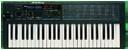
The GUI controller I've been working on will allow you to assign patch names for the first bank.
Granted, you'd have to be hooked up to a PC to get it to show the names on the PC screen, but each time you change patches, not only will there be a nice 16+ character name displayed, it also gets a patch dump from the HAWK and sets all the virtual knobs/switches/etc. to that patches' parameter settings so you can see what each parameter's value is at a glance.
The name of the patch will be boldly shown in the on screen Poly 800's keyboard mockup display(where you'd usually see the LED #'s).

-Blaine


--- In korgpolyex@yahoogroups.com, Narfman96 - Narfland Studio  wrote:
>
> Obscure or not.... I would love to see patch names displayed so I knew which patches I had loaded. This frustrates me with my JV-1010, Matrix-1000, Peavey Spectrum Synth, any Electribe, and so on..........
>
>
> >________________________________
> > From: Michael Hawkins
> >To: "korgpolyex@yahoogroups.com"
> >Sent: Saturday, January 19, 2013 9:16 AM
> >Subject: Re: [korgpolyex] New display...?
> >
> >
> >Â
> >
> >I have a PCB already designed that and built that connects a 16x2 LCD. I have about half of the assembler code for it already done too.I designed it for a 1RU rack kit. However, I shall have a look and see if it can be install between the existing display board and the bezel. But do people really want to go that route? I think it's probably a bit obscure for most. But if enough say HAWK owners say "yay" then perhaps we can add that to the feature request list.Mike
> >
> >
> >
> >
> >
> >________________________________
> > From: Gordon JC Pearce
> >To: korgpolyex@yahoogroups.com
> >Sent: Saturday, January 19, 2013 4:09 AM
> >Subject: [korgpolyex] New display...?
> >
> >Â
> >The more I look at it, the more it looks like you could pop that plastic  bezel off, route out the supports a little, and squeeze a 20x2 LCD into  the space where the LEDs go.  Anyone got a damaged top cover with the bit around the LED and buttons  reasonably sound?  --  Gordonjcp MM0YEQ
> >
>
Message
Re: New display...?
2013-01-19 by bimmerfan222
Attachments
- No local attachments were found for this message.