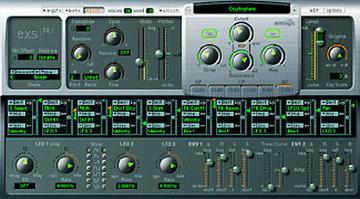
EXS 24 Logic Sampler Users Group group photo

Yahoo Groups archive

EXS 24 Logic Sampler Users Group

Index last updated: 2026-04-28 23:25 UTC

Thread

use my own samples on exs

use my own samples on exs

2002-05-22 by XOtherJesusx@aol.com

I just got the exs and I have a full cd of drum samples I created on logic 
and burned onto CD-R (aif. files).  Now I want to use those drum samples thru 
my exs, assign each drum sound to a key on my midi controller, etc.  Also, 
how can I take just one drum sound and stretch it across my keyboard and have 
each different key play a different pitch of the drum sound?

Can some users out there give me a bit by bit play book on how to make this 
happen?

Peace,
--ken.

http://www.waxthedecks.com
           www.cdbaby.com/aki

Re: [exs] use my own samples on exs

2002-05-22 by R e i d | O d a

honestly, this is the very very most basic thing when it comes to
sampling.  you should read the manual a little at least.

-reid
Show quoted textHide quoted text
On Wed, 22 May 2002 XOtherJesusx@... wrote:

> I just got the exs and I have a full cd of drum samples I created on logic
> and burned onto CD-R (aif. files).  Now I want to use those drum samples thru
> my exs, assign each drum sound to a key on my midi controller, etc.  Also,
> how can I take just one drum sound and stretch it across my keyboard and have
> each different key play a different pitch of the drum sound?
>
> Can some users out there give me a bit by bit play book on how to make this
> happen?
>
> Peace,
> --ken.
>
> http://www.waxthedecks.com
>            www.cdbaby.com/aki
>
>
> To unsubscribe from this group, send an email to:
> exs-users-unsubscribe@egroups.com
>
>
>
> Your use of Yahoo! Groups is subject to http://docs.yahoo.com/info/terms/
>
>

Re: [exs] use my own samples on exs

2002-05-22 by xotherjesusx

If I had the manual, I would read it!  I bought it used off eBay and have no manual.
So even something so BASIC is hard to understand WITHOUT the manual.
If anyone else would like to offer help, please do.
Thanks and Peace,
ken.
--- In exs-users@y..., R e i d | O d a <brownboy@o...> wrote:
Show quoted textHide quoted text
> 
> honestly, this is the very very most basic thing when it comes to
> sampling.  you should read the manual a little at least.
> 
> -reid
> 
> On Wed, 22 May 2002 XOtherJesusx@a... wrote:
> 
> > I just got the exs and I have a full cd of drum samples I created on logic
> > and burned onto CD-R (aif. files).  Now I want to use those drum samples thru
> > my exs, assign each drum sound to a key on my midi controller, etc.  Also,
> > how can I take just one drum sound and stretch it across my keyboard and have
> > each different key play a different pitch of the drum sound?
> >
> > Can some users out there give me a bit by bit play book on how to make this
> > happen?
> >
> > Peace,
> > --ken.
> >
> > http://www.waxthedecks.com
> >            www.cdbaby.com/aki
> >
> >
> > To unsubscribe from this group, send an email to:
> > exs-users-unsubscribe@e...
> >
> >
> >
> > Your use of Yahoo! Groups is subject to http://docs.yahoo.com/info/terms/
> >
> >

Re: [exs] use my own samples on exs

2002-05-23 by Colin Shapiro

>If I had the manual, I would read it!  I bought it used off eBay and 
>have no manual.
>So even something so BASIC is hard to understand WITHOUT the manual.

If you ever experience problems with random pitch and odd tuning, let 
us know.....   :-)

Regards - Colin

Re: [exs] use my own samples on exs

2002-05-23 by HELP@MusicBootCamp.com

> I just got the exs and I have a full cd of drum samples I created on logic
> and burned onto CD-R (aif. files).  Now I want to use those drum samples thru
> my exs, assign each drum sound to a key on my midi controller, etc.  Also,
> how can I take just one drum sound and stretch it across my keyboard and have
> each different key play a different pitch of the drum sound?
> 
> Can some users out there give me a bit by bit play book on how to make this
> happen?

Open EDIT screen. Create NEW instrument. IMPORT MULTIPLE SAMPLES. Pick
Chromatic import option (after choosing your samples) to auto-map up to 88
drums up the keyboard (I wouldn't do more). Pick AUTOMAP to stretch a single
sound across the keyboard. In either case SAVE YOUR INSTRUMENT!

Move to quarantaine

This moves the raw source file on disk only. The archive index is not changed automatically, so you still need to run a manual refresh afterward.