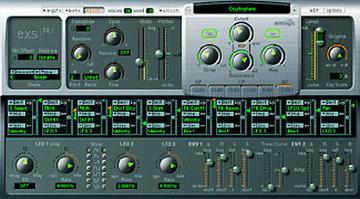
EXS 24 Logic Sampler Users Group group photo

Yahoo Groups archive

EXS 24 Logic Sampler Users Group

Index last updated: 2026-04-28 23:25 UTC

Thread

Re: [exs] basic question

Re: [exs] basic question

2002-03-04 by Eli Krantzberg

Kurt Heinecke wrote:

>
> I've got a song with several exs instruments loaded in.  I like all the
> logic settings, so I'd like to make a copy as a template, but without
> all the exs instruments.  What's the quickest way to delete all the
> instruments?  I've learned that to simply remove the channel from the
> arrange or mixer window does not remove the instrument from memory, and
> I've learned (only took one mistake!) that "delete instrument" in exs
> COMPLETELY removes the instrument- erases it from all memory.
>

Hi Kurt,

I can't think of any other way other than selecting each audio instrument
track that contains an instantiated loaded EXS patch, click holding the
instrument insert slot, and mouse sliding up to the top to the "no
instrument" option.


--
Eli Krantzberg
Nightshift Orchestra / Almat Productions
http://www.nightshiftorchestra.com

[exs] Sample creation

2002-03-05 by Square Circle

Hi,

Apologies if these are common questions, but:

1.) Is there any way to drag the zones around the keyboard? At the moment,
I'm clicking on one, and then editing the key range in the parameter box
below...
2.) Is there an easy way to export samples from the sample editor into an
EXS instrument? I'm saving the region off, then importing it into the
editor.

Thanks in advance,

Neil

Re: [exs] Sample creation

2002-03-05 by dangcookie

> 1.) Is there any way to drag the zones around the keyboard? At the 
moment,
> I'm clicking on one, and then editing the key range in the 
parameter box
> below...

I feel your pain.  Thankfully, yes, there is a means.  Check your key 
commands window under the EXS24 section and you'll see that you can 
assign a key to move your zones VERY EASILY.  I set mine to Alt-> and 
Alt<.  You can even select multiple zones and move them all at once 
with this key command.  Needless to say, you can also copy and paste 
collections of zones and paste them to another instrument.

I don't have an answer for your second question since I haven't 
gotten that far yet.

Enjoy,
David Gowing

Re: [exs] Sample creation

2002-03-06 by HELP@MusicBootCamp.com

You really rule! No one has every suggested a way to quickly move zones that
I know of until now (that I know of). I assume that means the root note
shifts with it (otherwise I'm not that excited).
Show quoted textHide quoted text
> From: "dangcookie" <dangcookie@...>
> Reply-To: exs-users@yahoogroups.com
> Date: Tue, 05 Mar 2002 21:20:44 -0000
> To: exs-users@yahoogroups.com
> Subject: Re: [exs] Sample creation
> 
>> 1.) Is there any way to drag the zones around the keyboard? At the
> moment,
>> I'm clicking on one, and then editing the key range in the
> parameter box
>> below...
> 
> I feel your pain.  Thankfully, yes, there is a means.  Check your key
> commands window under the EXS24 section and you'll see that you can
> assign a key to move your zones VERY EASILY.  I set mine to Alt-> and
> Alt<.  You can even select multiple zones and move them all at once
> with this key command.  Needless to say, you can also copy and paste
> collections of zones and paste them to another instrument.
> 
> I don't have an answer for your second question since I haven't
> gotten that far yet.
> 
> Enjoy,
> David Gowing
> 
> 
> 
> To unsubscribe from this group, send an email to:
> exs-users-unsubscribe@egroups.com
> 
> 
> 
> Your use of Yahoo! Groups is subject to http://docs.yahoo.com/info/terms/
> 
> 
>

Re: [exs] Sample creation

2002-03-06 by sorenrv

Hi

--- In exs-users@y..., <HELP@M...> wrote:
> You really rule! No one has every suggested a way to quickly move 
zones that
> I know of until now (that I know of). I assume that means the root 
note
> shifts with it (otherwise I'm not that excited).

1) I found this great shortcut on this list so it has been suggested 
earlier.
2) Yes, the root notes shift.

Kind regards,

Soren

Move to quarantaine

This moves the raw source file on disk only. The archive index is not changed automatically, so you still need to run a manual refresh afterward.