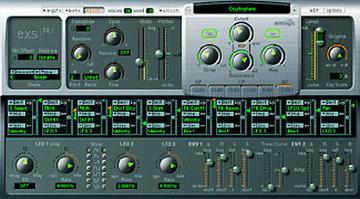
EXS 24 Logic Sampler Users Group group photo

Yahoo Groups archive

EXS 24 Logic Sampler Users Group

Index last updated: 2026-04-28 23:25 UTC

Thread

System Overload - Core Audio problem?

System Overload - Core Audio problem?

2006-03-30 by forums@logic-users.org

Message posted by PK MUSIC <p_kirst@...>
______________________________________________________________________

MAC G5 Dual 2.5 Ghz
2.5GB RAM
one internal 250GB hard drive dedicated to sample playback
OS X 10.4.5
RME DIGI 9652 Audio Card - Buffer 512 (also tried 1024 no big difference)
LOGIC 7.1
EXS Prefs: Sample Storage: 32bit float, everything else set to normal/medium


Hello,

I'm experiencing problems with the playback of more complex samples in the
EXS 24. I loaded in about 30 complex samples (sustained strings (Sonic
Implanst etc.) but used only let's say 10 of them. When playing back I
always get the 'System Overload' message - sometimes to an extend that it
stops playing right after you hit the space bar. I think it has to do with
the fact that those samples are to complex for the EXS to handle. Could that
be true? I'm also loading (but PLAYING BACK) three Culture (Yellow Tools)
instances and some other 3rd party plug-ins. Freezing of course helps, but
why? It's a quite fast machine and I'm playing back just 15 tracks MAX.

When looking at the voices used in the EXS it never reaches the maximum
voices assigned. The audio performance is normal - the disk i/o is less than
moderate. Also, what happens frequently with bigger samples is that even
though the # of voices used is way less than the #assignes sustained chords
would stop abruptly when other instruments kick in...

Could it be that LOGIC doesn't like it when you load in 40 memory intense
samples (even id you don't use them)?

I know that LOGIC can only handle 2.7GB of RAM so upgrading the RAM wouldn't
help either...

Thanks for all your suggestions


Best

Patrick

Re: System Overload - Core Audio problem?

2006-03-30 by Nick Batzdorf

Message posted by PK MUSIC <p_kirst@...>
______________________________________________________________________
>
> MAC G5 Dual 2.5 Ghz
> 2.5GB RAM
> one internal 250GB hard drive dedicated to sample playback
> OS X 10.4.5
> RME DIGI 9652 Audio Card - Buffer 512 (also tried 1024 no big  
> difference)
> LOGIC 7.1
> EXS Prefs: Sample Storage: 32bit float, everything else set to  
> normal/medium
>
>
> Hello,
>
> I'm experiencing problems with the playback of more complex samples  
> in the
> EXS 24. I loaded in about 30 complex samples (sustained strings (Sonic
> Implanst etc.) but used only let's say 10 of them. When playing back I
> always get the 'System Overload' message - sometimes to an extend  
> that it
> stops playing right after you hit the space bar. I think it has to  
> do with
> the fact that those samples are to complex for the EXS to handle.  
> Could that
> be true? I'm also loading (but PLAYING BACK) three Culture (Yellow  
> Tools)
> instances and some other 3rd party plug-ins. Freezing of course  
> helps, but
> why? It's a quite fast machine and I'm playing back just 15 tracks  
> MAX.
>
> When looking at the voices used in the EXS it never reaches the  
> maximum
> voices assigned. The audio performance is normal - the disk i/o is  
> less than
> moderate. Also, what happens frequently with bigger samples is that  
> even
> though the # of voices used is way less than the #assignes  
> sustained chords
> would stop abruptly when other instruments kick in...
>
> Could it be that LOGIC doesn't like it when you load in 40 memory  
> intense
> samples (even id you don't use them)?
>
> I know that LOGIC can only handle 2.7GB of RAM so upgrading the RAM  
> wouldn't
> help either...

It can handle 2.7 - 3GB of RAM if you have at least 4.5GB installed,  
probably 5. So it would probably help quite a bit, in fact I suspect  
that's your problem: you have so many samples loaded into RAM that  
your system is using virtual memory (meaning the hard disk). That  
assumes you have the EXS' virtual memory turned on, which means disk- 
streaming.

If that's not it, I think you have to watch Activity Monitor while  
you're adding these instruments one at a time to see what's breaking  
the camel's back. I'd also try using the built-in audio so you can  
rule out it being an RME issue.


Nick Batzdorf, editor/publisher
Virtual Instruments Magazine - the world of softsynths and samplers
www.Virtualinstrumentsmag.com
1-877 VImagzn (846-2496)
818/905-9101, cell 590-9101


[Non-text portions of this message have been removed]

Move to quarantaine

This moves the raw source file on disk only. The archive index is not changed automatically, so you still need to run a manual refresh afterward.