EXS 24 Logic Sampler Users Group group photo

Yahoo Groups archive

EXS 24 Logic Sampler Users Group

Index last updated: 2026-04-28 23:25 UTC

Thread

Play entire sample by default, How to quit it for all samples at once?

Play entire sample by default, How to quit it for all samples at once?

2004-09-29 by turbotron69

> Hi list;
>
> I have a problem, when I do an EXS24 program with tons of
drums ,using the
> include all samples and then the chromatic auto assign, all the
samples got
> the play entire sample by default and If I got 40,50 or even more
samples
> ,it is a big torture to open every sample window and declick that
option.
Show quoted textHide quoted text
>
> Is any option ot do it at once for all?
>
> Please Emagic,listen to this
>
> Thanks;
>
> Hans
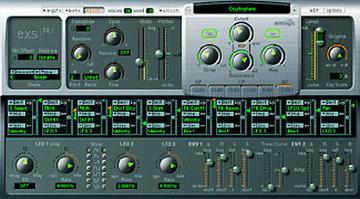
Re: [EXS] Play entire sample by default, How to quit it for all samples at once?

2004-09-29 by Murray McDowall

>
> > I have a problem, when I do an EXS24 program with tons of
> drums ,using the
> > include all samples and then the chromatic auto assign, all the
> samples got
> > the play entire sample by default and If I got 40,50 or even more
> samples
> > ,it is a big torture to open every sample window and declick that
> option.


Select all and Ctrl+Click works on Logic PC so try Option+ click or one of the
other modifiers if you are on the Mac.

Move to quarantaine

This moves the raw source file on disk only. The archive index is not changed automatically, so you still need to run a manual refresh afterward.