handy info indeed, thanks. now I was wondering if there is a similar
approach to making program changes in the arrange (ie. by using key
commands). I know it's slightly OT but I haven't found this one yet..

f
  -----Original Message-----
  From: Sascha Franck [mailto:saschafranck@...]
  Sent: dinsdag 13 november 2001 10:25
  To: exs-users@yahoogroups.com
  Subject: [exs] Small Tip: +/- Inst. Scrolling


  Hi folks,

  I don't know if that was mentioned allready (or if everybody knows about
it
  anyways), but I allways found it hard to go through all my EXS patches by
  clicking and scrolling through my (sub)folders.

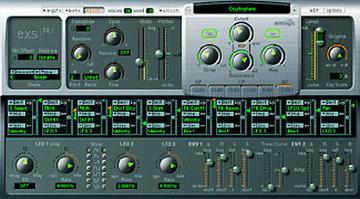
  What I do instead very often is the following:
  - Select a patch as a starting point.
  - Switch to "Control" mode (btw, did you know that on Windows a rightclick
  on the "Control/Editor" button will switch pretty much faster?).
  - Select the "Instrument" pulldown once (just doing a short click on the
one
  allready showing up there is enough to "activate" it).
  - Use my "+" and "-" buttons to scroll through my instruments.

  Btw, that's a common thing for many of Logics functions, the last selected
  value reacting to +/- (prg. change, Q-value etc.).

  Regards,
  Sascha


        Yahoo! Groups Sponsor
              ADVERTISEMENT


  To unsubscribe from this group, send an email to:
  exs-users-unsubscribe@egroups.com


  Your use of Yahoo! Groups is subject to the Yahoo! Terms of Service.


[Non-text portions of this message have been removed]Message
RE: [exs] Small Tip: +/- Inst. Scrolling
2001-11-13 by Floris Grootendorst
Attachments
- No local attachments were found for this message.