Hi folks,

I just learned about a function which actually updates your file references
when copying audiofiles (I allways thought this was impossible and a major
EXS drawback).

First of, very often you might like to have some songbased EXS instruments,
this can be useful for backups, but even more, it will allow you to
destructively edit samples without altering the source ones.
Now let's assume you have a "basic" drumset, to be found in your generic
"Sampler Instruments" folder (subfolder of Logics program folder) - but, in
your current song the snare doesn't fit too well so you might wanna edit it
a bit, of course without loosing the original sample.
Here's what you can do:
- Open the instrument.
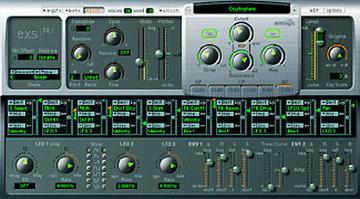
- Open it in the EXS editor.
- Select "Instrument > Copy Audiofiles"
- Copy to your songfolder (don't create any further directories).
=> 2 new subfolders will be created inside your songfolder, one named
"sampler instruments", another one named as the source instrument,
containing all the required samples.
- Eventually you will have to do a "refresh" (4th entry in the EXS
instrument pulldown, only appearing after you copied something), after that
a new entry on top of the instrument list will appear, named as the loaded
song. Your copied instrument will be in there.
- You could now crosscheck by loading the instrument, editing it and editing
one sample. After that (in your audio window) you will be able to see that
the files refer to the songs subfolder.

Now you can just edit the samples as much as you like.
Unfortunately I still haven't found a way of automatically refreshing the
EXS Ram content which would be necessary once I edit a file in an external
SampleEditor. So far I think the only way is to close the EXS completely and
reopen it.
The above described tip is pretty much worth a lot for me anyways.

Regards,
Sascha
Message
Tip: songbased EXS instruments
2001-11-03 by Sascha Franck
Attachments
- No local attachments were found for this message.