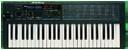
I tried to locate an Alesis manual specific for your Photon, but all I found was a Quick Start Guide that didnt even mention how to set up NRPN's.
It mentioned that it is an available feature, but not a single peep about how to set it up.
So it looks like you will have to wade thru the menus on your device to find NRPN setup.
It's a WAG, but it may go something like this...
Use the LAYER button to choose the layer you want to edit. Press EDIT
PRESET then wiggle a knob to select that knob for editing.
Here's where it becomes obscure how to get to NRPN's.. it says in the manual, "Turn VALUE/ENTER to change the MIDI continuous control (CC) number associated to the knob." Maybe if you go past CC#127, it will show up as NRPN..
-OR-
After you select which knob to edit, Press the PAGE RIGHT button until you find NRPN setup.
Most controllers I have seen want to set the MSB value to 0. So either you will have to set your HAWK's Global Parameter #16 to 0 or set the Alesis NRPN MSB to "1" to match the HAWK's default value of "1".
The LSB of NRPNs is the number you see next to each Parameter in the HAWK Parameter Quick Ref. chart... so #24 for Filter cutoff, as an example, would be the LSB value.
There's an error in the Parameter Quick Ref. doc.. it should have "NRPN LSB" in that column header instead of "CC #"
Once you get that setup, then the Data Value (CC#6) will be automatically sent when you turn the knob by the controller.. basically for NRPN's setup for the HAWK, each time the NRPN controller knob turns, your device will send CC#99/value 0-63 (the Global Parameter #16 value), CC#98/value 24(VCF for example here) to select the Parameter and finally CC#6/current value(position of knob) is sent to indicate the value desired for that parameter.
So its sending THREE values all at one time... well in the order of 99,98 and then #6 CC's.
Be sure you set up the NRPN control on the same MIDI channel that your HAWK is responding to.. some devices will have this in the main menu as well under the NRPN control setup.
It appears your Photon has a GLOBAL MIDI channel value, then additionally each knob can be assigned its own MIDI Channel as well.. BE SURE TO CHECK THAT.
Let us know what you find under all your menu layers.. I bet you will find there's a NRPN setting in there somewhere.. either that or it will be like CC#135 or something odd like that.
Unbelievable I cannot find ANYTHING on the net to explain how to setup NRPN's on that controller keyboard.. too bad Alesis is kinda gone.. M-Audio/Akai absorbed them, I think.
If you are interested, I did design a software GUI that can edit most HAWK parameters at a glance.
I have not had time to work on it further, but it can be found on my Google Drive here for you to try out, if you like.
PolyGon V9-7-DEMO.zipclick the download button at top center, unzip, read the READ ME on how to set it up.
Good luck and hope this helps out.
/Blaine