Yamaha CS80 group photo

Yahoo Groups archive

Yamaha CS80

Archive for yamahacs80.

Index last updated: 2026-03-30 01:20 UTC

Thread

One key problem - always at highest brilliance...

One key problem - always at highest brilliance...

2013-12-02 by <pyjamagroove@...>
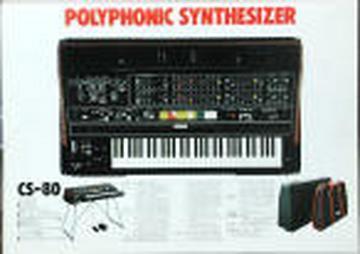
That is really weird. And it´s only one key! I still don´t know exactly how to track key signals so I have to ask....My D#5 key does not react to aftertouch. It´s always loud and at high brilliance. I think it was after I rebuild TKC and TSBs....What could go wrong? I ve checked for broken wires and it seems ok. 

RE: One key problem - always at highest brilliance...

2013-12-03 by <joachim.milson@...>

Are you sure the velocity is OK for that key ? Check this first.

I'll suppose so. (if not, ignore the lines below as the issue might not be the aftertouch).


With a broken wire, you would most certainly get no aftertouch at all for that key. As only one key is concerned, and as a TSB rebuild was done, you could probably check the TSB2 board, and more precisely closely look at the area where the D#5 AT signal arrives (yellow cable at terminal 511(25)). Check the voltage at that terminal. It should be zero when no key is pressed. You can compare with voltage at terminal 505(28, red wire) which is AT for C#5.


---In yamahacs80@yahoogroups.com, <pyjamagroove@...> wrote:

That is really weird. And it´s only one key! I still don´t know exactly how to track key signals so I have to ask....My D#5 key does not react to aftertouch. It´s always loud and at high brilliance. I think it was after I rebuild TKC and TSBs....What could go wrong? I ve checked for broken wires and it seems ok. 

Re: [yamahacs80] RE: One key problem - always at highest brilliance...

2013-12-03 by Joachim Milson

What happens at terminal 511 is OK.
Could you check if the velocity is OK for D#5 ?

Concerning terminal 505, it's a bit strange: if you press C#5, you should get roughly the same measures (and hear the effect of the AT). You probably hit a wrong key.


On Tuesday, December 3, 2013 12:29 PM, "pyjamagroove@..." <pyjamagroove@...> wrote:
 
Thanks Joachim, 
At the terminal 511 I read -0.49V with no key and +6.9V fully pressed....
At 505 I read -0.38V and it does not change pressed or not....


RE: One key problem - always at highest brilliance...

2013-12-03 by <joachim.milson@...>

Check velocity by ear for D#5. Compare with an other key.

From the TSB, through the TKC and until the TWS, the velocity and the aftertouch signals follow the exact same path. So most certainly velocity won't work neither for D#5. So check it.

Did you change the NMJ4558 (IC4) on the TSB2 board ? If so, check the solders. If you added a socket, check that no pin of the chip was folded during insertion.
If all this is OK, and if you use sockets, it shouldn't be too long to try and swap IC4 and IC5 for instance. This would help determine if IC4 is defective.

RE: One key problem - always at highest brilliance...

2013-12-03 by <pyjamagroove@...>

Hitting the velocity on that key does nothing. It´s always at full volume/brilliance.

This board was fully recapped and new IC´s were installed in sockets. I will check my soldering following your advice.


In general I have a velocity problem on my keyboard. Some keys are very silent and and some very brutal. But it was like that before I rebuild TSB1, 2 and TKC. I´ve noticed sometimes it is linked to the connectors on the back of each key. Adjusting them a little sometimes helps but in other cases it did not. I am still puzzled about it. 

RE: One key problem - always at highest brilliance...

2013-12-03 by <joachim.milson@...>

OK. So there is some coherence in this issue. The first thing is to check the NMJ4558 (or what you changed them for) and the sockets. Also try swapping IC4 and IC5.


Concerning the general velocity issue, are you sure that it is linked to the keys themselves ? That is, if you hit the same key a few times in a row, is it always silent (or always "brutal") ?

Concerning the contacts of the keys, they have a frail part easily overlooked. There is a thin (silver ?) wire on each metal strip that is used to make the electric contact. On my unit, a couple of them were broken at one of the tiny holes where they go down. One was up and acted like a spring. These keys were difficult to play. You could check all them with a strong magnifying lens.

RE: One key problem - always at highest brilliance...

2013-12-03 by <pyjamagroove@...>

It´s a key related of course - cycling through the voices makes same effect on that key. Always high like aftertouch is maxed all the time...

I swapped the IC and it changes nothing. Soldering seems ok. Contact is also looking good.

I traced the signal to the IC4 and it´s there. No idea where it should come out before going to TKC tough. Could be one of the new caps on the way - I don´t know.

RE: One key problem - always at highest brilliance...

2013-12-03 by <pyjamagroove@...>

Wow. Crazy. If I touch with my multimeter pin 3 or 15  of IC4 the key, AT, IT works! But the multimeter has to be turned on....I read there 0.14V to 6,5V fully pressed. When I remove the probe it key works few times and it´s back to screaming.

Re: [yamahacs80] RE: One key problem - always at highest brilliance...

2013-12-03 by David Rogoff


On Dec 3, 2013, at 12:50 PM, <pyjamagroove@...> <pyjamagroove@...> wrote:

Wow. Crazy. If I touch with my multimeter pin 3 or 15  of IC4 the key, AT, IT works! But the multimeter has to be turned on....I read there 0.14V to 6,5V fully pressed. When I remove the probe it key works few times and it´s back to screaming.

Sounds like you’re missing the 1MΩ resistor to ground (or the 22k - don’t remember which one is initial touch and which is aftertouch) for that note on the TSB board.  Without it, the capacitor charges up and stays at maximum voltage.

 David

RE: One key problem - always at highest brilliance...

2013-12-03 by <joachim.milson@...>

You write that you track signal to IC4. Do you mean that there is a voltage at pin 15 (D#5) as long as the key is pressed ? Normally, you should first measure the decreasing voltage corresponding to the velocity and soon after, the voltage of the aftertouch. Which means that if you press D#5 very slowly to produce a slow velocity and if you keep the key slightly pressed to hold the note on without producing aftertouch, the signal should go very fast to 0V. Is this what you get at pin 15? If so, also check pin 3 (out) under the same condition.


RE: One key problem - always at highest brilliance...

2013-12-04 by <joachim.milson@...>

I'm glad you fixed it.

Now, concerning the general velocity problem with your keyboard, you should check the velocity contacts closely.

I've just posted a photo showing the wire that might break on the contact strip:
http://groups.yahoo.com/neo/groups/yamahacs80/photos/albums/98520315

On my unit, a few were broken a few millimeters away from the hole (probably due to the rubbing with the upper strip when pressing down and up on a key to get the aftertouch). One was particularly lifted, so the contact with the upper strip occurred sooner which resulted in higher velocities than expected.

RE: One key problem - always at highest brilliance...

2013-12-04 by <joachim.milson@...>

Changing the wire seemed a risky task, and I didn't know what it was made of.
So I used a drop of superglue between the metal strip and the wire (the wire was not completely loose, just broken at one extremity). I deposited the superglue with a pin, just a thin layer to prevent the wire from being covered with it. I have had no problem with it since.