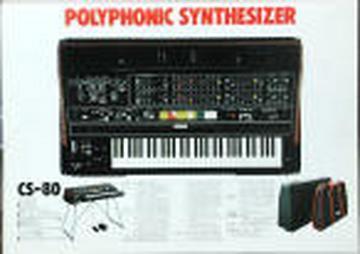
I've got two keys on my CS-80 that are not responding to aftertouch.I'm wondering if it actually might be the wiring. Here's what happens.... when I press the key by itself no aftertouch..... when I press it in combination with other specific keys it will respond to aftertouch at the speed (vco speed) of the other key. Any ideas?stephenI've got two keys on my CS-80 that are not responding to aftertouch. What is the procedure to disassemble and get to the aftertouch sensors and check them?Thanks,Lift up card rack.Remove screws on left and right side of keyboard plywood platform.Slide keyboard platform back (goes about 1/2 inch).Remove two metal bars over keys.Remove plastic key contact cover from back of keys (snaps off).Remove keys. Note, you have to remove black keys next to any white keysyou want to remove. Black keys are easy - but be careful around switchcontacts at back of key. White keys need more careful work to get fromlip out from under metal edge. You'll likely have to remove a wholeoctave of keys.Once keys are out, you can see rubber aftertouch sensors along front ofkeys. They are in strips of 7 for white keys and 5 for black keys. Totake apart, remove the two screws. The white, nylon frame will comeoff, and then the 5 (or 7) rubber pads will be loose.However, I'd first stick a volt-meter from ground to the appropriatewire coming off the sensor (should be obvious which is which). Justpush on the rubber pad with your finger and see if the voltage goes up.Check a good one first for reference.If this is good, then it's not the sensor, but something in the wiringor the circuit boards. If it's not, try taking apart the sensor andcleaning the contacts under the rubber pad with a q-tip and alcohol.Don't do any of this if you're not comfortable with this kind of thing.I provide no warranty!Good luck!David
Message
Fwd: aftertouch sensors
2005-11-27 by Stephen Teller
Attachments
- No local attachments were found for this message.