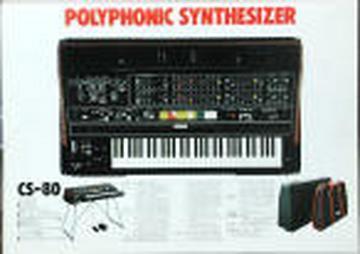
This sounds like it is not your aftertouch sensors at all, but the problem
could be on the TWS board. Find out what channel is not responding ( 8 in
all) by turning on the synth and pressing a single key down hard until one
does not respond and that is the channel that is at fault. Start at the TWS
board and then check the TRG 1 though to 5 for lose wires or a downed VCA
ic.


>From: Tommy Priakos <tpriakos@...>
>Reply-To: yamahacs80@yahoogroups.com
>To: yamahacs80@yahoogroups.com
>Subject: Re: [yamahacs80] aftertouch sensors
>Date: Fri, 25 Nov 2005 23:53:53 -0800 (PST)
>
>My problem is not a few keys, but one of the M card's aftertouch isn't
>responding. When I trigger the card that has the problem, no matter which
>key, I don't get the usual aftertouch changes, such as brilliance or volume
>or LFO.
>   Tommy
>
>
>David Rogoff <david@...> wrote:
>   Stephen Teller wrote:
> > I've got two keys on my CS-80 that are not responding to aftertouch.
> > What is the procedure to disassemble and get to the aftertouch
> > sensors and check them?
> >
>Here's the quick version - see pictures in Photo/Take Apart
>
>Remove big screws from bottom of unit so that panel hinges up.
>
>Remove screws holding down panels to the left and right of the keyboard
>
>Remove screws holding down rack with all the cards behind the keyboard.
>
>Lift up card rack.
>
>Remove screws on left and right side of keyboard plywood platform.
>
>Slide keyboard platform back (goes about 1/2 inch).
>
>Remove two metal bars over keys.
>
>Remove plastic key contact cover from back of keys (snaps off).
>
>Remove keys. Note, you have to remove black keys next to any white keys
>you want to remove. Black keys are easy - but be careful around switch
>contacts at back of key.  White keys need more careful work to get from
>lip out from under metal edge.  You'll likely have to remove a whole
>octave of keys.
>
>Once keys are out, you can see rubber aftertouch sensors along front of
>keys.  They are in strips of 7 for white keys and 5 for black keys.  To
>take apart, remove the two screws.  The white, nylon frame will come
>off, and then the 5 (or 7) rubber pads will be loose.
>
>However, I'd first stick a volt-meter from ground to the appropriate
>wire coming off the sensor (should be obvious which is which).  Just
>push on the rubber pad with your finger and see if the voltage goes up.
>Check a good one first for reference.
>
>If this is good, then it's not the sensor, but something in the wiring
>or the circuit boards.  If it's not, try taking apart the sensor and
>cleaning the contacts under the rubber pad with a q-tip and alcohol.
>
>Don't do any of this if you're not comfortable with this kind of thing.
>I provide no warranty!
>
>Good luck!
>
>David
>
>
>
>
>
>   SPONSORED LINKS
>         Sampler   Electronic instrument   Synthesizer     Yamaha
>synthesizer   Electronic music production   Music synthesizers
>
>---------------------------------
>   YAHOO! GROUPS LINKS
>
>
>     Visit your group "yamahacs80" on the web.
>
>     To unsubscribe from this group, send an email to:
>  yamahacs80-unsubscribe@yahoogroups.com
>
>     Your use of Yahoo! Groups is subject to the Yahoo! Terms of Service.
>
>
>---------------------------------
>
>
>
>
>
>
>---------------------------------
>  Yahoo! Music Unlimited - Access over 1 million songs. Try it free.
Message
Re: [yamahacs80] aftertouch sensors
2005-11-26 by kent spong
Attachments
- No local attachments were found for this message.