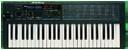
Korg Poly800/EX800 Users group photo

Yahoo Groups archive

Korg Poly800/EX800 Users

Index last updated: 2026-03-30 17:34 UTC

Thread

Just made a trade for a broken poly 800! Problems at first glance!

Just made a trade for a broken poly 800! Problems at first glance!

2012-09-15 by mcdonaldtavish

Hi, just made a trade for a broken poly 800. At first glance this is what I have noticed about my broken unit. Let me start by saying I have yet to open this thing up. I tried to reload presets and this had no effect on the board or its problems, I did it multiple times, it said "good" then I switched back to tape disable and it sounded the same, nothing changed at all. Unit powers on and seems to respond to parameter changes to an extent, for instance I can change deg1 attack value, and the display shows the parameter number I chose and the value I'm changing. it kinda effects the sound but it is clear that the sound is not right in the first place (it is like that with most of the parameters except the noise, dco levels and vcf functions don't seem to do much of anything), so some of the parameters seem to half work, I can hear them change but the overall sound just isn't right at all and has a loud hiss to it. In the background you can hear the sound playing but over that is the hiss. it's as if the noise generator is at full blast, the dcos are turned down (it doesn't sound like a ground hum) and the filter is open and at hi resonance. I can usually tell when chorus is on or off, the tune fader seems to work. The bend joystick doesn't seem to do anything. The headphone jack doesn't work. When it first powers on it wont make any sound, after about 30 seconds to a minute it starts to make a sound that starts with the filter cutoff low but slowly rising, I can take my finger off the key and it will stop, when I press back on the key it starts from where it left off on the filter cutoff envelope and eventually fully rises and stays that way. The sequencer seems to work, it just plays the messed up noise, I can change speed and I think I missed around the with steps. When the sequencer is on the display flashes, the flashes speed up when the sequence speeds up. All the keys function and you can hear the pitch of each key you press, but here's the weird part, you press a note and then you take your finger off and the note stops, then you play another key and it plays both notes together and so on. It's hard for me to explain most of this in a coherent way so my apologies, but hopefully you guys are getting a feel for the issues I'm having with my poly 800. Any suggestions would be great appreciated, I have a lot of solder experience but I don't know how to troubleshoot circuits or anything like that.

Thanks guys.

Re: [korgpolyex] Just made a trade for a broken poly 800! Problems at first glance!

2012-09-15 by Martin Ator

Sounds like problems with IC's. It will need opening up. Have a look to the right hand side of the main circuit board for battery damage. It might look like rust/corrosion. You might have a rusty/corroded IC leg. Could be an 80c85, 81c55 problem amongst other things. Sometimes pcb tracks under these IC's and others can be damaged.


From: mcdonaldtavish <tavishmcronald@...>
To: korgpolyex@yahoogroups.com
Sent: Saturday, 15 September 2012, 4:05
Subject: [korgpolyex] Just made a trade for a broken poly 800! Problems at first glance!

Hi, just made a trade for a broken poly 800. At first glance this is what I have noticed about my broken unit. Let me start by saying I have yet to open this thing up. I tried to reload presets and this had no effect on the board or its problems, I did it multiple times, it said "good" then I switched back to tape disable and it sounded the same, nothing changed at all. Unit powers on and seems to respond to parameter changes to an extent, for instance I can change deg1 attack value, and the display shows the parameter number I chose and the value I'm changing. it kinda effects the sound but it is clear that the sound is not right in the first place (it is like that with most of the parameters except the noise, dco levels and vcf functions don't seem to do much of anything), so some of the parameters seem to half work, I can hear them change but the overall sound just isn't right at all and has a loud hiss to it. In the background you can hear the sound playing but over that is the hiss. it's as if the noise generator is at full blast, the dcos are turned down (it doesn't sound like a ground hum) and the filter is open and at hi resonance. I can usually tell when chorus is on or off, the tune fader seems to work. The bend joystick doesn't seem to do anything. The headphone jack doesn't work. When it first powers on it wont make any sound, after about 30 seconds to a minute it starts to make a sound that starts with the filter cutoff low but slowly rising, I can take my finger off the key and it will stop, when I press back on the key it starts from where it left off on the filter cutoff envelope and eventually fully rises and stays that way. The sequencer seems to work, it just plays the messed up noise, I can change speed and I think I missed around the with steps. When the sequencer is on the display flashes, the flashes speed up when the sequence speeds up. All the keys function and you can hear the pitch of each key you press, but here's the weird part, you press a note and then you take your finger off and the note stops, then you play another key and it plays both notes together and so on. It's hard for me to explain most of this in a coherent way so my apologies, but hopefully you guys are getting a feel for the issues I'm having with my poly 800. Any suggestions would be great appreciated, I have a lot of solder experience but I don't know how to troubleshoot circuits or anything like that.

Thanks guys.


Re: Just made a trade for a broken poly 800! Problems at first glance!

2012-09-15 by mcdonaldtavish

Okay thank you, amazingly I forgot to mention one of the most important things that I noticed, there were signs of corrosion in the battery compartment, but batteries do still work to power the 800. I will open this up and let you guys know what I find. Thank you.

--- In korgpolyex@yahoogroups.com, Martin Ator <cyllall@...> wrote:
>
> Sounds like problems with IC's. It will need opening up. Have a look to the right hand side of the main circuit board for battery damage. It might look like rust/corrosion. You might have a rusty/corroded IC leg. Could be an 80c85, 81c55 problem amongst other things. Sometimes pcb tracks under these IC's and others can be damaged.
>
>
>
>
> ________________________________
> From: mcdonaldtavish <tavishmcronald@...>
> To: korgpolyex@yahoogroups.com
> Sent: Saturday, 15 September 2012, 4:05
> Subject: [korgpolyex] Just made a trade for a broken poly 800! Problems at first glance!
>
>
> Â
> Hi, just made a trade for a broken poly 800. At first glance this is what I have noticed about my broken unit. Let me start by saying I have yet to open this thing up. I tried to reload presets and this had no effect on the board or its problems, I did it multiple times, it said "good" then I switched back to tape disable and it sounded the same, nothing changed at all. Unit powers on and seems to respond to parameter changes to an extent, for instance I can change deg1 attack value, and the display shows the parameter number I chose and the value I'm changing. it kinda effects the sound but it is clear that the sound is not right in the first place (it is like that with most of the parameters except the noise, dco levels and vcf functions don't seem to do much of anything), so some of the parameters seem to half work, I can hear them change but the overall sound just isn't right at all and has a loud hiss to it. In the background you can hear the sound
> playing but over that is the hiss. it's as if the noise generator is at full blast, the dcos are turned down (it doesn't sound like a ground hum) and the filter is open and at hi resonance. I can usually tell when chorus is on or off, the tune fader seems to work. The bend joystick doesn't seem to do anything. The headphone jack doesn't work. When it first powers on it wont make any sound, after about 30 seconds to a minute it starts to make a sound that starts with the filter cutoff low but slowly rising, I can take my finger off the key and it will stop, when I press back on the key it starts from where it left off on the filter cutoff envelope and eventually fully rises and stays that way. The sequencer seems to work, it just plays the messed up noise, I can change speed and I think I missed around the with steps. When the sequencer is on the display flashes, the flashes speed up when the sequence speeds up. All the keys function and you can hear the
> pitch of each key you press, but here's the weird part, you press a note and then you take your finger off and the note stops, then you play another key and it plays both notes together and so on. It's hard for me to explain most of this in a coherent way so my apologies, but hopefully you guys are getting a feel for the issues I'm having with my poly 800. Any suggestions would be great appreciated, I have a lot of solder experience but I don't know how to troubleshoot circuits or anything like that.
>
> Thanks guys.
>

Re: [korgpolyex] Re: Just made a trade for a broken poly 800! Problems at first glance!

2012-09-15 by Peter van Beerendonk

I had some problems like this also.
Batterij terminals where corroded but seemed to be working.
When I removed the batteries and used an adapter (9V 1.5A) everything was fine.
Worth a try, isn't it?
On another one, a faulty cr2032 conversion on a version 7 or 8 motherboard gave similar problems (not quite as extensive as your problems though).
So, check the cr2032 battery (if present) or look for a CR2032 conversion.

Re: Just made a trade for a broken poly 800! Problems at first glance!

2012-09-18 by mcdonaldtavish

Here are pictures of parts of the inside I thought looked rough/curious. This board definitely isn't in the best of shape. I would like to clean it up nice and have it looking good again.

http://groups.yahoo.com/group/korgpolyex/photos/album/1019666648/pic/list

List of things noticed:
1.Q1 missing, looks hard to find, anyone know of a replacement for this transistor?
2. A couple of resistors soldered in very.. not well
3.c88 missing?
2.LED soldered in for some reason?
3. capacitors soldered to resistors
4. capacitors with weird residue on them
5. pcb with residue
6. residue on side of case

It looks like these pcbs are pretty dirty and need some cleaning, Would isopropyl alc be a good way to clean this? Also seems like some solder joints and pots are rusty looking and could use some deoxit? I want to make sure I don't make any big mistakes when attempting to clean this board up, any suggestions would be greatly appreciated.

--- In korgpolyex@yahoogroups.com, "Peter van Beerendonk" <peter.van.beerendonk@...> wrote:
>
> I had some problems like this also.
> Batterij terminals where corroded but seemed to be working.
> When I removed the batteries and used an adapter (9V 1.5A) everything was fine.
> Worth a try, isn't it?
>
> On another one, a faulty cr2032 conversion on a version 7 or 8 motherboard gave similar problems (not quite as extensive as your problems though).
> So, check the cr2032 battery (if present) or look for a CR2032 conversion.
>

Re: Just made a trade for a broken poly 800! Problems at first glance!

2012-09-18 by bimmerfan222

I think you have more problems than simply cleaning those PCB's up.


Q1 is a tr2sb731 PNP transistor. You should be able to find a suitable replacement.

How are you powering up the unit? Batteries? I don't see how you can power it with a 9v plug in supply with Q1 missing.

Someone's been in your unit and apparently butchered up the components.. adding components here and removing them there...
I'm surprised it does anything at all from the looks of your pics.

Maybe someone started to attempt fixing it and gave up on it?

IMO, it's going to need a lot of time spent tracing down what was modified and return it back to OEM spec. Have you found the schematics/Service Manual for it here in the Files section?

I find that using acetone to clean up boards works good.. especially to remove excess flux residue.


-Blaine


--- In korgpolyex@yahoogroups.com, "mcdonaldtavish" <tavishmcronald@...> wrote:
>
> Here are pictures of parts of the inside I thought looked rough/curious. This board definitely isn't in the best of shape. I would like to clean it up nice and have it looking good again.
>
> http://groups.yahoo.com/group/korgpolyex/photos/album/1019666648/pic/list
>
> List of things noticed:
> 1.Q1 missing, looks hard to find, anyone know of a replacement for this transistor?
> 2. A couple of resistors soldered in very.. not well
> 3.c88 missing?
> 2.LED soldered in for some reason?
> 3. capacitors soldered to resistors
> 4. capacitors with weird residue on them
> 5. pcb with residue
> 6. residue on side of case
>
> It looks like these pcbs are pretty dirty and need some cleaning, Would isopropyl alc be a good way to clean this? Also seems like some solder joints and pots are rusty looking and could use some deoxit? I want to make sure I don't make any big mistakes when attempting to clean this board up, any suggestions would be greatly appreciated.
>
> --- In korgpolyex@yahoogroups.com, "Peter van Beerendonk" <peter.van.beerendonk@> wrote:
> >
> > I had some problems like this also.
> > Batterij terminals where corroded but seemed to be working.
> > When I removed the batteries and used an adapter (9V 1.5A) everything was fine.
> > Worth a try, isn't it?
> >
> > On another one, a faulty cr2032 conversion on a version 7 or 8 motherboard gave similar problems (not quite as extensive as your problems though).
> > So, check the cr2032 battery (if present) or look for a CR2032 conversion.
> >
>

Re: Just made a trade for a broken poly 800! Problems at first glance!

2012-09-18 by patrioticduo

Some of the brown looking crud looks like you might have had a battery or two in the battery compartment go stale and drop its gooeey guts in your Poly 800. Does the battery compartment have signs of battery acid leakage?

Mike

--- In korgpolyex@yahoogroups.com, "mcdonaldtavish" <tavishmcronald@...> wrote:
>
> Here are pictures of parts of the inside I thought looked rough/curious. This board definitely isn't in the best of shape. I would like to clean it up nice and have it looking good again.
>
> http://groups.yahoo.com/group/korgpolyex/photos/album/1019666648/pic/list
>
> List of things noticed:
> 1.Q1 missing, looks hard to find, anyone know of a replacement for this transistor?
> 2. A couple of resistors soldered in very.. not well
> 3.c88 missing?
> 2.LED soldered in for some reason?
> 3. capacitors soldered to resistors
> 4. capacitors with weird residue on them
> 5. pcb with residue
> 6. residue on side of case
>
> It looks like these pcbs are pretty dirty and need some cleaning, Would isopropyl alc be a good way to clean this? Also seems like some solder joints and pots are rusty looking and could use some deoxit? I want to make sure I don't make any big mistakes when attempting to clean this board up, any suggestions would be greatly appreciated.
>
> --- In korgpolyex@yahoogroups.com, "Peter van Beerendonk" <peter.van.beerendonk@> wrote:
> >
> > I had some problems like this also.
> > Batterij terminals where corroded but seemed to be working.
> > When I removed the batteries and used an adapter (9V 1.5A) everything was fine.
> > Worth a try, isn't it?
> >
> > On another one, a faulty cr2032 conversion on a version 7 or 8 motherboard gave similar problems (not quite as extensive as your problems though).
> > So, check the cr2032 battery (if present) or look for a CR2032 conversion.
> >
>

Re: [korgpolyex] Re: Just made a trade for a broken poly 800! Problems at first glance!

2012-09-18 by Tavish McDonald

Yeah this thing is definitely going to need some work, I thought getting it cleaned up would be a good place to start while I find parts. I have powered it on with an adapter without Q1 somehow, I wonder if the nonfunctional headphone jack has anything to do with this transistor. I have the service manual.

Yes the compartment shows signs of battery leakage.

http://www.sdelectronic.rs/php/elm.php?prm=TR2SB
based on this it looks like TR2SB764 is 60v 1a 10w. Is that what I need to know to find a replacement or is there more to it than that? Obviously I don't know much about electronics/transistors.


On Tue, Sep 18, 2012 at 8:17 AM, patrioticduo <patrioticduo@...> wrote:

Some of the brown looking crud looks like you might have had a battery or two in the battery compartment go stale and drop its gooeey guts in your Poly 800. Does the battery compartment have signs of battery acid leakage?

Mike


--- In korgpolyex@yahoogroups.com, "mcdonaldtavish" <tavishmcronald@...> wrote:
>
> Here are pictures of parts of the inside I thought looked rough/curious. This board definitely isn't in the best of shape. I would like to clean it up nice and have it looking good again.
>
> http://groups.yahoo.com/group/korgpolyex/photos/album/1019666648/pic/list
>
> List of things noticed:
> 1.Q1 missing, looks hard to find, anyone know of a replacement for this transistor?
> 2. A couple of resistors soldered in very.. not well
> 3.c88 missing?
> 2.LED soldered in for some reason?
> 3. capacitors soldered to resistors
> 4. capacitors with weird residue on them
> 5. pcb with residue
> 6. residue on side of case
>
> It looks like these pcbs are pretty dirty and need some cleaning, Would isopropyl alc be a good way to clean this? Also seems like some solder joints and pots are rusty looking and could use some deoxit? I want to make sure I don't make any big mistakes when attempting to clean this board up, any suggestions would be greatly appreciated.
>
> --- In korgpolyex@yahoogroups.com, "Peter van Beerendonk" <peter.van.beerendonk@> wrote:
> >
> > I had some problems like this also.
> > Batterij terminals where corroded but seemed to be working.
> > When I removed the batteries and used an adapter (9V 1.5A) everything was fine.
> > Worth a try, isn't it?
> >
> > On another one, a faulty cr2032 conversion on a version 7 or 8 motherboard gave similar problems (not quite as extensive as your problems though).
> > So, check the cr2032 battery (if present) or look for a CR2032 conversion.
> >
>


Re: Just made a trade for a broken poly 800! Problems at first glance!

2012-09-18 by bimmerfan222

Hard to tell from the pics, but I wonder if the prev. owner/butcher managed to somehow re-route the external power connection direct to the battery terminals and that's why it powers up when you plug a wallwart into the 9v DC input jack.

I think the LED they put in it was perhaps either an activity indicator or they simply didnt have a standard diode to put in.. so they used a LED instead (not a good idea since it gobbles up current).

Since it does power up and you have LED display activity, it sure sounds like it's not dead yet and perhaps recoverable.. just going to take time/patience to go thru it and restore it to OEM specs.

-Blaine


--- In korgpolyex@yahoogroups.com, Tavish McDonald <tavishmcronald@...> wrote:
>
> Yeah this thing is definitely going to need some work, I thought getting it
> cleaned up would be a good place to start while I find parts. I have
> powered it on with an adapter without Q1 somehow, I wonder if the
> nonfunctional headphone jack has anything to do with this transistor. I
> have the service manual.
>
> Yes the compartment shows signs of battery leakage.
>
> http://www.sdelectronic.rs/php/elm.php?prm=TR2SB
> based on this it looks like TR2SB764 is 60v 1a 10w. Is that what I need to
> know to find a replacement or is there more to it than that? Obviously I
> don't know much about electronics/transistors.
>
>

Re: [korgpolyex] Re: Just made a trade for a broken poly 800! Problems at first glance!

2012-09-18 by Tavish McDonald

Good guess, from what I can tell it turns out they did do exactly that. I turned the board over and found a some wires connecting the jack to where the battery current goes in. Also two capacitors going across the output/headphone jacks, maybe if I cut these the headphone jack will work again. I would post pictures of what I found but I'm having trouble getting into the members only area now?

On Tue, Sep 18, 2012 at 10:14 AM, bimmerfan222 <bperkins211@...> wrote:


Hard to tell from the pics, but I wonder if the prev. owner/butcher managed to somehow re-route the external power connection direct to the battery terminals and that's why it powers up when you plug a wallwart into the 9v DC input jack.

I think the LED they put in it was perhaps either an activity indicator or they simply didnt have a standard diode to put in.. so they used a LED instead (not a good idea since it gobbles up current).

Since it does power up and you have LED display activity, it sure sounds like it's not dead yet and perhaps recoverable.. just going to take time/patience to go thru it and restore it to OEM specs.

-Blaine


--- In korgpolyex@yahoogroups.com, Tavish McDonald <tavishmcronald@...> wrote:
>
> Yeah this thing is definitely going to need some work, I thought getting it
> cleaned up would be a good place to start while I find parts. I have
> powered it on with an adapter without Q1 somehow, I wonder if the
> nonfunctional headphone jack has anything to do with this transistor. I
> have the service manual.
>
> Yes the compartment shows signs of battery leakage.
>
> http://www.sdelectronic.rs/php/elm.php?prm=TR2SB
> based on this it looks like TR2SB764 is 60v 1a 10w. Is that what I need to
> know to find a replacement or is there more to it than that? Obviously I
> don't know much about electronics/transistors.
>
>


Re: Just made a trade for a broken poly 800! Problems at first glance!

2012-09-18 by bimmerfan222

Im having problems with Yahoo too.
I can post msgs, but couldnt access the files section.

might try getting a photobucket or Flickr account to host your images on for the meantime until yahoo gets their act together...


--- In korgpolyex@yahoogroups.com, Tavish McDonald <tavishmcronald@...> wrote:
>
> Good guess, from what I can tell it turns out they did do exactly that. I
> turned the board over and found a some wires connecting the jack to where
> the battery current goes in. Also two capacitors going across the
> output/headphone jacks, maybe if I cut these the headphone jack will work
> again. I would post pictures of what I found but I'm having trouble getting
> into the members only area now?
>
> On Tue, Sep 18, 2012 at 10:14 AM, bimmerfan222 <bperkins211@...>wrote:
>
> > **
> >
> >
> >
> >
> > Hard to tell from the pics, but I wonder if the prev. owner/butcher
> > managed to somehow re-route the external power connection direct to the
> > battery terminals and that's why it powers up when you plug a wallwart into
> > the 9v DC input jack.
> >
> > I think the LED they put in it was perhaps either an activity indicator or
> > they simply didnt have a standard diode to put in.. so they used a LED
> > instead (not a good idea since it gobbles up current).
> >
> > Since it does power up and you have LED display activity, it sure sounds
> > like it's not dead yet and perhaps recoverable.. just going to take
> > time/patience to go thru it and restore it to OEM specs.
> >
> > -Blaine
> >
> >
> > --- In korgpolyex@yahoogroups.com, Tavish McDonald <tavishmcronald@>
> > wrote:
> > >
> > > Yeah this thing is definitely going to need some work, I thought getting
> > it
> > > cleaned up would be a good place to start while I find parts. I have
> > > powered it on with an adapter without Q1 somehow, I wonder if the
> > > nonfunctional headphone jack has anything to do with this transistor. I
> > > have the service manual.
> > >
> > > Yes the compartment shows signs of battery leakage.
> > >
> > > http://www.sdelectronic.rs/php/elm.php?prm=TR2SB
> > > based on this it looks like TR2SB764 is 60v 1a 10w. Is that what I need
> > to
> > > know to find a replacement or is there more to it than that? Obviously I
> > > don't know much about electronics/transistors.
> > >
> > >
> >
> >
> >
>

Re: [korgpolyex] Re: Just made a trade for a broken poly 800! Problems at first glance!

2012-09-18 by Michael Hawkins

Actually, the early Poly's had LED's in those steering diodes. So the LED is not entirely out of place. It's certainly not the first place to start looking, that's for sure.

From: bimmerfan222 <bperkins211@...>
To: korgpolyex@yahoogroups.com
Sent: Tuesday, September 18, 2012 1:14 PM
Subject: [korgpolyex] Re: Just made a trade for a broken poly 800! Problems at first glance!


Hard to tell from the pics, but I wonder if the prev. owner/butcher managed to somehow re-route the external power connection direct to the battery terminals and that's why it powers up when you plug a wallwart into the 9v DC input jack.

I think the LED they put in it was perhaps either an activity indicator or they simply didnt have a standard diode to put in.. so they used a LED instead (not a good idea since it gobbles up current).

Since it does power up and you have LED display activity, it sure sounds like it's not dead yet and perhaps recoverable.. just going to take time/patience to go thru it and restore it to OEM specs.

-Blaine

--- In korgpolyex@yahoogroups.com, Tavish McDonald <tavishmcronald@...> wrote:
>
> Yeah this thing is definitely going to need some work, I thought getting it
> cleaned up would be a good place to start while I find parts. I have
> powered it on with an adapter without Q1 somehow, I wonder if the
> nonfunctional headphone jack has anything to do with this transistor. I
> have the service manual.
>
> Yes the compartment shows signs of battery leakage.
>
> http://www.sdelectronic.rs/php/elm.php?prm=TR2SB
> based on this it looks like TR2SB764 is 60v 1a 10w. Is that what I need to
> know to find a replacement or is there more to it than that? Obviously I
> don't know much about electronics/transistors.
>
>


Re: Just made a trade for a broken poly 800! Problems at first glance!

2012-09-18 by mcdonaldtavish

Okay something weird was happening but now I can access the member only area again. Here are the pictures. What do you think those two caps are for? Also, although the dc jack works, I should still solder in Q1 right? Is the dc jack okay where it is or will with potentially damage the keyboard?

http://groups.yahoo.com/group/korgpolyex/photos/album/1019666648/pic/678969748/view?picmode=&mode=tn&order=ordinal&start=1&count=20&dir=asc

http://groups.yahoo.com/group/korgpolyex/photos/album/1019666648/pic/678969748/view?picmode=&mode=tn&order=ordinal&start=1&count=20&dir=asc

I think I will start by replacing Q1 and replacing the battery.

One thing that is bugging me about the service manual is that it gives the parts list but doesn't tell you c88 is 1 uf electrolytic r32 is 10k etc. If the butcher switched a resistor took out a cap, how am I supposed to get the right part back in? do I have to make a check list of what is already on the board? I suppose that is the only option. Anyways, thanks for all your help guys.
--- In korgpolyex@yahoogroups.com, Tavish McDonald <tavishmcronald@...> wrote:
>
> Good guess, from what I can tell it turns out they did do exactly that. I
> turned the board over and found a some wires connecting the jack to where
> the battery current goes in. Also two capacitors going across the
> output/headphone jacks, maybe if I cut these the headphone jack will work
> again. I would post pictures of what I found but I'm having trouble getting
> into the members only area now?
>
> On Tue, Sep 18, 2012 at 10:14 AM, bimmerfan222 <bperkins211@...>wrote:
>
> > **
> >
> >
> >
> >
> > Hard to tell from the pics, but I wonder if the prev. owner/butcher
> > managed to somehow re-route the external power connection direct to the
> > battery terminals and that's why it powers up when you plug a wallwart into
> > the 9v DC input jack.
> >
> > I think the LED they put in it was perhaps either an activity indicator or
> > they simply didnt have a standard diode to put in.. so they used a LED
> > instead (not a good idea since it gobbles up current).
> >
> > Since it does power up and you have LED display activity, it sure sounds
> > like it's not dead yet and perhaps recoverable.. just going to take
> > time/patience to go thru it and restore it to OEM specs.
> >
> > -Blaine
> >
> >
> > --- In korgpolyex@yahoogroups.com, Tavish McDonald <tavishmcronald@>
> > wrote:
> > >
> > > Yeah this thing is definitely going to need some work, I thought getting
> > it
> > > cleaned up would be a good place to start while I find parts. I have
> > > powered it on with an adapter without Q1 somehow, I wonder if the
> > > nonfunctional headphone jack has anything to do with this transistor. I
> > > have the service manual.
> > >
> > > Yes the compartment shows signs of battery leakage.
> > >
> > > http://www.sdelectronic.rs/php/elm.php?prm=TR2SB
> > > based on this it looks like TR2SB764 is 60v 1a 10w. Is that what I need
> > to
> > > know to find a replacement or is there more to it than that? Obviously I
> > > don't know much about electronics/transistors.
> > >
> > >
> >
> >
> >
>

Re: [korgpolyex] Re: Just made a trade for a broken poly 800! Problems at first glance!

2012-09-18 by Michael Hawkins

You should be AOK in the group. You are not in any naughty bin. At least, not as far as I can tell.

Mike


From: Tavish McDonald <tavishmcronald@...>
To: korgpolyex@yahoogroups.com
Sent: Tuesday, September 18, 2012 3:38 PM
Subject: Re: [korgpolyex] Re: Just made a trade for a broken poly 800! Problems at first glance!

Good guess, from what I can tell it turns out they did do exactly that. I turned the board over and found a some wires connecting the jack to where the battery current goes in. Also two capacitors going across the output/headphone jacks, maybe if I cut these the headphone jack will work again. I would post pictures of what I found but I'm having trouble getting into the members only area now?

On Tue, Sep 18, 2012 at 10:14 AM, bimmerfan222 <bperkins211@...> wrote:


Hard to tell from the pics, but I wonder if the prev. owner/butcher managed to somehow re-route the external power connection direct to the battery terminals and that's why it powers up when you plug a wallwart into the 9v DC input jack.

I think the LED they put in it was perhaps either an activity indicator or they simply didnt have a standard diode to put in.. so they used a LED instead (not a good idea since it gobbles up current).

Since it does power up and you have LED display activity, it sure sounds like it's not dead yet and perhaps recoverable.. just going to take time/patience to go thru it and restore it to OEM specs.

-Blaine


--- In korgpolyex@yahoogroups.com, Tavish McDonald <tavishmcronald@...> wrote:
>
> Yeah this thing is definitely going to need some work, I thought getting it
> cleaned up would be a good place to start while I find parts. I have
> powered it on with an adapter without Q1 somehow, I wonder if the
> nonfunctional headphone jack has anything to do with this transistor. I
> have the service manual.
>
> Yes the compartment shows signs of battery leakage.
>
> http://www.sdelectronic.rs/php/elm.php?prm=TR2SB
> based on this it looks like TR2SB764 is 60v 1a 10w. Is that what I need to
> know to find a replacement or is there more to it than that? Obviously I
> don't know much about electronics/transistors.
>
>


Re: [korgpolyex] Re: Just made a trade for a broken poly 800! Problems at first glance!

2012-09-18 by Tavish McDonald

Thanks it started working again I guess yahoo had a hiccup.

On Tue, Sep 18, 2012 at 1:30 PM, Michael Hawkins <korgpolyex800@...> wrote:

You should be AOK in the group. You are not in any naughty bin. At least, not as far as I can tell.

Mike


From: Tavish McDonald <tavishmcronald@...>
To: korgpolyex@yahoogroups.com
Sent: Tuesday, September 18, 2012 3:38 PM
Subject: Re: [korgpolyex] Re: Just made a trade for a broken poly 800! Problems at first glance!

Good guess, from what I can tell it turns out they did do exactly that. I turned the board over and found a some wires connecting the jack to where the battery current goes in. Also two capacitors going across the output/headphone jacks, maybe if I cut these the headphone jack will work again. I would post pictures of what I found but I'm having trouble getting into the members only area now?

On Tue, Sep 18, 2012 at 10:14 AM, bimmerfan222 <bperkins211@...> wrote:


Hard to tell from the pics, but I wonder if the prev. owner/butcher managed to somehow re-route the external power connection direct to the battery terminals and that's why it powers up when you plug a wallwart into the 9v DC input jack.

I think the LED they put in it was perhaps either an activity indicator or they simply didnt have a standard diode to put in.. so they used a LED instead (not a good idea since it gobbles up current).

Since it does power up and you have LED display activity, it sure sounds like it's not dead yet and perhaps recoverable.. just going to take time/patience to go thru it and restore it to OEM specs.

-Blaine


--- In korgpolyex@yahoogroups.com, Tavish McDonald <tavishmcronald@...> wrote:
>
> Yeah this thing is definitely going to need some work, I thought getting it
> cleaned up would be a good place to start while I find parts. I have
> powered it on with an adapter without Q1 somehow, I wonder if the
> nonfunctional headphone jack has anything to do with this transistor. I
> have the service manual.
>
> Yes the compartment shows signs of battery leakage.
>
> http://www.sdelectronic.rs/php/elm.php?prm=TR2SB
> based on this it looks like TR2SB764 is 60v 1a 10w. Is that what I need to
> know to find a replacement or is there more to it than that? Obviously I
> don't know much about electronics/transistors.
>
>


Re: Just made a trade for a broken poly 800! Problems at first glance!

2012-09-18 by mcdonaldtavish

I powered up the 800 and looked at that those diodes, the first row of diodes actually lit up, the diode that was attached by a former owner did not, at closer inspection one of the leads was broken off, I moved the broken lead back on and it still didn't light up. Looking at the parts list it looks like these are 1s-2473 t-77. Can I swap this with a 1N4148?

http://www.audiokarma.org/forums/showthread.php?t=167391
In this application these people said it was okay.
2473=35v 100ma 4148=100v 450ma ( I haven't double checked this)

and then this:
http://search.retrosynth.com/synth-diy/search/lookit.cgi?-v0106.202

--- In korgpolyex@yahoogroups.com, Michael Hawkins <korgpolyex800@...> wrote:
>
> Actually, the early Poly's had LED's in those steering diodes. So the LED is not entirely out of place. It's certainly not the first place to start looking, that's for sure.
>
>
>
> ________________________________
> From: bimmerfan222 <bperkins211@...>
> To: korgpolyex@yahoogroups.com
> Sent: Tuesday, September 18, 2012 1:14 PM
> Subject: [korgpolyex] Re: Just made a trade for a broken poly 800! Problems at first glance!
>
>
> Â
>
>
> Hard to tell from the pics, but I wonder if the prev. owner/butcher managed to somehow re-route the external power connection direct to the battery terminals and that's why it powers up when you plug a wallwart into the 9v DC input jack.
>
> I think the LED they put in it was perhaps either an activity indicator or they simply didnt have a standard diode to put in.. so they used a LED instead (not a good idea since it gobbles up current).
>
> Since it does power up and you have LED display activity, it sure sounds like it's not dead yet and perhaps recoverable.. just going to take time/patience to go thru it and restore it to OEM specs.
>
> -Blaine
>
> --- In korgpolyex@yahoogroups.com, Tavish McDonald <tavishmcronald@> wrote:
> >
> > Yeah this thing is definitely going to need some work, I thought getting it
> > cleaned up would be a good place to start while I find parts. I have
> > powered it on with an adapter without Q1 somehow, I wonder if the
> > nonfunctional headphone jack has anything to do with this transistor. I
> > have the service manual.
> >
> > Yes the compartment shows signs of battery leakage.
> >
> > http://www.sdelectronic.rs/php/elm.php?prm=TR2SB
> > based on this it looks like TR2SB764 is 60v 1a 10w. Is that what I need to
> > know to find a replacement or is there more to it than that? Obviously I
> > don't know much about electronics/transistors.
> >
> >
>

Re: [korgpolyex] Re: Just made a trade for a broken poly 800! Problems at first glance!

2012-09-18 by Gordon JC Pearce

On 18/09/12 21:23, mcdonaldtavish wrote:

> One thing that is bugging me about the service manual is that it
> gives the parts list but doesn't tell you c88 is 1 uf electrolytic
> r32 is 10k etc. If the butcher switched a resistor took out a cap,
> how am I supposed to get the right part back in? do I have to make a
> check list of what is already on the board? I suppose that is the
> only option. Anyways, thanks for all your help guys.

You'd have to check the service manual for that. I can't see any of the
images, because Yahoo!'s files area is borked at the moment. It sounds
like the "durrr it no work must recapping it" brigade has been at it, in
which case you're in for a fun time.

Q1 is part of the first voltage regulator, and takes the incoming supply
down to around 9V - the unregulated "9V" supply puts out something
closer to 12V. I wouldn't worry *too* much about that for now.

Work out what the LED is for. Bear in mind that it may be used for its
forward voltage, as some sort of replacement for a Zener. LEDs are
pretty quiet so they're sometimes used in audio switching circuits as a
switching element; maybe someone has tried to do something bizarre along
those lines.

--
Gordon JC Pearce MM0YEQ

Re: Just made a trade for a broken poly 800! Problems at first glance!

2012-09-18 by bimmerfan222

Cap 88 was not installed in my Poly 800 M1. Never was there in the first place.

R32 on the MAIN board is a 47K Ohm resister.. on the CHORUS board, R32 is 10K Ohm I believe.

Look over the schematics again.. the values are there for the most part when I viewed it. Granted, there is the schematic pics (very hard to read) and the board pics.. you want to look at the schematic pics and be sure you are looking at the correct board because they reuse component numbers over again from one board to the next and be completely different values.

Those caps across the headphone/Line Out jacks could be some kind of freq. filters? Maybe someone wanted to notch out certain frequencies or get rid of hiss? You did say it makes alot of hiss/noise, right?
Hard telling what they did and why.. and Mike's guess is better than mine since he's the electronics expert here. I'm in a very early stage in how electronics work.

It's going to be a long painful process for you to go thru your synth to find out what's been altered/missing. But I'm sure we can help via pics of yours and what ours has.
Right now I have mine opened up.. so it's easy for me to spot components and their values.

HTH's

-Blaine


--- In korgpolyex@yahoogroups.com, "mcdonaldtavish" <tavishmcronald@...> wrote:
>
> Okay something weird was happening but now I can access the member only area again. Here are the pictures. What do you think those two caps are for? Also, although the dc jack works, I should still solder in Q1 right? Is the dc jack okay where it is or will with potentially damage the keyboard?
>
> http://groups.yahoo.com/group/korgpolyex/photos/album/1019666648/pic/678969748/view?picmode=&mode=tn&order=ordinal&start=1&count=20&dir=asc
>
> http://groups.yahoo.com/group/korgpolyex/photos/album/1019666648/pic/678969748/view?picmode=&mode=tn&order=ordinal&start=1&count=20&dir=asc
>
> I think I will start by replacing Q1 and replacing the battery.
>
> One thing that is bugging me about the service manual is that it gives the parts list but doesn't tell you c88 is 1 uf electrolytic r32 is 10k etc. If the butcher switched a resistor took out a cap, how am I supposed to get the right part back in? do I have to make a check list of what is already on the board? I suppose that is the only option. Anyways, thanks for all your help guys.
> --- In korgpolyex@yahoogroups.com, Tavish McDonald <tavishmcronald@> wrote:
> >
> > Good guess, from what I can tell it turns out they did do exactly that. I
> > turned the board over and found a some wires connecting the jack to where
> > the battery current goes in. Also two capacitors going across the
> > output/headphone jacks, maybe if I cut these the headphone jack will work
> > again. I would post pictures of what I found but I'm having trouble getting
> > into the members only area now?
> >
> > On Tue, Sep 18, 2012 at 10:14 AM, bimmerfan222 <bperkins211@>wrote:
> >
> > > **
> > >
> > >
> > >
> > >
> > > Hard to tell from the pics, but I wonder if the prev. owner/butcher
> > > managed to somehow re-route the external power connection direct to the
> > > battery terminals and that's why it powers up when you plug a wallwart into
> > > the 9v DC input jack.
> > >
> > > I think the LED they put in it was perhaps either an activity indicator or
> > > they simply didnt have a standard diode to put in.. so they used a LED
> > > instead (not a good idea since it gobbles up current).
> > >
> > > Since it does power up and you have LED display activity, it sure sounds
> > > like it's not dead yet and perhaps recoverable.. just going to take
> > > time/patience to go thru it and restore it to OEM specs.
> > >
> > > -Blaine
> > >
> > >
> > > --- In korgpolyex@yahoogroups.com, Tavish McDonald <tavishmcronald@>
> > > wrote:
> > > >
> > > > Yeah this thing is definitely going to need some work, I thought getting
> > > it
> > > > cleaned up would be a good place to start while I find parts. I have
> > > > powered it on with an adapter without Q1 somehow, I wonder if the
> > > > nonfunctional headphone jack has anything to do with this transistor. I
> > > > have the service manual.
> > > >
> > > > Yes the compartment shows signs of battery leakage.
> > > >
> > > > http://www.sdelectronic.rs/php/elm.php?prm=TR2SB
> > > > based on this it looks like TR2SB764 is 60v 1a 10w. Is that what I need
> > > to
> > > > know to find a replacement or is there more to it than that? Obviously I
> > > > don't know much about electronics/transistors.
> > > >
> > > >
> > >
> > >
> > >
> >
>

Re: Just made a trade for a broken poly 800! Problems at first glance!

2012-09-18 by mcdonaldtavish

okay good to know about cap 88, thanks. Actually I was using the cap and resistor as random examples, I should have made that more clear. I looked at the schematics again and saw the values, I'm blowing it today. Yeah there is a lot of hiss and noise.

--- In korgpolyex@yahoogroups.com, "bimmerfan222" <bperkins211@...> wrote:
>
> Cap 88 was not installed in my Poly 800 M1. Never was there in the first place.
>
> R32 on the MAIN board is a 47K Ohm resister.. on the CHORUS board, R32 is 10K Ohm I believe.
>
> Look over the schematics again.. the values are there for the most part when I viewed it. Granted, there is the schematic pics (very hard to read) and the board pics.. you want to look at the schematic pics and be sure you are looking at the correct board because they reuse component numbers over again from one board to the next and be completely different values.
>
> Those caps across the headphone/Line Out jacks could be some kind of freq. filters? Maybe someone wanted to notch out certain frequencies or get rid of hiss? You did say it makes alot of hiss/noise, right?
> Hard telling what they did and why.. and Mike's guess is better than mine since he's the electronics expert here. I'm in a very early stage in how electronics work.
>
> It's going to be a long painful process for you to go thru your synth to find out what's been altered/missing. But I'm sure we can help via pics of yours and what ours has.
> Right now I have mine opened up.. so it's easy for me to spot components and their values.
>
> HTH's
>
> -Blaine
>
>
>
> --- In korgpolyex@yahoogroups.com, "mcdonaldtavish" <tavishmcronald@> wrote:
> >
> > Okay something weird was happening but now I can access the member only area again. Here are the pictures. What do you think those two caps are for? Also, although the dc jack works, I should still solder in Q1 right? Is the dc jack okay where it is or will with potentially damage the keyboard?
> >
> > http://groups.yahoo.com/group/korgpolyex/photos/album/1019666648/pic/678969748/view?picmode=&mode=tn&order=ordinal&start=1&count=20&dir=asc
> >
> > http://groups.yahoo.com/group/korgpolyex/photos/album/1019666648/pic/678969748/view?picmode=&mode=tn&order=ordinal&start=1&count=20&dir=asc
> >
> > I think I will start by replacing Q1 and replacing the battery.
> >
> > One thing that is bugging me about the service manual is that it gives the parts list but doesn't tell you c88 is 1 uf electrolytic r32 is 10k etc. If the butcher switched a resistor took out a cap, how am I supposed to get the right part back in? do I have to make a check list of what is already on the board? I suppose that is the only option. Anyways, thanks for all your help guys.
> > --- In korgpolyex@yahoogroups.com, Tavish McDonald <tavishmcronald@> wrote:
> > >
> > > Good guess, from what I can tell it turns out they did do exactly that. I
> > > turned the board over and found a some wires connecting the jack to where
> > > the battery current goes in. Also two capacitors going across the
> > > output/headphone jacks, maybe if I cut these the headphone jack will work
> > > again. I would post pictures of what I found but I'm having trouble getting
> > > into the members only area now?
> > >
> > > On Tue, Sep 18, 2012 at 10:14 AM, bimmerfan222 <bperkins211@>wrote:
> > >
> > > > **
> > > >
> > > >
> > > >
> > > >
> > > > Hard to tell from the pics, but I wonder if the prev. owner/butcher
> > > > managed to somehow re-route the external power connection direct to the
> > > > battery terminals and that's why it powers up when you plug a wallwart into
> > > > the 9v DC input jack.
> > > >
> > > > I think the LED they put in it was perhaps either an activity indicator or
> > > > they simply didnt have a standard diode to put in.. so they used a LED
> > > > instead (not a good idea since it gobbles up current).
> > > >
> > > > Since it does power up and you have LED display activity, it sure sounds
> > > > like it's not dead yet and perhaps recoverable.. just going to take
> > > > time/patience to go thru it and restore it to OEM specs.
> > > >
> > > > -Blaine
> > > >
> > > >
> > > > --- In korgpolyex@yahoogroups.com, Tavish McDonald <tavishmcronald@>
> > > > wrote:
> > > > >
> > > > > Yeah this thing is definitely going to need some work, I thought getting
> > > > it
> > > > > cleaned up would be a good place to start while I find parts. I have
> > > > > powered it on with an adapter without Q1 somehow, I wonder if the
> > > > > nonfunctional headphone jack has anything to do with this transistor. I
> > > > > have the service manual.
> > > > >
> > > > > Yes the compartment shows signs of battery leakage.
> > > > >
> > > > > http://www.sdelectronic.rs/php/elm.php?prm=TR2SB
> > > > > based on this it looks like TR2SB764 is 60v 1a 10w. Is that what I need
> > > > to
> > > > > know to find a replacement or is there more to it than that? Obviously I
> > > > > don't know much about electronics/transistors.
> > > > >
> > > > >
> > > >
> > > >
> > > >
> > >
> >
>

Re: Just made a trade for a broken poly 800! Problems at first glance!

2012-09-18 by mcdonaldtavish

Oh, I was actually considering replacing a few of the capacitors that had a weird residue on them, and I thought c88 was missing but it turns out on my version of the 800 it never had one in the first place. No one suggested doing a full recap. Thanks for the info on the Q1. I'm thinking of just replacing the led with a 1n4148, I have net on the net that it will work as a replacement for the original diode. On closer inspection it turned out one of the LEDs leads was broken off.

Thank you,

--- In korgpolyex@yahoogroups.com, Gordon JC Pearce <gordon@...> wrote:
>
> On 18/09/12 21:23, mcdonaldtavish wrote:
>
> > One thing that is bugging me about the service manual is that it
> > gives the parts list but doesn't tell you c88 is 1 uf electrolytic
> > r32 is 10k etc. If the butcher switched a resistor took out a cap,
> > how am I supposed to get the right part back in? do I have to make a
> > check list of what is already on the board? I suppose that is the
> > only option. Anyways, thanks for all your help guys.
>
> You'd have to check the service manual for that. I can't see any of the
> images, because Yahoo!'s files area is borked at the moment. It sounds
> like the "durrr it no work must recapping it" brigade has been at it, in
> which case you're in for a fun time.
>
> Q1 is part of the first voltage regulator, and takes the incoming supply
> down to around 9V - the unregulated "9V" supply puts out something
> closer to 12V. I wouldn't worry *too* much about that for now.
>
> Work out what the LED is for. Bear in mind that it may be used for its
> forward voltage, as some sort of replacement for a Zener. LEDs are
> pretty quiet so they're sometimes used in audio switching circuits as a
> switching element; maybe someone has tried to do something bizarre along
> those lines.
>
> --
> Gordon JC Pearce MM0YEQ
>

Tavish McDonald's NOISE/HISS problem...

2012-09-20 by bimmerfan222

Since I was dabbling around the VCF/VCA chip's diagram (IC 1/NJM2069)... comparing it to a CEM 3372 and other CEM VCF/VCA's, it dawned on me that you may have a problem with either the Noise Generator circuit itself, IC 1, or a bad signal going into IC 1 at pin 9 (the CPU's Noise Level Control).

Here's where to look at the schematics:

If you look at the schematic for the main board, you will see sections of the schematic blocked around. The area of interest right now is at the lower right, near IC 1. It is block section #29 (29 is circled).
That's the Noise Generator circuit. You will notice there is a variable resistor inside that block. VR3.
You might try turning that VR all the way down and see if it reduces your noise level.. that VR should be the first stage of NOISE level... it's independent of CPU control.
If you follow the circuit, you will see that section's final ouput from the IC2 (m5223 Dual OpAmp) goes into PIN 7 of the IC 1 chip. This is IC1's "VCF SIG in", or source of HISS you get (the hiss is generated by transistor Q5). It is IC1's 3rd VCA signal input.. the other two VCA signal inputs are at PINs 20&21.. they are for DCO1 and DCO2.
PIN 9 is how the CPU controls the Noise Level (your parameter settings, etc.), I believe it is a CV input and is affected like this, "voltages at this pin are 0v = 0% volume, 3.83 volts = 50% volume,
and 7.65 volts = 100% volume."
So it may be possible to check the voltage level at Pin 9. and see if you have a high voltage level there when your parameter setting for NOISE is at 0. If you're parameter NOISE level is 0, that pin should be 0V or very close to it.
If it's say, 2-8V.. then something has gone wrong further back in the control line.
Just my WAG.


If you want a cleaner schematic to look at, check this link for a MII Service Manual.

http://www.synfo.nl/servicemanuals/Korg/POLY-800II_SERVICE_MANUAL.pdf

BEWARE tho... things are different from a M1 to a M2. But I like to keep a copy of a M2 pdf handy for areas I have difficulty reading on the M1 pdf since most of the core circuitry is the same.. such as the Noise generator circuit section and most of the main board.. minus the alterations done to slip in the expansion board for a M2 to have Digital Delay.
There are also a few errors in the M2 schematic that I wont go into right now.. the point is that you can use that pdf to get a clearer view of an area that is smudged up on the M1 pdf.. for the most part.


Here is a link to a discussion about the IC1/NJM2069.

http://sounddoctorin.com/synthtec/korg/njm2069.htm

They are discussing the use of IC1 in a different Korg. The DSS-1. Korg's first Digital Sampler.
The application in the DSS-1 is a bit different than a Poly 800, but I figured it was handy info to have.
The diagram you want to stick to of IC1 is on page 30 (pdf page#, not manual page) of the M1 pdf.


IC1/NJM2069 is a very difficult IC to find for sale on ebay, etc. It was Korg's very own chip (perhaps their own version of a CEM chip). So if it's gone bad on you, there's not much that can be done unless you get it from another Korg synth that has one in it.
But.. there might be a possibility to retrofit a CEM VCF/VCA into the Korg. Yea.. some may laugh or snear or perhaps even cry BLASPHEMY! at me for even thinking of doing this to a Poly 800.. but CEM chips are a damn good sounding chip. They are in SC Prophet 5's, Oberheim's and a slew of other classic sounding synths.

Here's a link to a CEM 3372 datasheet. You'll see how somewhat similar it is to Korg's NJM2069

http://www.synthtech.com/cem/c3372pdf.pdf


Anyway.. I'm getting off the subject here.
Give a go at VR3 and see if turning it DOWN will help reduce your noise level. If it does (and it should). then we can try to move on to other areas to look for problems.. which is probably the input CONTROL signal at PIN9 of the IC1 chip.

Maybe Mike can chime in here a bit on this too.. I've had to be corrected by him several times before and sure to be again, LOL.
This HISS problem is a recurring issue with this synth. Maybe if we collaborate on understanding the synth's circuitry, we can help others with problems like yours in the future.
I got a feeling your problem is an issue that is related to your Q1 having been removed. Usually Q1 goes bad because someone shorted it out.. and if Q1 gets shorted.. it could have botched up another component that controls the Noise Level.

HTH's

-Blaine


--- In korgpolyex@yahoogroups.com, "mcdonaldtavish" <tavishmcronald@...> wrote:
>
> Hi, just made a trade for a broken poly 800. At first glance this is what I have noticed about my broken unit. Let me start by saying I have yet to open this thing up. I tried to reload presets and this had no effect on the board or its problems, I did it multiple times, it said "good" then I switched back to tape disable and it sounded the same, nothing changed at all. Unit powers on and seems to respond to parameter changes to an extent, for instance I can change deg1 attack value, and the display shows the parameter number I chose and the value I'm changing. it kinda effects the sound but it is clear that the sound is not right in the first place (it is like that with most of the parameters except the noise, dco levels and vcf functions don't seem to do much of anything), so some of the parameters seem to half work, I can hear them change but the overall sound just isn't right at all and has a loud hiss to it. In the background you can hear the sound playing but over that is the hiss. it's as if the noise generator is at full blast, the dcos are turned down (it doesn't sound like a ground hum) and the filter is open and at hi resonance. I can usually tell when chorus is on or off, the tune fader seems to work. The bend joystick doesn't seem to do anything. The headphone jack doesn't work. When it first powers on it wont make any sound, after about 30 seconds to a minute it starts to make a sound that starts with the filter cutoff low but slowly rising, I can take my finger off the key and it will stop, when I press back on the key it starts from where it left off on the filter cutoff envelope and eventually fully rises and stays that way. The sequencer seems to work, it just plays the messed up noise, I can change speed and I think I missed around the with steps. When the sequencer is on the display flashes, the flashes speed up when the sequence speeds up. All the keys function and you can hear the pitch of each key you press, but here's the weird part, you press a note and then you take your finger off and the note stops, then you play another key and it plays both notes together and so on. It's hard for me to explain most of this in a coherent way so my apologies, but hopefully you guys are getting a feel for the issues I'm having with my poly 800. Any suggestions would be great appreciated, I have a lot of solder experience but I don't know how to troubleshoot circuits or anything like that.
>
> Thanks guys.
>

Re: [korgpolyex] Tavish McDonald's NOISE/HISS problem...

2012-09-21 by Tavish McDonald

Hi, this solved the noise problem, thank you! Now the problems have been narrowed down. I seem to be able to control a majority of the dco functions. The joystick doesn't work, and editing vcf doesn't do much, I think at times I can hear it slightly changing. When I play with the vcf trim pots they function. DEGs don't seem to do much, they do function to an extent. I've played around with them while having the sequencer on and I seem to get a gated effect most of the time, it's hard to explain but it sounds like there is no smooth release. When I play keys I will play a note it will play the note with that kinda gated effect on it when it ends (and I cannot get a slow attack), then I play another note and the last note I played will trigger with it. It's hard for me to explain but hopefully that helps. Anyways, it has a nice sound to it now that the noise is gone it just isn't playable/editable

On Thu, Sep 20, 2012 at 9:08 AM, bimmerfan222 <bperkins211@...> wrote:


Since I was dabbling around the VCF/VCA chip's diagram (IC 1/NJM2069)... comparing it to a CEM 3372 and other CEM VCF/VCA's, it dawned on me that you may have a problem with either the Noise Generator circuit itself, IC 1, or a bad signal going into IC 1 at pin 9 (the CPU's Noise Level Control).

Here's where to look at the schematics:

If you look at the schematic for the main board, you will see sections of the schematic blocked around. The area of interest right now is at the lower right, near IC 1. It is block section #29 (29 is circled).
That's the Noise Generator circuit. You will notice there is a variable resistor inside that block. VR3.
You might try turning that VR all the way down and see if it reduces your noise level.. that VR should be the first stage of NOISE level... it's independent of CPU control.
If you follow the circuit, you will see that section's final ouput from the IC2 (m5223 Dual OpAmp) goes into PIN 7 of the IC 1 chip. This is IC1's "VCF SIG in", or source of HISS you get (the hiss is generated by transistor Q5). It is IC1's 3rd VCA signal input.. the other two VCA signal inputs are at PINs 20&21.. they are for DCO1 and DCO2.
PIN 9 is how the CPU controls the Noise Level (your parameter settings, etc.), I believe it is a CV input and is affected like this, "voltages at this pin are 0v = 0% volume, 3.83 volts = 50% volume,
and 7.65 volts = 100% volume."
So it may be possible to check the voltage level at Pin 9. and see if you have a high voltage level there when your parameter setting for NOISE is at 0. If you're parameter NOISE level is 0, that pin should be 0V or very close to it.
If it's say, 2-8V.. then something has gone wrong further back in the control line.
Just my WAG.

If you want a cleaner schematic to look at, check this link for a MII Service Manual.

http://www.synfo.nl/servicemanuals/Korg/POLY-800II_SERVICE_MANUAL.pdf

BEWARE tho... things are different from a M1 to a M2. But I like to keep a copy of a M2 pdf handy for areas I have difficulty reading on the M1 pdf since most of the core circuitry is the same.. such as the Noise generator circuit section and most of the main board.. minus the alterations done to slip in the expansion board for a M2 to have Digital Delay.
There are also a few errors in the M2 schematic that I wont go into right now.. the point is that you can use that pdf to get a clearer view of an area that is smudged up on the M1 pdf.. for the most part.

Here is a link to a discussion about the IC1/NJM2069.

http://sounddoctorin.com/synthtec/korg/njm2069.htm

They are discussing the use of IC1 in a different Korg. The DSS-1. Korg's first Digital Sampler.
The application in the DSS-1 is a bit different than a Poly 800, but I figured it was handy info to have.
The diagram you want to stick to of IC1 is on page 30 (pdf page#, not manual page) of the M1 pdf.

IC1/NJM2069 is a very difficult IC to find for sale on ebay, etc. It was Korg's very own chip (perhaps their own version of a CEM chip). So if it's gone bad on you, there's not much that can be done unless you get it from another Korg synth that has one in it.
But.. there might be a possibility to retrofit a CEM VCF/VCA into the Korg. Yea.. some may laugh or snear or perhaps even cry BLASPHEMY! at me for even thinking of doing this to a Poly 800.. but CEM chips are a damn good sounding chip. They are in SC Prophet 5's, Oberheim's and a slew of other classic sounding synths.

Here's a link to a CEM 3372 datasheet. You'll see how somewhat similar it is to Korg's NJM2069

http://www.synthtech.com/cem/c3372pdf.pdf

Anyway.. I'm getting off the subject here.
Give a go at VR3 and see if turning it DOWN will help reduce your noise level. If it does (and it should). then we can try to move on to other areas to look for problems.. which is probably the input CONTROL signal at PIN9 of the IC1 chip.

Maybe Mike can chime in here a bit on this too.. I've had to be corrected by him several times before and sure to be again, LOL.
This HISS problem is a recurring issue with this synth. Maybe if we collaborate on understanding the synth's circuitry, we can help others with problems like yours in the future.
I got a feeling your problem is an issue that is related to your Q1 having been removed. Usually Q1 goes bad because someone shorted it out.. and if Q1 gets shorted.. it could have botched up another component that controls the Noise Level.

HTH's

-Blaine

--- In korgpolyex@yahoogroups.com, "mcdonaldtavish" <tavishmcronald@...> wrote:
>
> Hi, just made a trade for a broken poly 800. At first glance this is what I have noticed about my broken unit. Let me start by saying I have yet to open this thing up. I tried to reload presets and this had no effect on the board or its problems, I did it multiple times, it said "good" then I switched back to tape disable and it sounded the same, nothing changed at all. Unit powers on and seems to respond to parameter changes to an extent, for instance I can change deg1 attack value, and the display shows the parameter number I chose and the value I'm changing. it kinda effects the sound but it is clear that the sound is not right in the first place (it is like that with most of the parameters except the noise, dco levels and vcf functions don't seem to do much of anything), so some of the parameters seem to half work, I can hear them change but the overall sound just isn't right at all and has a loud hiss to it. In the background you can hear the sound playing but over that is the hiss. it's as if the noise generator is at full blast, the dcos are turned down (it doesn't sound like a ground hum) and the filter is open and at hi resonance. I can usually tell when chorus is on or off, the tune fader seems to work. The bend joystick doesn't seem to do anything. The headphone jack doesn't work. When it first powers on it wont make any sound, after about 30 seconds to a minute it starts to make a sound that starts with the filter cutoff low but slowly rising, I can take my finger off the key and it will stop, when I press back on the key it starts from where it left off on the filter cutoff envelope and eventually fully rises and stays that way. The sequencer seems to work, it just plays the messed up noise, I can change speed and I think I missed around the with steps. When the sequencer is on the display flashes, the flashes speed up when the sequence speeds up. All the keys function and you can hear the pitch of each key you press, but here's the weird part, you press a note and then you take your finger off and the note stops, then you play another key and it plays both notes together and so on. It's hard for me to explain most of this in a coherent way so my apologies, but hopefully you guys are getting a feel for the issues I'm having with my poly 800. Any suggestions would be great appreciated, I have a lot of solder experience but I don't know how to troubleshoot circuits or anything like that.
>
> Thanks guys.
>


Re: Tavish McDonald's NOISE/HISS problem...

2012-09-21 by bimmerfan222

I suspect your -5V circuit has an open diode or transistor based on your description.

IC1 needs a -5V supply along with a +5V supply. It can partially function with +5V by giving you high volume.. but will fall on it's face when you try to control volume reduction.. sound familiar?
Your joystick not working also makes me suspect the -5V supply.. it also requires -5V to function.

Take a look at block "16" on the schematic. It is at the bottom left corner, right below "Memory Backup".
I suspect one of the diodes or transistors in there is shorted open.. most likely damaged when the event that damaged Q1 happened.


-Blaine


--- In korgpolyex@yahoogroups.com, Tavish McDonald <tavishmcronald@...> wrote:
>
> Hi, this solved the noise problem, thank you! Now the problems have been
> narrowed down. I seem to be able to control a majority of the dco
> functions. The joystick doesn't work, and editing vcf doesn't do much, I
> think at times I can hear it slightly changing. When I play with the vcf
> trim pots they function. DEGs don't seem to do much, they do function to an
> extent. I've played around with them while having the sequencer on and I
> seem to get a gated effect most of the time, it's hard to explain but it
> sounds like there is no smooth release. When I play keys I will play a note
> it will play the note with that kinda gated effect on it when it ends (and
> I cannot get a slow attack), then I play another note and the last note I
> played will trigger with it. It's hard for me to explain but hopefully that
> helps. Anyways, it has a nice sound to it now that the noise is gone it
> just isn't playable/editable
>
> On Thu, Sep 20, 2012 at 9:08 AM, bimmerfan222 <bperkins211@...> wrote:
>
> > **
> >
> >
> >
> >
> > Since I was dabbling around the VCF/VCA chip's diagram (IC 1/NJM2069)...
> > comparing it to a CEM 3372 and other CEM VCF/VCA's, it dawned on me that
> > you may have a problem with either the Noise Generator circuit itself, IC
> > 1, or a bad signal going into IC 1 at pin 9 (the CPU's Noise Level Control).
> >
> > Here's where to look at the schematics:
> >
> > If you look at the schematic for the main board, you will see sections of
> > the schematic blocked around. The area of interest right now is at the
> > lower right, near IC 1. It is block section #29 (29 is circled).
> > That's the Noise Generator circuit. You will notice there is a variable
> > resistor inside that block. VR3.
> > You might try turning that VR all the way down and see if it reduces your
> > noise level.. that VR should be the first stage of NOISE level... it's
> > independent of CPU control.
> > If you follow the circuit, you will see that section's final ouput from
> > the IC2 (m5223 Dual OpAmp) goes into PIN 7 of the IC 1 chip. This is IC1's
> > "VCF SIG in", or source of HISS you get (the hiss is generated by
> > transistor Q5). It is IC1's 3rd VCA signal input.. the other two VCA signal
> > inputs are at PINs 20&21.. they are for DCO1 and DCO2.
> > PIN 9 is how the CPU controls the Noise Level (your parameter settings,
> > etc.), I believe it is a CV input and is affected like this, "voltages at
> > this pin are 0v = 0% volume, 3.83 volts = 50% volume,
> > and 7.65 volts = 100% volume."
> > So it may be possible to check the voltage level at Pin 9. and see if you
> > have a high voltage level there when your parameter setting for NOISE is at
> > 0. If you're parameter NOISE level is 0, that pin should be 0V or very
> > close to it.
> > If it's say, 2-8V.. then something has gone wrong further back in the
> > control line.
> > Just my WAG.
> >
> > If you want a cleaner schematic to look at, check this link for a MII
> > Service Manual.
> >
> > http://www.synfo.nl/servicemanuals/Korg/POLY-800II_SERVICE_MANUAL.pdf
> >
> > BEWARE tho... things are different from a M1 to a M2. But I like to keep a
> > copy of a M2 pdf handy for areas I have difficulty reading on the M1 pdf
> > since most of the core circuitry is the same.. such as the Noise generator
> > circuit section and most of the main board.. minus the alterations done to
> > slip in the expansion board for a M2 to have Digital Delay.
> > There are also a few errors in the M2 schematic that I wont go into right
> > now.. the point is that you can use that pdf to get a clearer view of an
> > area that is smudged up on the M1 pdf.. for the most part.
> >
> > Here is a link to a discussion about the IC1/NJM2069.
> >
> > http://sounddoctorin.com/synthtec/korg/njm2069.htm
> >
> > They are discussing the use of IC1 in a different Korg. The DSS-1. Korg's
> > first Digital Sampler.
> > The application in the DSS-1 is a bit different than a Poly 800, but I
> > figured it was handy info to have.
> > The diagram you want to stick to of IC1 is on page 30 (pdf page#, not
> > manual page) of the M1 pdf.
> >
> > IC1/NJM2069 is a very difficult IC to find for sale on ebay, etc. It was
> > Korg's very own chip (perhaps their own version of a CEM chip). So if it's
> > gone bad on you, there's not much that can be done unless you get it from
> > another Korg synth that has one in it.
> > But.. there might be a possibility to retrofit a CEM VCF/VCA into the
> > Korg. Yea.. some may laugh or snear or perhaps even cry BLASPHEMY! at me
> > for even thinking of doing this to a Poly 800.. but CEM chips are a damn
> > good sounding chip. They are in SC Prophet 5's, Oberheim's and a slew of
> > other classic sounding synths.
> >
> > Here's a link to a CEM 3372 datasheet. You'll see how somewhat similar it
> > is to Korg's NJM2069
> >
> > http://www.synthtech.com/cem/c3372pdf.pdf
> >
> > Anyway.. I'm getting off the subject here.
> > Give a go at VR3 and see if turning it DOWN will help reduce your noise
> > level. If it does (and it should). then we can try to move on to other
> > areas to look for problems.. which is probably the input CONTROL signal at
> > PIN9 of the IC1 chip.
> >
> > Maybe Mike can chime in here a bit on this too.. I've had to be corrected
> > by him several times before and sure to be again, LOL.
> > This HISS problem is a recurring issue with this synth. Maybe if we
> > collaborate on understanding the synth's circuitry, we can help others with
> > problems like yours in the future.
> > I got a feeling your problem is an issue that is related to your Q1 having
> > been removed. Usually Q1 goes bad because someone shorted it out.. and if
> > Q1 gets shorted.. it could have botched up another component that controls
> > the Noise Level.
> >
> > HTH's
> >
> > -Blaine
> >
> > --- In korgpolyex@yahoogroups.com, "mcdonaldtavish" <tavishmcronald@>
> > wrote:
> > >
> > > Hi, just made a trade for a broken poly 800. At first glance this is
> > what I have noticed about my broken unit. Let me start by saying I have yet
> > to open this thing up. I tried to reload presets and this had no effect on
> > the board or its problems, I did it multiple times, it said "good" then I
> > switched back to tape disable and it sounded the same, nothing changed at
> > all. Unit powers on and seems to respond to parameter changes to an extent,
> > for instance I can change deg1 attack value, and the display shows the
> > parameter number I chose and the value I'm changing. it kinda effects the
> > sound but it is clear that the sound is not right in the first place (it is
> > like that with most of the parameters except the noise, dco levels and vcf
> > functions don't seem to do much of anything), so some of the parameters
> > seem to half work, I can hear them change but the overall sound just isn't
> > right at all and has a loud hiss to it. In the background you can hear the
> > sound playing but over that is the hiss. it's as if the noise generator is
> > at full blast, the dcos are turned down (it doesn't sound like a ground
> > hum) and the filter is open and at hi resonance. I can usually tell when
> > chorus is on or off, the tune fader seems to work. The bend joystick
> > doesn't seem to do anything. The headphone jack doesn't work. When it first
> > powers on it wont make any sound, after about 30 seconds to a minute it
> > starts to make a sound that starts with the filter cutoff low but slowly
> > rising, I can take my finger off the key and it will stop, when I press
> > back on the key it starts from where it left off on the filter cutoff
> > envelope and eventually fully rises and stays that way. The sequencer seems
> > to work, it just plays the messed up noise, I can change speed and I think
> > I missed around the with steps. When the sequencer is on the display
> > flashes, the flashes speed up when the sequence speeds up. All the keys
> > function and you can hear the pitch of each key you press, but here's the
> > weird part, you press a note and then you take your finger off and the note
> > stops, then you play another key and it plays both notes together and so
> > on. It's hard for me to explain most of this in a coherent way so my
> > apologies, but hopefully you guys are getting a feel for the issues I'm
> > having with my poly 800. Any suggestions would be great appreciated, I have
> > a lot of solder experience but I don't know how to troubleshoot circuits or
> > anything like that.
> > >
> > > Thanks guys.
> > >
> >
> >
> >
>

Re: [korgpolyex] Re: Tavish McDonald's NOISE/HISS problem...

2012-09-21 by Tavish McDonald

Okay, a lot of the components in this general area don't look good, corrosion and residue. in picture 0441 you can see traces were cut, I can take a better photo if needed.
0441:
http://groups.yahoo.com/group/korgpolyex/photos/album/1019666648/pic/678969748/view?picmode=&mode=tn&order=ordinal&start=1&count=20&dir=asc

Q18 Q17 and Q3 don't look too hot. neither does d2. I have capacitors I could swap out for the dirty ones in this area if needed, I was thinking about testing them to see if it makes a difference. Thanks.

On Fri, Sep 21, 2012 at 5:43 AM, bimmerfan222 <bperkins211@...> wrote:

I suspect your -5V circuit has an open diode or transistor based on your description.

IC1 needs a -5V supply along with a +5V supply. It can partially function with +5V by giving you high volume.. but will fall on it's face when you try to control volume reduction.. sound familiar?
Your joystick not working also makes me suspect the -5V supply.. it also requires -5V to function.

Take a look at block "16" on the schematic. It is at the bottom left corner, right below "Memory Backup".
I suspect one of the diodes or transistors in there is shorted open.. most likely damaged when the event that damaged Q1 happened.

-Blaine


--- In korgpolyex@yahoogroups.com, Tavish McDonald <tavishmcronald@...> wrote:
>
> Hi, this solved the noise problem, thank you! Now the problems have been
> narrowed down. I seem to be able to control a majority of the dco
> functions. The joystick doesn't work, and editing vcf doesn't do much, I
> think at times I can hear it slightly changing. When I play with the vcf
> trim pots they function. DEGs don't seem to do much, they do function to an
> extent. I've played around with them while having the sequencer on and I
> seem to get a gated effect most of the time, it's hard to explain but it
> sounds like there is no smooth release. When I play keys I will play a note
> it will play the note with that kinda gated effect on it when it ends (and
> I cannot get a slow attack), then I play another note and the last note I
> played will trigger with it. It's hard for me to explain but hopefully that
> helps. Anyways, it has a nice sound to it now that the noise is gone it
> just isn't playable/editable
>
> On Thu, Sep 20, 2012 at 9:08 AM, bimmerfan222 <bperkins211@...> wrote:
>
> > **

> >
> >
> >
> >
> > Since I was dabbling around the VCF/VCA chip's diagram (IC 1/NJM2069)...
> > comparing it to a CEM 3372 and other CEM VCF/VCA's, it dawned on me that
> > you may have a problem with either the Noise Generator circuit itself, IC
> > 1, or a bad signal going into IC 1 at pin 9 (the CPU's Noise Level Control).
> >
> > Here's where to look at the schematics:
> >
> > If you look at the schematic for the main board, you will see sections of
> > the schematic blocked around. The area of interest right now is at the
> > lower right, near IC 1. It is block section #29 (29 is circled).
> > That's the Noise Generator circuit. You will notice there is a variable
> > resistor inside that block. VR3.
> > You might try turning that VR all the way down and see if it reduces your
> > noise level.. that VR should be the first stage of NOISE level... it's
> > independent of CPU control.
> > If you follow the circuit, you will see that section's final ouput from
> > the IC2 (m5223 Dual OpAmp) goes into PIN 7 of the IC 1 chip. This is IC1's
> > "VCF SIG in", or source of HISS you get (the hiss is generated by
> > transistor Q5). It is IC1's 3rd VCA signal input.. the other two VCA signal
> > inputs are at PINs 20&21.. they are for DCO1 and DCO2.
> > PIN 9 is how the CPU controls the Noise Level (your parameter settings,
> > etc.), I believe it is a CV input and is affected like this, "voltages at
> > this pin are 0v = 0% volume, 3.83 volts = 50% volume,
> > and 7.65 volts = 100% volume."
> > So it may be possible to check the voltage level at Pin 9. and see if you
> > have a high voltage level there when your parameter setting for NOISE is at
> > 0. If you're parameter NOISE level is 0, that pin should be 0V or very
> > close to it.
> > If it's say, 2-8V.. then something has gone wrong further back in the
> > control line.
> > Just my WAG.
> >
> > If you want a cleaner schematic to look at, check this link for a MII
> > Service Manual.
> >
> > http://www.synfo.nl/servicemanuals/Korg/POLY-800II_SERVICE_MANUAL.pdf
> >
> > BEWARE tho... things are different from a M1 to a M2. But I like to keep a
> > copy of a M2 pdf handy for areas I have difficulty reading on the M1 pdf
> > since most of the core circuitry is the same.. such as the Noise generator
> > circuit section and most of the main board.. minus the alterations done to
> > slip in the expansion board for a M2 to have Digital Delay.
> > There are also a few errors in the M2 schematic that I wont go into right
> > now.. the point is that you can use that pdf to get a clearer view of an
> > area that is smudged up on the M1 pdf.. for the most part.
> >
> > Here is a link to a discussion about the IC1/NJM2069.
> >
> > http://sounddoctorin.com/synthtec/korg/njm2069.htm
> >
> > They are discussing the use of IC1 in a different Korg. The DSS-1. Korg's
> > first Digital Sampler.
> > The application in the DSS-1 is a bit different than a Poly 800, but I
> > figured it was handy info to have.
> > The diagram you want to stick to of IC1 is on page 30 (pdf page#, not
> > manual page) of the M1 pdf.
> >
> > IC1/NJM2069 is a very difficult IC to find for sale on ebay, etc. It was
> > Korg's very own chip (perhaps their own version of a CEM chip). So if it's
> > gone bad on you, there's not much that can be done unless you get it from
> > another Korg synth that has one in it.
> > But.. there might be a possibility to retrofit a CEM VCF/VCA into the
> > Korg. Yea.. some may laugh or snear or perhaps even cry BLASPHEMY! at me
> > for even thinking of doing this to a Poly 800.. but CEM chips are a damn
> > good sounding chip. They are in SC Prophet 5's, Oberheim's and a slew of
> > other classic sounding synths.
> >
> > Here's a link to a CEM 3372 datasheet. You'll see how somewhat similar it
> > is to Korg's NJM2069
> >
> > http://www.synthtech.com/cem/c3372pdf.pdf
> >
> > Anyway.. I'm getting off the subject here.
> > Give a go at VR3 and see if turning it DOWN will help reduce your noise
> > level. If it does (and it should). then we can try to move on to other
> > areas to look for problems.. which is probably the input CONTROL signal at
> > PIN9 of the IC1 chip.
> >
> > Maybe Mike can chime in here a bit on this too.. I've had to be corrected
> > by him several times before and sure to be again, LOL.
> > This HISS problem is a recurring issue with this synth. Maybe if we
> > collaborate on understanding the synth's circuitry, we can help others with
> > problems like yours in the future.
> > I got a feeling your problem is an issue that is related to your Q1 having
> > been removed. Usually Q1 goes bad because someone shorted it out.. and if
> > Q1 gets shorted.. it could have botched up another component that controls
> > the Noise Level.
> >
> > HTH's
> >
> > -Blaine
> >
> > --- In korgpolyex@yahoogroups.com, "mcdonaldtavish" <tavishmcronald@>
> > wrote:
> > >
> > > Hi, just made a trade for a broken poly 800. At first glance this is
> > what I have noticed about my broken unit. Let me start by saying I have yet
> > to open this thing up. I tried to reload presets and this had no effect on
> > the board or its problems, I did it multiple times, it said "good" then I
> > switched back to tape disable and it sounded the same, nothing changed at
> > all. Unit powers on and seems to respond to parameter changes to an extent,
> > for instance I can change deg1 attack value, and the display shows the
> > parameter number I chose and the value I'm changing. it kinda effects the
> > sound but it is clear that the sound is not right in the first place (it is
> > like that with most of the parameters except the noise, dco levels and vcf
> > functions don't seem to do much of anything), so some of the parameters
> > seem to half work, I can hear them change but the overall sound just isn't
> > right at all and has a loud hiss to it. In the background you can hear the
> > sound playing but over that is the hiss. it's as if the noise generator is
> > at full blast, the dcos are turned down (it doesn't sound like a ground
> > hum) and the filter is open and at hi resonance. I can usually tell when
> > chorus is on or off, the tune fader seems to work. The bend joystick
> > doesn't seem to do anything. The headphone jack doesn't work. When it first
> > powers on it wont make any sound, after about 30 seconds to a minute it
> > starts to make a sound that starts with the filter cutoff low but slowly
> > rising, I can take my finger off the key and it will stop, when I press
> > back on the key it starts from where it left off on the filter cutoff
> > envelope and eventually fully rises and stays that way. The sequencer seems
> > to work, it just plays the messed up noise, I can change speed and I think
> > I missed around the with steps. When the sequencer is on the display
> > flashes, the flashes speed up when the sequence speeds up. All the keys
> > function and you can hear the pitch of each key you press, but here's the
> > weird part, you press a note and then you take your finger off and the note
> > stops, then you play another key and it plays both notes together and so
> > on. It's hard for me to explain most of this in a coherent way so my
> > apologies, but hopefully you guys are getting a feel for the issues I'm
> > having with my poly 800. Any suggestions would be great appreciated, I have
> > a lot of solder experience but I don't know how to troubleshoot circuits or
> > anything like that.
> > >
> > > Thanks guys.
> > >
> >
> >
> >
>