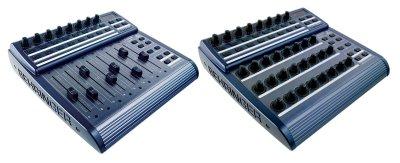
Bc2000 (for the BCF2000 & BCR2000) group photo

Yahoo Groups archive

Bc2000 (for the BCF2000 & BCR2000)

Index last updated: 2026-04-28 23:16 UTC

Thread

BCF2000 will not communicate with my PC - win xp, sp1

BCF2000 will not communicate with my PC - win xp, sp1

2007-04-28 by dj_rich_2000

Im having a problem with my new bcf2000, it will not communicate with
my PC - win xp, sp1

It arrived yesterday and have installed driver v1.1.1.1 on Win xp
(sp1) and it will not be recognised as a midi device in nuendo 3, also
as a test (even though the firmware is already at latest) I tried the
beringher update tool and the jave editor but it can not detect the
unit when scanning. "error - no appropriate device detected"

oddly i removed the drivers and let windows automatically install its
own and it showed up in nuendo as "USB audio device" and it did
transmit midi data but will not work in mackie mode and I cant get
faders to move.
When I put the v1.1.1.1 and 1.1.1.0 drivers on it doesnt show up as a
device and when in general BC mode nuendo can not detect any midi
activity at all when moving knobs or faders, further backed up by the
fact that the update software can not see the device either so i dont
think its my sequencer.
Why wont the behringer drive allow the device to communicate with my
pc! :(

PLEASE HELP! any help will be very appreciated.
Thanks

Re: BCF2000 will not communicate with my PC - win xp, sp1

2007-04-28 by dj_rich_2000

'Tis ok, panic over after many many hours of slaving, backed up,
installed SP2 - still didnt work, still couldnt comunicate between bcf
and pc via update tools, installed the unreleased driver 1.2 from
behringer and bobs your uncle and now happily mackie controling away
in nuendo.
bloody pain in the arse tho, has kind of put me off faffing around
with it now, but hopefully tomorrow when ive rested and come back to
it i will regain enthusiasim.

later


--- In bc2000@yahoogroups.com, "dj_rich_2000" <dj_rich_2000@...> wrote:
Show quoted textHide quoted text
>
> Im having a problem with my new bcf2000, it will not communicate with
> my PC - win xp, sp1
> 
> It arrived yesterday and have installed driver v1.1.1.1 on Win xp
> (sp1) and it will not be recognised as a midi device in nuendo 3, also
> as a test (even though the firmware is already at latest) I tried the
> beringher update tool and the jave editor but it can not detect the
> unit when scanning. "error - no appropriate device detected"
> 
> oddly i removed the drivers and let windows automatically install its
> own and it showed up in nuendo as "USB audio device" and it did
> transmit midi data but will not work in mackie mode and I cant get
> faders to move.
> When I put the v1.1.1.1 and 1.1.1.0 drivers on it doesnt show up as a
> device and when in general BC mode nuendo can not detect any midi
> activity at all when moving knobs or faders, further backed up by the
> fact that the update software can not see the device either so i dont
> think its my sequencer.
> Why wont the behringer drive allow the device to communicate with my
> pc! :(
> 
> PLEASE HELP! any help will be very appreciated.
> Thanks
>

Re: BCF2000 will not communicate with my PC - win xp, sp1

2007-05-12 by robsanderson69

I've got a "similar" problem with my newly purchased BCR2000, which
I'm using under Windows 2000 with Ableton Live.
I've installed the USB drivers (v1.1.1.1) and updated the BCR2000's
firmware. No problem there, as the PC recognizes the BCR2000
instantly, as does Ableton Live but there is no midi date being sent
from the BCR2000 to Ableton Live. However, if I disconnect the USB
lead and connect the BCR2000 via midi there is no problem, Ableton
Live receives midi data and I can control stuff with no problem.
It's just that I would much prefer to use the USB connection rather
than having loads of midi leads connected up.
I've also tried the version 1.2 USB drivers to no avail, basically
it's a rather infuriating glitch that I would like to get sorted out.
Anyone out there with answers to this problem?

Move to quarantaine

This moves the raw source file on disk only. The archive index is not changed automatically, so you still need to run a manual refresh afterward.