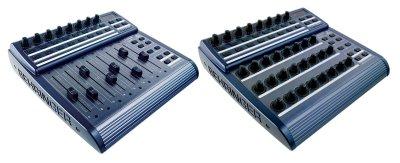
Bc2000 (for the BCF2000 & BCR2000) group photo

Yahoo Groups archive

Bc2000 (for the BCF2000 & BCR2000)

Index last updated: 2026-04-28 23:16 UTC

Thread

Absolute vs. Relative modes?

Absolute vs. Relative modes?

2008-12-26 by hooeygoo

Hi-

When I power up the BCR all rotary settings are at 0, as expected, so
the first time I use one to control, say, a volume fader in my DAW, it
jumps to 0, then follows the rotary.

I thought maybe I could avoid this by using Relative rather than
Absolute mode, but maybe not, or I'm doing it wrong. REAPER, for
example, has Absolute and 3 Relative modes to choose from, but none of
the combinations of BCR/REAPER settings I've tried work. The control
will just move slightly and erratically, sometimes in the opposite
direction of the encoder.

I know I can use the Exit button to disable the encoder temporarily
while I match the values, but should I be able to use Relative mode
instead? And if not, can someone explain what this mode is used for?

TIA!

-Susan

Re: Absolute vs. Relative modes?

2008-12-27 by Mark van den Berg

--- In bc2000@yahoogroups.com, "hooeygoo" <SMG_Music@...> wrote:
> When I power up the BCR all rotary settings are at 0, as expected, so
> the first time I use one to control, say, a volume fader in my DAW, it
> jumps to 0, then follows the rotary.

> I thought maybe I could avoid this by using Relative rather than
> Absolute mode, but maybe not, or I'm doing it wrong. REAPER, for
> example, has Absolute and 3 Relative modes to choose from, but none of
> the combinations of BCR/REAPER settings I've tried work. The control
> will just move slightly and erratically, sometimes in the opposite
> direction of the encoder.
> 
> I know I can use the Exit button to disable the encoder temporarily
> while I match the values, but should I be able to use Relative mode
> instead? And if not, can someone explain what this mode is used for?

Concerning "Relative": I'm unsure whether it can do what you want,
since this depends on the receiving device's capabilities. In any case
there's some (admittedly rather technical) explanation of the BCR's
Relative modes in "BC MIDI Implementation.pdf" (e.g. section 14.3, p. 77).

Concerning the BCR's power-up values: it IS possible to set them to
other values than 0. In BC Manager (at least if the DPI setting is 96
;)), you can go to the "General" tab of the encoder dialog box, then
set "Value" (under "Default") to a value you like, and upload this
setting (within a memory preset) to the BCR. This value will then be
selected the next time you switch on the BCR and then select that
memory preset, as indicated by the encoder's dot.

However, in your case it would of course be best to have your DAW send
its settings to the BCR when you select the preset on the BCR, so that
the BCR's encoders are immediately updated to the DAW's settings. It
depends on your DAW whether this is possible; in any case it is
possible to have the BCR send any "learn" request whenever a
particular memory preset is selected: in BC Manager, enable "Request"
on the "Settings" tab in the preset dialog box, and put the proper
request on the "Learn output" tab.

Alternatively, you can enable "Snapshot" on the preset's "Settings"
tab: then the BCR sends a memory preset's button and encoder values to
the DAW whenever that preset gets selected. Of course this still leads
to your deplored jumps, but at least you don't have to turn your
encoders manually to update your DAW's settings.

Hope this helps a bit,
Mark.

Re: Absolute vs. Relative modes?

2008-12-28 by k5kip_1999

You can try the Live preset in Reaper for basic controls.
Faders, mutes, ch. selects, solos, arms, transports, jog and pans, <
bank > I think are all that work. Markers work, however they are not
where Reapers expects them... this is after all for Live.

So what do you get for your trouble of downloading a Live preset and
sending the sysex for control of reaper?
Banks!
8 faders + 8 pans + 8 mutes + 8 solos + 8 arms + 8 Ch. selects = 1
bank. If you only have 8 tracks ... well than you only have 1 bank.
If you have 24 tracks... by using the < bank > button, you can bank
down to control 9-16 and then 17-24 ... etc to however many tracks you
have!
I just tested this and there is no fader jumps.

All are mapped, this won't use all of the bcr... so you could set it
up to do other things at the same time.
the F1-F8 keys have not been mapped on the preset, I should do that... 

You set up Reaper control surface to be mackie.
Also, set up input from bcr2000 and output back to bcr2000.
Try an older version of the preset,  like 4.1 or 4.0
You can try Art Hunkins preset as well.
Just remember you won't get all of the entire mackie protocol.
Try it as an experiment!


Kip

--- In bc2000@yahoogroups.com, "Mark van den Berg" <markwinvdb@...> wrote:
>
> --- In bc2000@yahoogroups.com, "hooeygoo" <SMG_Music@> wrote:
> > When I power up the BCR all rotary settings are at 0, as expected, so
> > the first time I use one to control, say, a volume fader in my DAW, it
> > jumps to 0, then follows the rotary.
> 
> > I thought maybe I could avoid this by using Relative rather than
> > Absolute mode, but maybe not, or I'm doing it wrong. REAPER, for
> > example, has Absolute and 3 Relative modes to choose from, but none of
> > the combinations of BCR/REAPER settings I've tried work. The control
> > will just move slightly and erratically, sometimes in the opposite
> > direction of the encoder.
> > 
> > I know I can use the Exit button to disable the encoder temporarily
> > while I match the values, but should I be able to use Relative mode
> > instead? And if not, can someone explain what this mode is used for?
> 
> Concerning "Relative": I'm unsure whether it can do what you want,
> since this depends on the receiving device's capabilities. In any case
> there's some (admittedly rather technical) explanation of the BCR's
> Relative modes in "BC MIDI Implementation.pdf" (e.g. section 14.3,
p. 77).
Show quoted textHide quoted text
> 
> Concerning the BCR's power-up values: it IS possible to set them to
> other values than 0. In BC Manager (at least if the DPI setting is 96
> ;)), you can go to the "General" tab of the encoder dialog box, then
> set "Value" (under "Default") to a value you like, and upload this
> setting (within a memory preset) to the BCR. This value will then be
> selected the next time you switch on the BCR and then select that
> memory preset, as indicated by the encoder's dot.
> 
> However, in your case it would of course be best to have your DAW send
> its settings to the BCR when you select the preset on the BCR, so that
> the BCR's encoders are immediately updated to the DAW's settings. It
> depends on your DAW whether this is possible; in any case it is
> possible to have the BCR send any "learn" request whenever a
> particular memory preset is selected: in BC Manager, enable "Request"
> on the "Settings" tab in the preset dialog box, and put the proper
> request on the "Learn output" tab.
> 
> Alternatively, you can enable "Snapshot" on the preset's "Settings"
> tab: then the BCR sends a memory preset's button and encoder values to
> the DAW whenever that preset gets selected. Of course this still leads
> to your deplored jumps, but at least you don't have to turn your
> encoders manually to update your DAW's settings.
> 
> Hope this helps a bit,
> Mark.
>
Re: Absolute vs. Relative modes? reaper fader jumps.

2008-12-28 by k5kip_1999

Always restart reaper when you try a new preset on bcr2k.


--- In bc2000@yahoogroups.com, "k5kip_1999" <k5kip_1999@...> wrote:
>
> You can try the Live preset in Reaper for basic controls.
> Faders, mutes, ch. selects, solos, arms, transports, jog and pans, <
> bank > I think are all that work. Markers work, however they are not
> where Reapers expects them... this is after all for Live.
> 
> So what do you get for your trouble of downloading a Live preset and
> sending the sysex for control of reaper?
> Banks!
> 8 faders + 8 pans + 8 mutes + 8 solos + 8 arms + 8 Ch. selects = 1
> bank. If you only have 8 tracks ... well than you only have 1 bank.
> If you have 24 tracks... by using the < bank > button, you can bank
> down to control 9-16 and then 17-24 ... etc to however many tracks you
> have!
> I just tested this and there is no fader jumps.
> 
> All are mapped, this won't use all of the bcr... so you could set it
> up to do other things at the same time.
> the F1-F8 keys have not been mapped on the preset, I should do that... 
> 
> You set up Reaper control surface to be mackie.
> Also, set up input from bcr2000 and output back to bcr2000.
> Try an older version of the preset,  like 4.1 or 4.0
> You can try Art Hunkins preset as well.
> Just remember you won't get all of the entire mackie protocol.
> Try it as an experiment!
> 
> 
> Kip
> 
> --- In bc2000@yahoogroups.com, "Mark van den Berg" <markwinvdb@> wrote:
> >
> > --- In bc2000@yahoogroups.com, "hooeygoo" <SMG_Music@> wrote:
> > > When I power up the BCR all rotary settings are at 0, as
expected, so
> > > the first time I use one to control, say, a volume fader in my
DAW, it
> > > jumps to 0, then follows the rotary.
> > 
> > > I thought maybe I could avoid this by using Relative rather than
> > > Absolute mode, but maybe not, or I'm doing it wrong. REAPER, for
> > > example, has Absolute and 3 Relative modes to choose from, but
none of
Show quoted textHide quoted text
> > > the combinations of BCR/REAPER settings I've tried work. The control
> > > will just move slightly and erratically, sometimes in the opposite
> > > direction of the encoder.
> > > 
> > > I know I can use the Exit button to disable the encoder temporarily
> > > while I match the values, but should I be able to use Relative mode
> > > instead? And if not, can someone explain what this mode is used for?
> > 
> > Concerning "Relative": I'm unsure whether it can do what you want,
> > since this depends on the receiving device's capabilities. In any case
> > there's some (admittedly rather technical) explanation of the BCR's
> > Relative modes in "BC MIDI Implementation.pdf" (e.g. section 14.3,
> p. 77).
> > 
> > Concerning the BCR's power-up values: it IS possible to set them to
> > other values than 0. In BC Manager (at least if the DPI setting is 96
> > ;)), you can go to the "General" tab of the encoder dialog box, then
> > set "Value" (under "Default") to a value you like, and upload this
> > setting (within a memory preset) to the BCR. This value will then be
> > selected the next time you switch on the BCR and then select that
> > memory preset, as indicated by the encoder's dot.
> > 
> > However, in your case it would of course be best to have your DAW send
> > its settings to the BCR when you select the preset on the BCR, so that
> > the BCR's encoders are immediately updated to the DAW's settings. It
> > depends on your DAW whether this is possible; in any case it is
> > possible to have the BCR send any "learn" request whenever a
> > particular memory preset is selected: in BC Manager, enable "Request"
> > on the "Settings" tab in the preset dialog box, and put the proper
> > request on the "Learn output" tab.
> > 
> > Alternatively, you can enable "Snapshot" on the preset's "Settings"
> > tab: then the BCR sends a memory preset's button and encoder values to
> > the DAW whenever that preset gets selected. Of course this still leads
> > to your deplored jumps, but at least you don't have to turn your
> > encoders manually to update your DAW's settings.
> > 
> > Hope this helps a bit,
> > Mark.
> >
>

Re: Absolute vs. Relative modes? reaper fader jumps.

2008-12-29 by hooeygoo

Hi guys-

Thank you both for that good info and for the Live preset suggestion.
So far that looks promising, Kip. I'll have to digest your post
further, Mark, but you've both pointed me in the right direction.

[BTW, I hope it's not bad group etiquette not to quote the whole
thread, but it was getting a little unwieldy ;)]

-Susan

P.S. @Mark -- I've just made a small donation towards your efforts for
this extremely useful utility!

Re: Absolute vs. Relative modes? reaper fader jumps.

2008-12-29 by k5kip_1999

I am working on a Reaper specific Mackie preset...
Look for it either later today or tomorrow.
Also, someone has made a plugin for reaper that may help extend the
mackie emulation on the bcr2k, I am testing this and will report back.
Kip

--- In bc2000@yahoogroups.com, "hooeygoo" <SMG_Music@...> wrote:
Show quoted textHide quoted text
>
> Hi guys-
> 
> Thank you both for that good info and for the Live preset suggestion.
> So far that looks promising, Kip. I'll have to digest your post
> further, Mark, but you've both pointed me in the right direction.
> 
> [BTW, I hope it's not bad group etiquette not to quote the whole
> thread, but it was getting a little unwieldy ;)]
> 
> -Susan
> 
> P.S. @Mark -- I've just made a small donation towards your efforts for
> this extremely useful utility!
>

Move to quarantaine

This moves the raw source file on disk only. The archive index is not changed automatically, so you still need to run a manual refresh afterward.