USB Modes, Ableton & Leopard problem, help
2008-06-30 by pprandin
I was trying to get rid of all those cables and so I want to use my
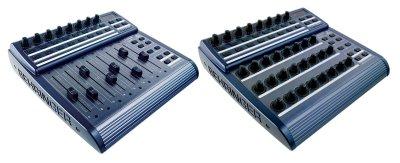
BCF2000 in U-3 mode.
Connections :

MIDI IN = None
MIDI OUT A = Roland JV1010
MIDI OUT B = None
USB MODE = U-3

My keyboard (M-AUDIO Keystation e61s) is connected via USB to another
port.
In Ableton Live, when I select U-3 BCF2000 (Input) and BCF2000
(output) pops in and I enable them.
Using Live internal MIDI routings I'm linking Keystation to BCF2000
output but no sound is ruoted to Roland JV1010. The MIDI activity
light on BCF2000 does not light up. If I start a MIDI clip no MIDI is
routed through either A or B ports and no light lights up.
If I connect the Keyboard to MIDI-IN in USB mode 3 (U-3), MIDI IN
lights up and MIDI OUT does not and no sound is heard.
If I change mode to S-2 (stand alone) and I connect the Keyboard via
MIDI to BCF2000 MIDI-IN I see MIDI-IN activity and MIDI-OUT (both A &
B) and JV1010 plays.
It seems that I cannot use MIDI ports on BCF2000 as a 1 IN 2 OUT MIDI
Interface as explained in the manual.
Is this because of Mac OS X Leopard? Is this feature available in
Windows only? Is my unit defective? (Controller functions work fine)

- Best Regards
- Paolo