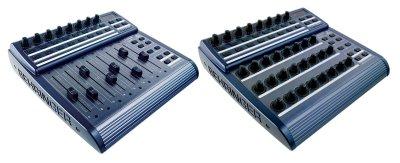
Live scripts only allow auto mapping of 8 variables.  What u need to do is change the encoders to match the cc numbers of your controller.  If you grab the mackie emulation stuff, there are 2 modified cfg files that demonstrate this. I Beleive they are called "bcr left" and "bcr right" You don't need to use scripting to get auto map to work however, assigning cc 1-8 to any 8 encoders should allow auto mapping to work w/o additional scripting.  Community correct me if I'm wrong, I been messing with this heavily lately attempting to get more than 8 variables to automap, the closest I've gotten is a max4live patch "search bcr2000" at max4live site.  I would love to find out I'm wrong about this btw :)
I uploaded a QuickStart guide that may help you as well, look in the files section. Ableton QuickStart:  I didn't end up using remote scripts in the end because they didn't really solve any problems.  There is a way to do crazier stuff if u get into sysex, but that's also proven to be fruitless black hole, the mackie emulation comes the closest.  You could try to backwards engineer the mackie stuff but that would be quite the undertaking.
Sent from my iPhone

Sent from my iPhone
Message
Re: Live! Remote script for BCR2000?
2014-04-09 by Trevor Morris
Attachments
- No local attachments were found for this message.