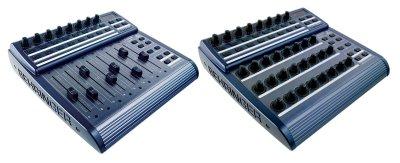
The problem with mapping controls is that I would have to plan a set in advance (I think, unless I misunderstand this concept). I want to be able to pick my tunes as i go. I could map whilst dj'ing, but then i'd be using the keyboard a lot.
The mackie mode preset works REALLY well for dj'ing, I've just done a quite nice set in my bedroom messing around. I only really have 2 minor issues.
1) - (the more major of the 2) -this point from earlier: that I cannot turn effects on and off from the BCR. The thing with my dj'ing is that I'm not just simply mixing track-into-track, I'm sometimes creating tunes with a multiple samples and loops playing, and I like to mash things up with effects on some of the clips. To not be able to turn the effects off is a bit limiting.
2) - less importantly, Stefan's dpots are very useful for allowing me to eq two tunes whilst mixing between them (i.e, I will bring the bass up on the incoming tune, and down on the current tune), but they could use some enhancement. The dpots do not 'update' to reflect the eq levels of the selected channel, and so when you use them on the next channel and adjust the rotaries, they will instantly adjust the eqs to their current position. Sorry, this may not be very clear, but basically you have to 'pre'-adjust the rotaries to the 'default' positions before assigning a channel (once having used them on a previous channel), otherwise the dpot level will not correspond to the eq level of the current channel.
I find that I can get into trouble sometimes when eq's are 'selected' by the MIDI (when they have the hand symbol on them) and I am unable to de-select them. Then when the focus is on the track I want to vpot control, the dpots also have control on the same eq's, and i can't remove the 'hand' to allow me to control the other channel. Again, I appreciate this is hard to put into words so sorry if it doesn't make sense.
I think the dpots need some sort of feedback input from the select channel to fix this.
I have to say, I really love this preset. I've been wanting to get into dj'ing with live for ages now, and had my BCR (and an Oxygen 8v2) for a few months, but unfortunately was overseas working and only now have had the chance to get into it. This preset is pretty much exactly what I was hoping for, to allow me to get creative with tunes, loops and samples on the fly; effectively dj'ing, but in essence actually blurring the lines between mixing tunes and producing new music. Maybe I can learn how to modify the presets to get what I want, but I fear I'm not going to figue it out for a while as it seems pretty complicated :-/
Maybe I need 2 BCR2000's?!
Cheers,
James.
To: bc2000@yahoogroups.com
From: k5kip_1999@...
Date: Sun, 21 Dec 2008 20:55:16 +0000
Subject: [bc2000] Re: Sound interuptions / disturbances (artefacts) with Ableton Live when using the BCR2000
James you never have to use the mackie thing.
You could map those controls using the controller map function in Live.
If you the set you will use is pretty stock, than you can save it as
you template and make all you new livesets based on that set.
However, if you already have sets... that is a different story.
If you move tracks around or delete them... again. different story.
It sounds like some sort of hybrid mackie will be best for you.
You can also map controls to the ascii keyboard.
For a while I had a live set with 1, q, a , z to play 4 clips on track 1.
Again, great if nothing moves around... as soon as you do, it gets all
screwy.
k
--- In bc2000@yahoogroups.com, James Glover ...> wrote:
>
>
> Sorry, that last question was supposed to have a different title -
obviously it relates specifically to the mackie mode preset for the BCR2k
>
> To: bc2000@...: james.glover@...: Sun, 21 Dec 2008 15:19:28
+0000Subject: RE: [bc2000] Sound interuptions / disturbances
(artefacts) with Ableton Live when using the BCR2000
>;
>
>
> Is there anyway that a button could be swapped to operate the on/off
button of effects? I wonder whether you could possibly make a 3rd
preset where, say, the record button turns effects on and off (instead
of working the record function)? This would be fantastic from a dj'ing
point of view. James.
>
> From: james.glover@...: bc2000@...: RE: [bc2000] Sound interuptions
/ disturbances (artefacts) with Ableton Live when using the
BCR2000Date: Sun, 21 Dec 2008 15:02:59 +0000One other question, also
relating so sound problems. When I run Ableton Live 6 on another
machine with Vista, it has terrible problems playing tracks. Any tune
I try and play comes out very 'jumpy', hinting there is something very
wrong. Any ideas what could be the matter? Thanks,James.
>
> To: bc2000@...: electroduo@...: Sun, 21 Dec 2008 14:39:42
+0000Subject: Re: [bc2000] Sound interuptions / disturbances
(artefacts) with Ableton Live when using the BCR2000
>
>
> Hello James!I imagine this is a problem with Ableton rather than the
BCF. This is normal when the level of latency is not the most ideal
for your audio card.Try increasing the buffer size in
Preferences/Audio/Latency and see if it helps!Raphael
> 2008/12/21 James Glover ...>
>
>
>
>
> Hi, I'm currently teaching myself how to DJ with Ableton using the
BCR2000 in mackie mode. One BIG problem I have is that I am noticing
significant 'artefacts' (sound distubances or interuptions - 'blips',
'pips' or static sounds) when I navigate around Ableton. The problem
seems to be worse when I have lots of larger clips loaded, such as
full music tracks. i.e. the problem isn't so pronounced when I am just
playing short loops and samples. When i use the rotary to scroll left
to right across the channels, I often get a lot of these artefacts.
Using the buttons to select a channel also can cause it. If I'm going
to be performing live, any sound interuption / disturbance is
obviously a bit deal, and so I would like to know how to avoid it. Any
help would be gratefully received. Thanks,James.
>
> Take your friends with you with Mobile Messenger. Click Here!
>
> Get Windows Live Messenger on your Mobile. Click Here!
>
> Great search results, great prizes. BigSnapSearch.com Search now
>
>
>
>
>;
>
> __________________________________________________________
> Imagine a life without walls.� See the possibilities.
> http://clk.atdmt.com/UKM/go/122465943/direct/01/
>
You could map those controls using the controller map function in Live.
If you the set you will use is pretty stock, than you can save it as
you template and make all you new livesets based on that set.
However, if you already have sets... that is a different story.
If you move tracks around or delete them... again. different story.
It sounds like some sort of hybrid mackie will be best for you.
You can also map controls to the ascii keyboard.
For a while I had a live set with 1, q, a , z to play 4 clips on track 1.
Again, great if nothing moves around... as soon as you do, it gets all
screwy.
k
--- In bc2000@yahoogroups.com, James Glover ...> wrote:
>
>
> Sorry, that last question was supposed to have a different title -
obviously it relates specifically to the mackie mode preset for the BCR2k
>
> To: bc2000@...: james.glover@...: Sun, 21 Dec 2008 15:19:28
+0000Subject: RE: [bc2000] Sound interuptions / disturbances
(artefacts) with Ableton Live when using the BCR2000
>;
>
>
> Is there anyway that a button could be swapped to operate the on/off
button of effects? I wonder whether you could possibly make a 3rd
preset where, say, the record button turns effects on and off (instead
of working the record function)? This would be fantastic from a dj'ing
point of view. James.
>
> From: james.glover@...: bc2000@...: RE: [bc2000] Sound interuptions
/ disturbances (artefacts) with Ableton Live when using the
BCR2000Date: Sun, 21 Dec 2008 15:02:59 +0000One other question, also
relating so sound problems. When I run Ableton Live 6 on another
machine with Vista, it has terrible problems playing tracks. Any tune
I try and play comes out very 'jumpy', hinting there is something very
wrong. Any ideas what could be the matter? Thanks,James.
>
> To: bc2000@...: electroduo@...: Sun, 21 Dec 2008 14:39:42
+0000Subject: Re: [bc2000] Sound interuptions / disturbances
(artefacts) with Ableton Live when using the BCR2000
>
>
> Hello James!I imagine this is a problem with Ableton rather than the
BCF. This is normal when the level of latency is not the most ideal
for your audio card.Try increasing the buffer size in
Preferences/Audio/Latency and see if it helps!Raphael
> 2008/12/21 James Glover ...>
>
>
>
>
> Hi, I'm currently teaching myself how to DJ with Ableton using the
BCR2000 in mackie mode. One BIG problem I have is that I am noticing
significant 'artefacts' (sound distubances or interuptions - 'blips',
'pips' or static sounds) when I navigate around Ableton. The problem
seems to be worse when I have lots of larger clips loaded, such as
full music tracks. i.e. the problem isn't so pronounced when I am just
playing short loops and samples. When i use the rotary to scroll left
to right across the channels, I often get a lot of these artefacts.
Using the buttons to select a channel also can cause it. If I'm going
to be performing live, any sound interuption / disturbance is
obviously a bit deal, and so I would like to know how to avoid it. Any
help would be gratefully received. Thanks,James.
>
> Take your friends with you with Mobile Messenger. Click Here!
>
> Get Windows Live Messenger on your Mobile. Click Here!
>
> Great search results, great prizes. BigSnapSearch.com Search now
>
>
>
>
>;
>
> __________________________________________________________
> Imagine a life without walls.� See the possibilities.
> http://clk.atdmt.com/UKM/go/122465943/direct/01/
>
Great search results, great prizes. BigSnapSearch.com Search now