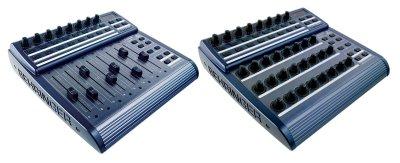
To: bc2000@yahoogroups.com
From: james.glover@...
Date: Sun, 21 Dec 2008 15:19:28 +0000
Subject: RE: [bc2000] Sound interuptions / disturbances (artefacts) with Ableton Live when using the BCR2000
Is there anyway that a button could be swapped to operate the on/off button of effects?
I wonder whether you could possibly make a 3rd preset where, say, the record button turns effects on and off (instead of working the record function)? This would be fantastic from a dj'ing point of view.
James.
From: james.glover@hotmail.com
To: bc2000@yahoogroups.com
Subject: RE: [bc2000] Sound interuptions / disturbances (artefacts) with Ableton Live when using the BCR2000
Date: Sun, 21 Dec 2008 15:02:59 +0000
One other question, also relating so sound problems.
When I run Ableton Live 6 on another machine with Vista, it has terrible problems playing tracks. Any tune I try and play comes out very 'jumpy', hinting there is something very wrong.
Any ideas what could be the matter?
Thanks,
James.
To: bc2000@yahoogroups.com
From: electroduo@gmail.com
Date: Sun, 21 Dec 2008 14:39:42 +0000
Subject: Re: [bc2000] Sound interuptions / disturbances (artefacts) with Ableton Live when using the BCR2000
Get Windows Live Messenger on your Mobile. Click Here!
Great search results, great prizes. BigSnapSearch.com Search now
I wonder whether you could possibly make a 3rd preset where, say, the record button turns effects on and off (instead of working the record function)? This would be fantastic from a dj'ing point of view.
James.
From: james.glover@hotmail.com
To: bc2000@yahoogroups.com
Subject: RE: [bc2000] Sound interuptions / disturbances (artefacts) with Ableton Live when using the BCR2000
Date: Sun, 21 Dec 2008 15:02:59 +0000
One other question, also relating so sound problems.
When I run Ableton Live 6 on another machine with Vista, it has terrible problems playing tracks. Any tune I try and play comes out very 'jumpy', hinting there is something very wrong.
Any ideas what could be the matter?
Thanks,
James.
To: bc2000@yahoogroups.com
From: electroduo@gmail.com
Date: Sun, 21 Dec 2008 14:39:42 +0000
Subject: Re: [bc2000] Sound interuptions / disturbances (artefacts) with Ableton Live when using the BCR2000
Hello James!
I imagine this is a problem with Ableton rather than the BCF. This is normal when the level of latency is not the most ideal for your audio card.
Try increasing the buffer size in Preferences/Audio/Latency and see if it helps!
Raphael
I imagine this is a problem with Ableton rather than the BCF. This is normal when the level of latency is not the most ideal for your audio card.
Try increasing the buffer size in Preferences/Audio/Latency and see if it helps!
Raphael
2008/12/21 James Glover <james.glover@hotmail.com>
Hi,
I'm currently teaching myself how to DJ with Ableton using the BCR2000 in mackie mode.
One BIG problem I have is that I am noticing significant 'artefacts' (sound distubances or interuptions - 'blips', 'pips' or static sounds) when I navigate around Ableton.
The problem seems to be worse when I have lots of larger clips loaded, such as full music tracks. i.e. the problem isn't so pronounced when I am just playing short loops and samples.
When i use the rotary to scroll left to right across the channels, I often get a lot of these artefacts. Using the buttons to select a channel also can cause it.
If I'm going to be performing live, any sound interuption / disturbance is obviously a bit deal, and so I would like to know how to avoid it.
Any help would be gratefully received.
Thanks,
James.
Take your friends with you with Mobile Messenger. Click Here!
Get Windows Live Messenger on your Mobile. Click Here!
Great search results, great prizes. BigSnapSearch.com Search now
Win John Lewis vouchers with BigSnapSearch.com Search now