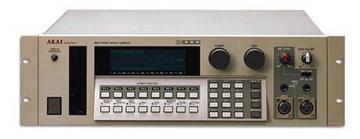
Akai S1000 / S1100 samplers group photo

Yahoo Groups archive

Akai S1000 / S1100 samplers

Index last updated: 2026-04-28 23:15 UTC

Thread

Mystery memory boards in S1000 - curious SCSI board too

Mystery memory boards in S1000 - curious SCSI board too

2012-05-08 by retroillumination

Hi folks,

I've just acquired an S1000 sampler from a studio and after checking it worked, the next thing to do was have a good look under the lid for a bit of gear pr0n. 

What a great old machine. Solid as a rock. Os 4.40 installed. Just needs a new backlight :) 

The SCSI board is a very long board with a laptop-drive-sized 80MB SCSI hard drive physically mounted to the board, I don't recall those SCSI boards being like that. Bonus, a noisy old bonus! 

I wanted to ask you folks about the RAM. The S1000 reports 8MB (4 MWords) at boot up. There are 4 RAM boards - two of them are the 2MB Akai EXM-005 boards but I'm not sure about the other two. The other two don't have any writing that give an indication of the size, just the words 'PA - DECODER AKAI 03'. 

For all I know, they could be 8MB boards and maybe the mod to allow the S1000 to recognise 8MB boards has not been performed. This would sort of tie in with a sticker that says '20' on the front panel ... maybe 20MB, 2x2MB and 2x8MB? 

Does anybody know if there's a way to see if the mod has been performed without taking out the mainboard? The 4 pairs of solder 'pads' on the topside of the board - W13 to W16 - if anyone knows which of those should be connected together I could probe them with a multimeter perhaps?

Thanks in advance,

Matt

Re: [akaiS1000S1100Samplers] Mystery memory boards in S1000 - curious SCSI board too

2012-05-08 by PeWe

Make a pic from the PA Decoder board and PM.
I have one too here and it is 2MB !

Normally, if the sampler says 4 megawords, it is 4 megawords/ 8MB,- 4 x 2MB cards.

In a S-1000,- 8 MB cards don\ufffdt work unless it\ufffds re-jumpered by soldering 2 bridges at the underside of the digital mainboard.
If done, for a mix of 2MB and 8MB cards,- each one, the 2 and 8 meg cards, must be inserted into the slots in a specific order, depending on how many 2 and how many 8 meg cards will be installed.

The S-1100 has dip switches on the upper side of the digital mainboard,- so no soldering job.

The S-1000 was never made for using the 8meg boards.
When it was released, the max of RAM was 4x 2MB cards.
Later, AKAI figured out how to install 8meg cards to the S-1000,- but it wasn\ufffdt originally designed for that.

The 1st principle website tells how it works ...
http://www.firstpr.com.au/rwi/smem/8Meg.html

hope it helps

:-)


Am 09.05.2012 00:35, schrieb retroillumination:
Show quoted textHide quoted text
\ufffd

Hi folks,

I've just acquired an S1000 sampler from a studio and after checking it worked, the next thing to do was have a good look under the lid for a bit of gear pr0n.

What a great old machine. Solid as a rock. Os 4.40 installed. Just needs a new backlight :)

The SCSI board is a very long board with a laptop-drive-sized 80MB SCSI hard drive physically mounted to the board, I don't recall those SCSI boards being like that. Bonus, a noisy old bonus!

I wanted to ask you folks about the RAM. The S1000 reports 8MB (4 MWords) at boot up. There are 4 RAM boards - two of them are the 2MB Akai EXM-005 boards but I'm not sure about the other two. The other two don't have any writing that give an indication of the size, just the words 'PA - DECODER AKAI 03'.

For all I know, they could be 8MB boards and maybe the mod to allow the S1000 to recognise 8MB boards has not been performed. This would sort of tie in with a sticker that says '20' on the front panel ... maybe 20MB, 2x2MB and 2x8MB?

Does anybody know if there's a way to see if the mod has been performed without taking out the mainboard? The 4 pairs of solder 'pads' on the topside of the board - W13 to W16 - if anyone knows which of those should be connected together I could probe them with a multimeter perhaps?

Thanks in advance,

Matt


Re: Mystery memory boards in S1000 - curious SCSI board too

2012-05-09 by retroillumination

Hi!

Thanks for the info, very interesting! I have a problem with my camera for now, but yes I am sure you are right about these being 2MB boards. I can tell you that the boards have Intel P21010-08 memory chips - 16 of them. These, google says, are 1Mbit DRAM chips. So, 16Mbit = 2MB = 1Mword. But hey, 8MB in total is OK!

These samplers are so well built, it's no wonder they last forever.

Thanks!

Matt


--- In akaiS1000S1100Samplers@yahoogroups.com, PeWe <ha-pewe@...> wrote:
Show quoted textHide quoted text
>
> Make a pic from the PA Decoder board and PM.
> I have one too here and it is 2MB !
> 
> Normally, if the sampler says 4 megawords, it is 4 megawords/ 8MB,- 4 x 
> 2MB cards.
> 
> In a S-1000,- 8 MB cards don´t work unless it´s re-jumpered by soldering 
> 2 bridges at the underside of the digital mainboard.
> If done, for a mix of 2MB and 8MB cards,- each one, the 2 and 8 meg 
> cards, must be inserted into the slots in a specific order, depending on 
> how many 2 and how many 8 meg cards will be installed.
> 
> The S-1100 has dip switches on the upper side of the digital mainboard,- 
> so no soldering job.
> 
> The S-1000 was never made for using the 8meg boards.
> When it was released, the max of RAM was 4x 2MB cards.
> Later, AKAI figured out how to install 8meg cards to the S-1000,- but it 
> wasn´t originally designed for that.
> 
> The 1st principle website tells how it works ...
> http://www.firstpr.com.au/rwi/smem/8Meg.html
> 
> hope it helps
> 
> :-)
> 
> 
> Am 09.05.2012 00:35, schrieb retroillumination:
> >
> > Hi folks,
> >
> > I've just acquired an S1000 sampler from a studio and after checking 
> > it worked, the next thing to do was have a good look under the lid for 
> > a bit of gear pr0n.
> >
> > What a great old machine. Solid as a rock. Os 4.40 installed. Just 
> > needs a new backlight :)
> >
> > The SCSI board is a very long board with a laptop-drive-sized 80MB 
> > SCSI hard drive physically mounted to the board, I don't recall those 
> > SCSI boards being like that. Bonus, a noisy old bonus!
> >
> > I wanted to ask you folks about the RAM. The S1000 reports 8MB (4 
> > MWords) at boot up. There are 4 RAM boards - two of them are the 2MB 
> > Akai EXM-005 boards but I'm not sure about the other two. The other 
> > two don't have any writing that give an indication of the size, just 
> > the words 'PA - DECODER AKAI 03'.
> >
> > For all I know, they could be 8MB boards and maybe the mod to allow 
> > the S1000 to recognise 8MB boards has not been performed. This would 
> > sort of tie in with a sticker that says '20' on the front panel ... 
> > maybe 20MB, 2x2MB and 2x8MB?
> >
> > Does anybody know if there's a way to see if the mod has been 
> > performed without taking out the mainboard? The 4 pairs of solder 
> > 'pads' on the topside of the board - W13 to W16 - if anyone knows 
> > which of those should be connected together I could probe them with a 
> > multimeter perhaps?
> >
> > Thanks in advance,
> >
> > Matt
> >
>

Re: [akaiS1000S1100Samplers] Mystery memory boards in S1000 - curious SCSI board too

2012-05-09 by Jason Adkins

Hi PeWe,

Interesting,I have a S5000 myself but a friend has a S1000 and a S1100 this has been forwarded,great information.

Thanks

J


On 9 May 2012, at 00:20, PeWe wrote:

Make a pic from the PA Decoder board and PM.
I have one too here and it is 2MB !

Normally, if the sampler says 4 megawords, it is 4 megawords/ 8MB,- 4 x 2MB cards.

In a S-1000,- 8 MB cards don´t work unless it´s re-jumpered by soldering 2 bridges at the underside of the digital mainboard.
If done, for a mix of 2MB and 8MB cards,- each one, the 2 and 8 meg cards, must be inserted into the slots in a specific order, depending on how many 2 and how many 8 meg cards will be installed.

The S-1100 has dip switches on the upper side of the digital mainboard,- so no soldering job.

The S-1000 was never made for using the 8meg boards.
When it was released, the max of RAM was 4x 2MB cards.
Later, AKAI figured out how to install 8meg cards to the S-1000,- but it wasn´t originally designed for that.

The 1st principle website tells how it works ...
http://www.firstpr.com.au/rwi/smem/8Meg.html

hope it helps

:-)


Am 09.05.2012 00:35, schrieb retroillumination:

Hi folks,

I've just acquired an S1000 sampler from a studio and after checking it worked, the next thing to do was have a good look under the lid for a bit of gear pr0n.

What a great old machine. Solid as a rock. Os 4.40 installed. Just needs a new backlight :)

The SCSI board is a very long board with a laptop-drive-sized 80MB SCSI hard drive physically mounted to the board, I don't recall those SCSI boards being like that. Bonus, a noisy old bonus!

I wanted to ask you folks about the RAM. The S1000 reports 8MB (4 MWords) at boot up. There are 4 RAM boards - two of them are the 2MB Akai EXM-005 boards but I'm not sure about the other two. The other two don't have any writing that give an indication of the size, just the words 'PA - DECODER AKAI 03'.

For all I know, they could be 8MB boards and maybe the mod to allow the S1000 to recognise 8MB boards has not been performed. This would sort of tie in with a sticker that says '20' on the front panel ... maybe 20MB, 2x2MB and 2x8MB?

Does anybody know if there's a way to see if the mod has been performed without taking out the mainboard? The 4 pairs of solder 'pads' on the topside of the board - W13 to W16 - if anyone knows which of those should be connected together I could probe them with a multimeter perhaps?

Thanks in advance,

Matt


Re: [akaiS1000S1100Samplers] Mystery memory boards in S1000 - curious SCSI board too

2012-05-09 by PeWe


At least,- I recommend replacing PA-Decoder memory cards for S-1000.

They work normal, but if you have several cards build in and the sampler is in a rack between other units running hot too and w/o 1HU spacer panels,- the PA-Decoder cards cause distorted samples because of heat and after several hrs of continuous operation.

The original AKAI 2MB cards don\ufffdt introduce that issue,- so a 8MB S-1000 w/ 4x 2meg memory cards works more reliable than any S-1000 w/ a mix of card brands and if a PA-Decoder card is in between.

There are also 8MB cards out there introducing bad behaviour when running hot.

Some time ago, I changed back using S-1000 and S-1000PB w/ 2 meg AKAI cards only, 4 of these in each sampler and it works like a charme and is the original maxed out configuration, so it was also worth replacing the backlights.
With only 16 voices and the small footprint AKAI samples ave, you\ufffdre pretty fine w/ 8MB in a S-1000 / S-1000PB.

In my 2 S-1100 samplers which were designed for usage of larger memory from the beginning, I have 4 8meg cards in each.
1 sampler original AKAI only, the other fitted w/ Mu-Tec cards.
http://www.masterbits.de/exp_e.htm#EXP

So, if you don\ufffdt find enough working original AKAI 8MB cards used, this is what you want, because they also work fine in a mix of original AKAI and Mu-Tec cards.

I also have lots of software stuff, sampler wise NI Kontakt 4 and Halion 2 and some more.
Once, I converted my complete AKAI library,- ~ 300 - 500 CDs and a shitload of discs into several formats, mainly Halion 2, but also for Reason NNXT or Kontakt and it doesn\ufffdt sound like the AKAI hardware really.
You might come close by editing in the software sampler but what a nitemare and time investment.
Only the conversions ran within a timespan of a year here and the result ist the very best.

The AKAIs sound really good and dealing w/ the smaller memory footprint as well as the load times etc. is all and all much less time consuming than converting all the stuff to put the AKAIs up at ebay for peanuts.

The AKAIs are ro gear and were studio standard since decades,- so if you keep your\ufffds alive as long as you can, you have gear which works.

P.

Am 09.05.2012 10:24, schrieb Jason Adkins:
Show quoted textHide quoted text
\ufffd

Hi PeWe,


Interesting,I have a S5000 myself but a friend has a S1000 and a S1100 this has been forwarded,great information.

Thanks

J


On 9 May 2012, at 00:20, PeWe wrote:

\ufffd

Make a pic from the PA Decoder board and PM.
I have one too here and it is 2MB !


Re: Mystery memory boards in S1000 - curious SCSI board too

2012-05-09 by retroillumination

That is very useful info, thanks. Well, I have 2 PA-decoder boards and 2 Akai 2MB boards, and that SCSI board with the hard drive bolted to it, so I will have to keep an eye on the heat. The PA decoder boards do look well built though, the boards are very thick and solid and the soldering is good.

Yes 8MB is good, I remember when I first bought a S950 with one extra memory board, I think there was 22 seconds of sampling at 48K, this 8MB will be more like 90 seconds I think.

The new backlight looks great too.

This is my first S1000, I have some other Akais, a S3200, S2800, S3200XL, S5000. It's so easy and fast to get the sampling work done on the Akai machines. I have other samplers - the Kurzweil K2000 for example is a great sampler with some excellent synth features, but if you just need to sample something it seems to be a lot more work. Good thing it reads Akai discs!

Thanks!
Matt 

--- In akaiS1000S1100Samplers@yahoogroups.com, PeWe <ha-pewe@...> wrote:
Show quoted textHide quoted text
>
> 
> At least,- I recommend replacing PA-Decoder memory cards for S-1000.
> 
> They work normal, but if you have several cards build in and the sampler 
> is in a rack between other units running hot too and w/o 1HU spacer 
> panels,- the PA-Decoder cards cause distorted samples because of heat 
> and after several hrs of continuous operation.
> 
> The original AKAI 2MB cards don´t introduce that issue,- so a 8MB S-1000 
> w/ 4x 2meg memory cards works more reliable than any S-1000 w/ a mix of 
> card brands and if a PA-Decoder card is in between.
> 
> There are also 8MB cards out there introducing bad behaviour when 
> running hot.
> 
> Some time ago, I changed back using S-1000 and S-1000PB w/ 2 meg AKAI 
> cards only, 4 of these in each sampler and it works like a charme and is 
> the original maxed out configuration, so it was also worth replacing the 
> backlights.
> With only 16 voices and the small footprint AKAI samples ave, you´re 
> pretty fine w/ 8MB in a S-1000 / S-1000PB.
> 
> In my 2 S-1100 samplers which were designed for usage of larger memory 
> from the beginning, I have 4 8meg cards in each.
> 1 sampler original AKAI only, the other fitted w/ Mu-Tec cards.
> http://www.masterbits.de/exp_e.htm#EXP
> 
> So, if you don´t find enough working original AKAI 8MB cards used, this 
> is what you want, because they also work fine in a mix of original AKAI 
> and Mu-Tec cards.
> 
> I also have lots of software stuff, sampler wise NI Kontakt 4 and Halion 
> 2 and some more.
> Once, I converted my complete AKAI library,- ~ 300 - 500 CDs and a 
> shitload of discs into several formats, mainly Halion 2, but also for 
> Reason NNXT or Kontakt and it doesn´t sound like the AKAI hardware really.
> You might come close by editing in the software sampler but what a 
> nitemare and time investment.
> Only the conversions ran within a timespan of a year here and the result 
> ist the very best.
> 
> The AKAIs sound really good and dealing w/ the smaller memory footprint 
> as well as the load times etc. is all and all much less time consuming 
> than converting all the stuff to put the AKAIs up at ebay for peanuts.
> 
> The AKAIs are ro gear and were studio standard since decades,- so if you 
> keep your´s alive as long as you can, you have gear which works.
> 
> P.
> 
> Am 09.05.2012 10:24, schrieb Jason Adkins:
> >
> > Hi PeWe,
> >
> >
> > Interesting,I have a S5000 myself but a friend has a S1000 and a S1100 
> > this has been forwarded,great information.
> >
> > Thanks
> >
> > J
> >
> >
> > On 9 May 2012, at 00:20, PeWe wrote:
> >
> >> Make a pic from the PA Decoder board and PM.
> >> I have one too here and it is 2MB !
> >>
>

Move to quarantaine

This moves the raw source file on disk only. The archive index is not changed automatically, so you still need to run a manual refresh afterward.