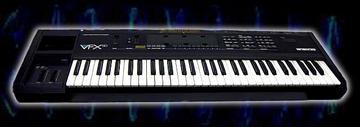
Patches and discussion for Ensoniq VFX family group photo

Yahoo Groups archive

Patches and discussion for Ensoniq VFX family

Index last updated: 2026-04-29 00:03 UTC

Thread

Can the sequencer drive off board MIDI devices?

Can the sequencer drive off board MIDI devices?

2010-05-15 by rrsw_ccs

I was wondering if the VFX-SD sequencer could have a track or tracks assigned to midi channels to drive other midi gear? Haven't been able to figure it out in the menu system. (But there is alot I haven't yet figured out about programing this beast.)

Can the sequencer drive off board MIDI devices?

2010-05-16 by Claus


Hi!

In the Manual, It is explained in chapter 5 (page 27+28) how to set up the sending MIDI-channel of a given track.
You have to select a track. Then press MIDI. The first page shows the Status, which can be -Internal-, -External- or -Both-.
Set it to external, to control outboard gear. Press MIDI again and select the channel the outboard gear recieves on.
That's it.

Best, Claus
AudioSaucer, DK

Re: Can the sequencer drive off board MIDI devices?

2010-05-16 by az_spunky

Everything Claus said, and also under the Master button, the MIDI Mode needs to be set to Multi.

--- In Ensoniq-VFX-SD@yahoogroups.com, Claus <clauzii@...> wrote:
Show quoted textHide quoted text
>
> 
>  
> 
>  Hi!
> 
> In the Manual, It is explained in chapter 5 (page 27+28) how to set up the sending MIDI-channel of a given track.
> You have to select a track. Then press MIDI. The first page shows the Status, which can be -Internal-, -External- or -Both-.
> Set it to external, to control outboard gear. Press MIDI again and select the channel the outboard gear recieves on.
> That's it.
> 
> Best, Claus
> AudioSaucer, DK
>

Re: [Ensoniq-VFX-SD] Can the sequencer drive off board MIDI devices?

2010-05-16 by Rish

I have done this and uses all 16 channels and it wors great.
Rush

Sent from my iPod
Show quoted textHide quoted text
On May 16, 2010, at 1:37 AM, Claus <clauzii@...> wrote:

>
> Hi!
>
> In the Manual, It is explained in chapter 5 (page 27+28) how to set  
> up the sending MIDI-channel of a given track.
> You have to select a track. Then press MIDI. The first page shows  
> the Status, which can be -Internal-, -External- or -Both-.
> Set it to external, to control outboard gear. Press MIDI again and  
> select the channel the outboard gear recieves on.
> That's it.
>
> Best, Claus
> AudioSaucer, DK
>
Re: Can the sequencer drive off board MIDI devices?

2010-05-17 by rrsw_ccs

Cool, Thanks! It works!

I'm having a really tough time understanding how this thing makes sounds. Editing is so hit and miss to me and not much of it makes sense to me yet. I'm so steeped in monophonic analog machines that all this multitimberal polyphony stacking of sounds is just killing me. I've yet to figure out the modulation busses or even grasp the terminology they use about patch / sound / timbre / preset, etc.
(I find my modular so mush easier, but love the sound of my VFX.)
--- In Ensoniq-VFX-SD@yahoogroups.com, Rish <rish@...> wrote:
Show quoted textHide quoted text
>
> I have done this and uses all 16 channels and it wors great.
> Rush
> 
> Sent from my iPod
> 
> On May 16, 2010, at 1:37 AM, Claus <clauzii@...> wrote:
> 
> >
> > Hi!
> >
> > In the Manual, It is explained in chapter 5 (page 27+28) how to set  
> > up the sending MIDI-channel of a given track.
> > You have to select a track. Then press MIDI. The first page shows  
> > the Status, which can be -Internal-, -External- or -Both-.
> > Set it to external, to control outboard gear. Press MIDI again and  
> > select the channel the outboard gear recieves on.
> > That's it.
> >
> > Best, Claus
> > AudioSaucer, DK
> >
>

Move to quarantaine

This moves the raw source file on disk only. The archive index is not changed automatically, so you still need to run a manual refresh afterward.