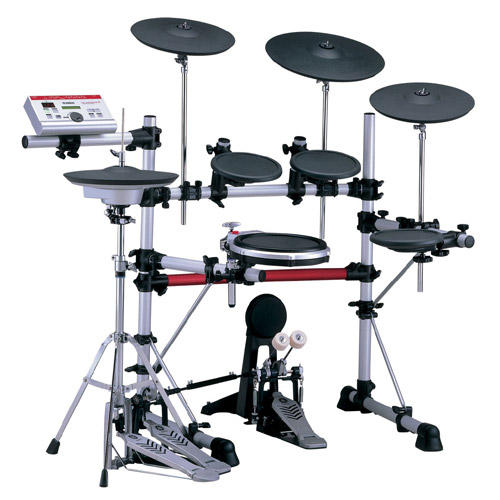
hi vern,

thanks for the help.  unfortunately, this keyboard is a very old,
very basic one -- a Fatar TB49 (48 keys).  It has only a power
switch, an AC jack, & a MIDI out jack -- no other buttons of any
kind.  I did a google search to see what I could find out, but i
couldnt find a single reference to that model -- but in any case, it
is just a very basic no-frils MIDI controller keyboard, & there seems
to be no way to 'change the channel' like you suggest.

all i was hoping for is to use it as a basic synth (with piano,
organ, & other MIDI sounds) as a songwriting/recording tool.  i am
primarily a drummer, but i also play some guitar & bass, & i'd like
to get better at playing keyboards as well.  i am not (currently)
looking to do anything with sequencers or pre-programmed loops, etc.,
or to use it live -- just to have a keyboard that i can play with in
my home studio (i have the free version of ProTools & an analog 4-
track cassette recorder).

so, when i saw that someone in my building was throwing away a
perfectly functional MIDI controller, i grabbed it & plugged it in to
the module, but that's pretty much the extent of my MIDI experience --
which is why i have no idea how to work this stuff.

however, after my last post, i played around a little further,
thinking that since i at least had the piano sound, i would check out
some of the preset songs & see if i could play along.  i discovered
that selecting CERTAIN songs actually changed the sounds produced by
the keyboard (even if the song wasn't playing).  examples included:
#74 "shuffle 2" & #66 "funk 3" but there were several others.  these
sounds were very cool, & definitely in line with what i was hoping to
be able to do -- but only a few song settings did this, & the others
all had the same piano sound.  also, i couldnt figure out how to
alter or adjust the properties of the new sounds, which would have
been useful & fun if possible.

basically, i'd really like to use this setup to mess around with all
of the groovy-sounding sounds listed in the GM Keyboard Voice List on
p. 72 of the manual.  it would also be fun to trigger drum (or other
built-in) sounds from the keyboard controller, but that is less of a
priority, as i am more interested in tone generation w/this thing.

sorry for the long post -- i hope this makes it easier for you (&
anyone else in the group) to help me make noise!

thanks,
scott


--- In DTXpress@yahoogroups.com, "Vernon Graner" <vern@t...> wrote:
> Scott:
>
> MIDI can be a bit overwhelming at first, but if you continue to play
> around you'll find you can do some amazing stuff. In your
situation, the
> way you would get more voices is to use the MIDI keyboard to switch
> "patches" on the module. Unfortunately, the process to do this will
be
> specific to your keyboard.
>
> In most cases, there will be some "patch" buttons on the front of
the
> keyboard that will send an instruction tothe module to change the
voice
> the module sounds when it receives MIDI data from your keyboard. If
> you're getting the piano sound, then that usually means you are
> ransmitting on MIDI channel 1, and the module is using voice #1
(piano)
> to play those MIDI notes. If you can change MIDI transmit channels
on the
> keyboard to Channel 10, you will hear drum sounds as you press the
MIDI
> keys.
>
> I would suggest you do some GOOGLE searches on the make and model of
> keyboard to see if you can find some online documentation that can
help
> find ways to change midi voices.
>
> Also, if you give us an idea of what it is exactly you're trying to
> accomplish (recording? live performance? playing MIDI sequences?),
we
> might be able to give a more focussed response.. :)
>
> Vern
>
> --
> Vern Graner CNE/CNA/SSE     | "If the network is down, then you're
> Senior Systems Engineer     | obviously incompetent so why are we
> Texas Information Services  | paying you? Of course, if the network
> vern@t... www.txis.com  | is up, then we obviously don't need
> Cell 507-7851 Desk 328-8947 | you, so why are we paying you?" VLG
>
>
>
> sjr41 said:
> > hi all,
> >
> > can anyone help me with this?
> >
> > i found an old MIDI-controller keyboard in the basement of my
> > building, and i thought i could maybe use it to access all of the
> > cool "GM tone generator" sounds that are listed in the manual (p.
> > 72).  so, i went out & bought a MIDI cable, plugged the keyboard
into
> > the back of my DTXpress module, switched the "host select" switch
to
> > MIDI, & tried to play.
> >
> > i was pleased to hear a lovely piano sound coming through my
> > headphones, but i can't for the life of me figure out to use this
set
> > up (keyboard + module) to produce any other sounds... what do i
do?
> >
> > i have never worked with MIDI before, so any basic assistance
would
> > be appreciated!
> >
> > thanks,
> > scott
> >
> >
> >
> > Community email addresses:
> >   Post message: DTXpress@onelist.com
> >   Subscribe:    DTXpress-subscribe@onelist.com
> >   Unsubscribe:  DTXpress-unsubscribe@onelist.com
> >   List owner:   DTXpress-owner@onelist.com
> >
> > Shortcut URL to this page:
> >   http://www.onelist.com/community/DTXpress
> >
> > Your use of Yahoo! Groups is subject to
http://docs.yahoo.com/info/terms/
Show quoted textHide quoted text