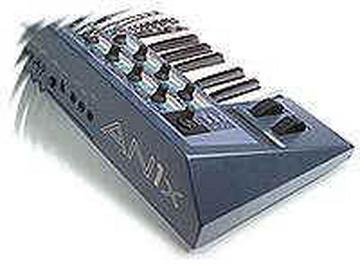
AN1X as a controler
2003-06-23 by spaceanimals
Yahoo Groups archive
Index last updated: 2026-04-28 22:40 UTC
Thread
2003-06-23 by spaceanimals
What do I need to use the AN1x to control 2 synth modules?

Rainbow Jimmy
http://www.spaceanimals.com
http://www.mp3.com/spaceanimals
2003-06-23 by Bruce Wahler
Hi Jimmy,

>What do I need to use the AN1x to control 2 synth modules?


A lot depends what you want the other modules to do.

Generally, though, I would turn Local Off, and connect the modules like so:

An1x Out --> Module 1 In
Module 1 Thru --> Module 2 In
Module 2 Thru --> An1x In

This way, the AN1x isn't automatically on all the time.  Now set the AN1x Rx Channel to CH1, Module 1 to CH2, and Module 2 to CH3.  Then use the An1x Tx Channel to switch between synths.

If you want to do more complex things (layering, splits), you might need to add some MIDI processors in the chain, depending on the setup you want.  Contact me offline if you need more details.

Regards,

-BW
--
Bruce Wahler
Ashby Solutions\ufffd   http://music.ashbysolutions.com
978.386.7389  voice/fax
bruce@...
2003-06-23 by Mike Metlay
spaceanimals said:
> What do I need to use the AN1x to control 2 synth modules?

RJ,

Can you be a bit more specific? Are you talking about hardware you'll need to
buy (two MIDI cables or a MIDI thru box, depending on the modules), or setting
up the AN1x to do splits or layers, or what?

mike

--
"You know it's Friday when you find yourself
trying to turn on the stereo with your cell phone." (b. hale)
> < > < > < > < > < > < > < > < > < > < > < > < > < > < > < > < > < > <
metlay / atomic city / metlay@... / http://www.atomiccity.com
2003-06-25 by Kenny North
Bruce,

What does the last midi in from the second module to the AN1X do?
thanks.


--- In AN1x-list@yahoogroups.com, Bruce Wahler <bruce@a...> wrote:
> Hi Jimmy,
>
> >What do I need to use the AN1x to control 2 synth modules?
>
>
> A lot depends what you want the other modules to do.
>
> Generally, though, I would turn Local Off, and connect the modules
like so:
>
> An1x Out --> Module 1 In
> Module 1 Thru --> Module 2 In
> Module 2 Thru --> An1x In
>
> This way, the AN1x isn't automatically on all the time.  Now set
the AN1x Rx Channel to CH1, Module 1 to CH2, and Module 2 to CH3.
Then use the An1x Tx Channel to switch between synths.
>
> If you want to do more complex things (layering, splits), you
might need to add some MIDI processors in the chain, depending on
the setup you want.  Contact me offline if you need more details.
> > Regards, > > -BW > -- > Bruce Wahler > Ashby Solutions http://music.ashbysolutions.com > 978.386.7389 voice/fax > bruce@a...
2003-06-25 by Mike Metlay ++ Atomic City
>Bruce, > >What does the last midi in from the second module to the AN1X do? >thanks. Ooh! Ooh! Mr. Kotter! I know this one! The Local Off setting in the AN1x means that all of its physical controls (the keyboard, the knobs, the wheels, the ribbon, the pedals, etc.) send out MIDI information from the MIDI Out but not internally to make the AN1x do stuff. Essentially what you've done is break it into a MIDI controller keyboard and a sound module that happen to be living in the same box. If you don't make the connection back to the AN1x, as long as Local Off is set, the AN1x won't make a sound if you play the keys. Following the advice below, you can set the transmit channel of the AN1x to play module 1, or module 2, or circle back and play itself. mike > > > >--- In AN1x-list@yahoogroups.com, Bruce Wahler <bruce@a...> wrote: >> Hi Jimmy, >> >> >What do I need to use the AN1x to control 2 synth modules? >> >> >> A lot depends what you want the other modules to do. >> >> Generally, though, I would turn Local Off, and connect the modules >like so: >> >> An1x Out --> Module 1 In >> Module 1 Thru --> Module 2 In >> Module 2 Thru --> An1x In >> >> This way, the AN1x isn't automatically on all the time. Now set >the AN1x Rx Channel to CH1, Module 1 to CH2, and Module 2 to CH3. >Then use the An1x Tx Channel to switch between synths. >> >> If you want to do more complex things (layering, splits), you >might need to add some MIDI processors in the chain, depending on >the setup you want. Contact me offline if you need more details. >> >> Regards, >> >> -BW >> -- >> Bruce Wahler >> Ashby Solutions http://music.ashbysolutions.com >> 978.386.7389 voice/fax >> bruce@a... > > > >Community email addresses: > Post message: AN1x-list@yahoogroups.com > Subscribe: AN1x-list-subscribe@yahoogroups.com > Unsubscribe: AN1x-list-unsubscribe@yahoogroups.com > List owner: AN1x-list-owner@yahoogroups.com > >Shortcut URL to this page: > http://groups.yahoo.com/group/AN1x-list > > >Your use of Yahoo! Groups is subject to http://docs.yahoo.com/info/terms/ -- "You sank my Jenga ship!" "Jenga ship? We're playing CONNECT FOUR!" ==================================================================== Mike Metlay * ATOMIC CITY * PO Box 17083 * Boulder CO 80308-0083 USA metlay@atomiccity.com * 1-800-924-ATOM * http://www.atomiccity.com
2003-06-25 by spaceanimals
Much thanks guys. I never knew what all that MIDI stuff did. I just
used the volume knobs. Difficult doing that live. So that's what the
MIDI thru does. Cool. You'd never know I've been using MIDI synths
for over 15 years.

Rainbow Jimmy
2003-06-25 by Bruce Wahler
Hi Jimmy,

>Much thanks guys. I never knew what all that MIDI stuff did. I just
>used the volume knobs. Difficult doing that live. So that's what the
>MIDI thru does. Cool. You'd never know I've been using MIDI synths
>for over 15 years.

You're far from alone.  You'd be surprised at how many synth owners know absolutely nothing about MIDI.

For complete closure:  The MIDI Thru jack is supposed to be nothing more than a perfect copy of MIDI In.  It was added to the specification because MIDI cannot be connected in a "Y" fashion like you would use to connect a mono synth to both channels of a stereo amp.  (MIDI is designed as one-output-connected-to-one-input.)  The Thru provides another way to get the master data to Device #2, etc. by connecting the Thru of each device in the chain to the next In.  The Thru is optional in the MIDI specification, but most keyboards and modules provide the feature; sometimes the Thru and Out a sent to one jack, with a switch or software selection to choose one of the two items.

Some keyboards merge the data from the In with other data created by the synth/module, or merge two Ins to one output.  This useful feature is actually outside the MIDI specification, but is often seen on master keyboards and modules that add knobs and switches.  Usually, this merging is done on the Out jack, leaving the Thru as simply a copy of whatever arrived at the In jack.  It's useful to understand the difference between merged Out and Thru.

Each Thru adds a small delay to the data, so if you are connecting more than say, 6-9 devices, you may start to hear a little lag between the time when the key is pressed and the time you hear actual sound from the synth or module, or between the attack of Device #1 and Device #7.  Whether this lag is bothersome -- or even noticeable -- depends both on your playing style, the kinds of sounds and layers you are using, and any additional processing (merging, etc.) added by the devices.  A velocity-sensitive keyboard adds some delay by just measuring the speed of the key hit, so you may already be compensating for a bit of delay in your keyboards.

If you are using more than 3-4 devices, many people purchase a device called a "thru box" that has one In and many Thrus; this way, all of the down-line devices have only one, equal Thru delay.

Regards,

-BW
--
Bruce Wahler
Ashby Solutions\ufffd   http://music.ashbysolutions.com
978.386.7389  voice/fax
bruce@...